I try and connect to my OBDII device that is installed in my car. I can connect to it without issue using the phone. But the G13 will not connect.
@Howard Rosenbloom
Hello,
Thank you for your contact.
May we know the details for your aftermarket OBD2?
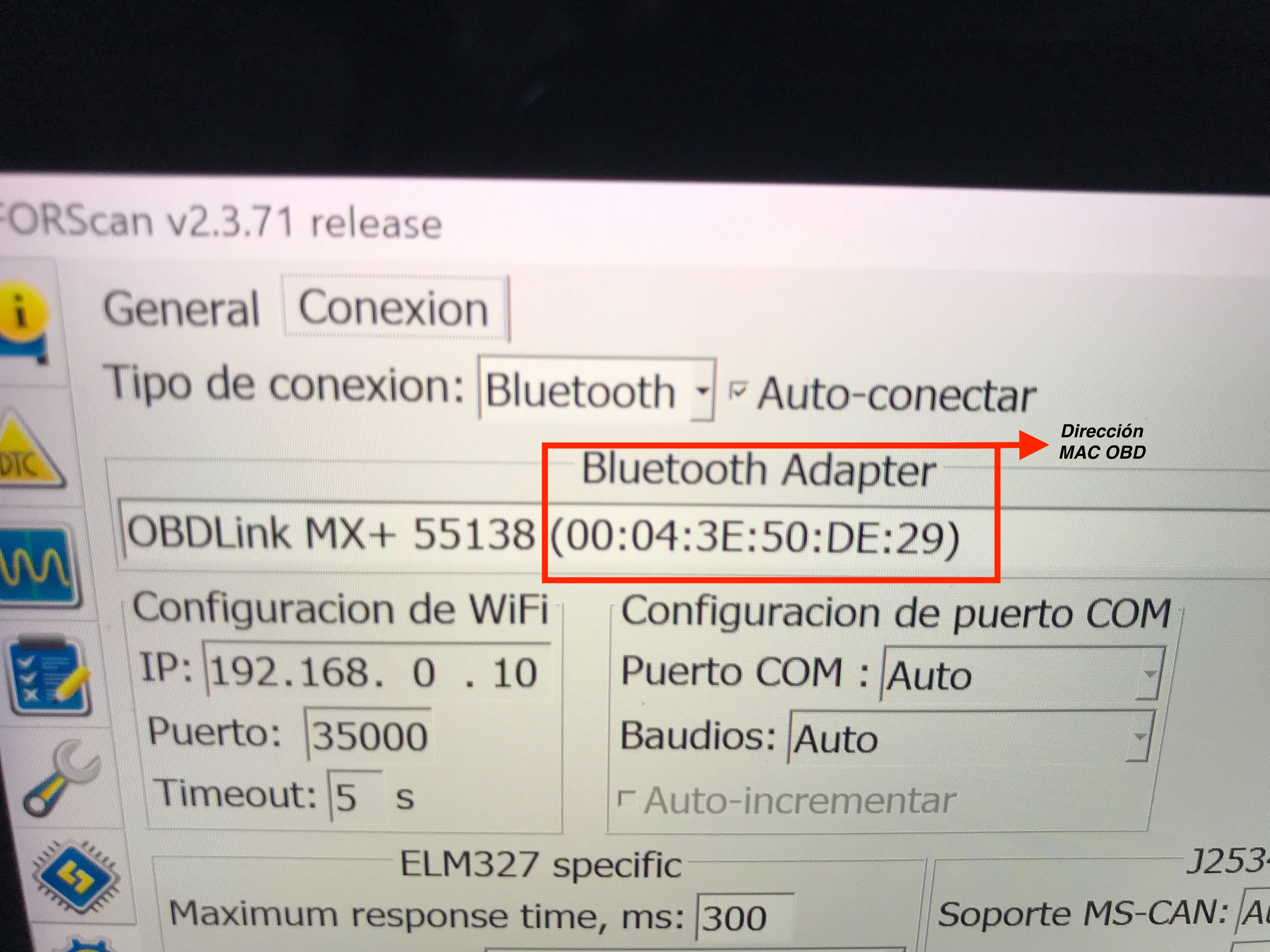
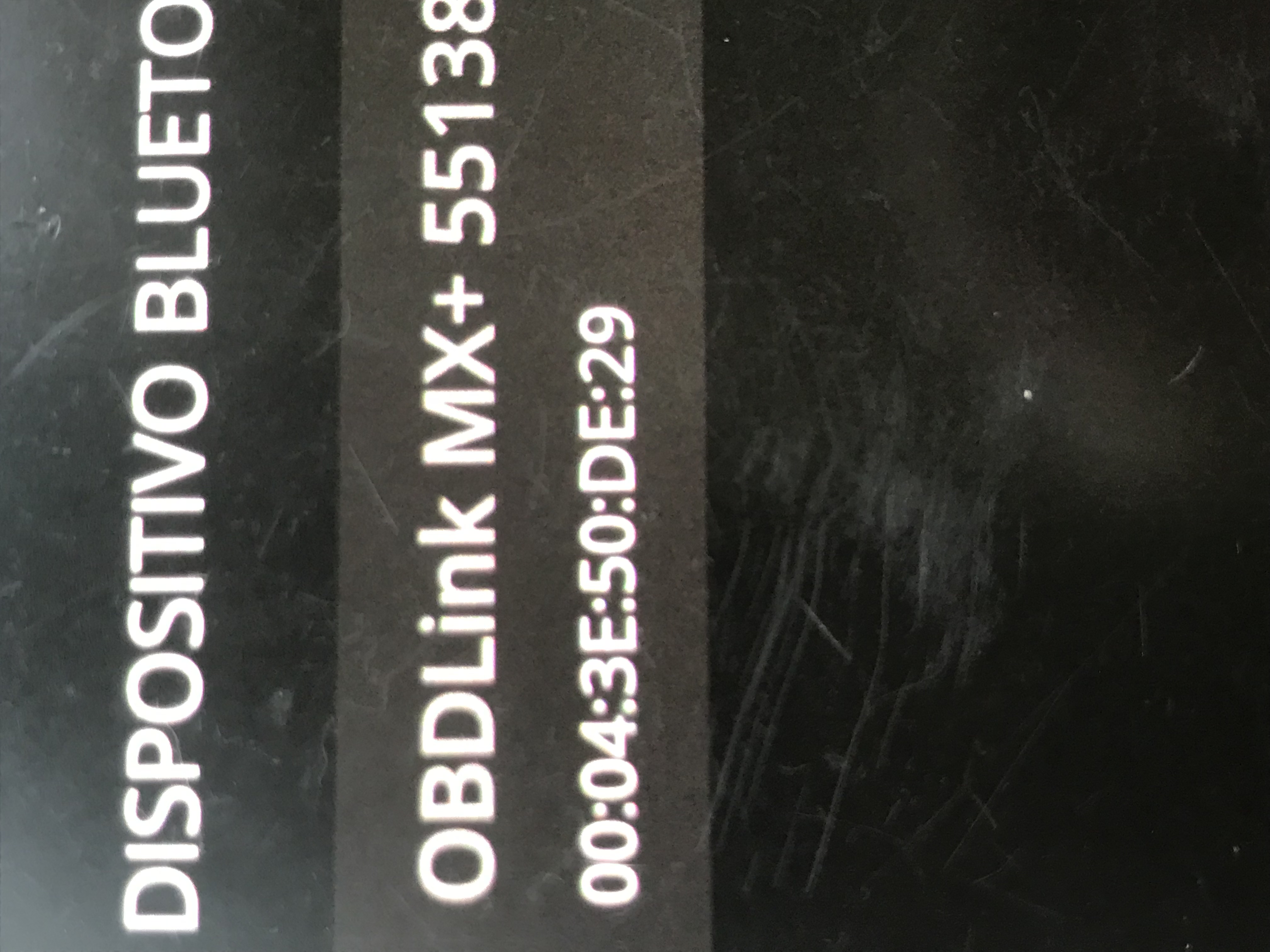
I have an OBDLink MX+ and at first it was quite a process to pair it; I even thought I'd never manage it. First, when you open the application on the Dasaita unit (ForScan, OBDLink, Torque, etc.), if your phone is nearby, make sure Bluetooth is disabled. Otherwise, the OBD application will assume the phone is the OBDLink and try to pair with it. Once this happens, you'll see the phone's name appear in the application, not the OBDLink device's, and it will hardly find the OBDLink until you clear the application's data and remove the phone. The Dasaita unit's Bluetooth application will initially recognize the OBDLink and allow you to connect it, but ultimately, it won't do anything. Depending on the OBDII type, the connection configuration is done through the application. If the OBDII diagnostic application allows you to enter the OBDII's MAC address, it's best to do so, as this will be the gateway between the Dasaita unit and the OBDII port. Again, for me, the process took days, trying one thing after another: configurations in the OBDII application, connection types (Bluetooth 0, 1, etc.), automatic protocol, Wi-Fi MAC address, until it finally appeared in the phone's Bluetooth calling application, not in the Bluetooth application found in the settings menu. Try inserting the OBDII and immediately opening the application to begin the pairing process.
Regards
@José Guillermo Huertas Lancheros though your post was incredibly helpful and made me hopeful, I still don't understand exactly what I need to do to make it work. Have you ever written that out before so you can copy and paste it here for me? I'd hate to ask you to write all the directions. I think I have all the same equipment you have.
Hello @Antony Wilson, I found a very simple method: pair your OBDII device with an Android phone to determine its MAC address, then copy it and keep it handy. Use the ForScan app, as it provides an option in the settings to enter your OBDII’s MAC address; once you enter it, you’ll see that our Dasaita unit will easily recognize the device. Best regards—let me know how it goes!