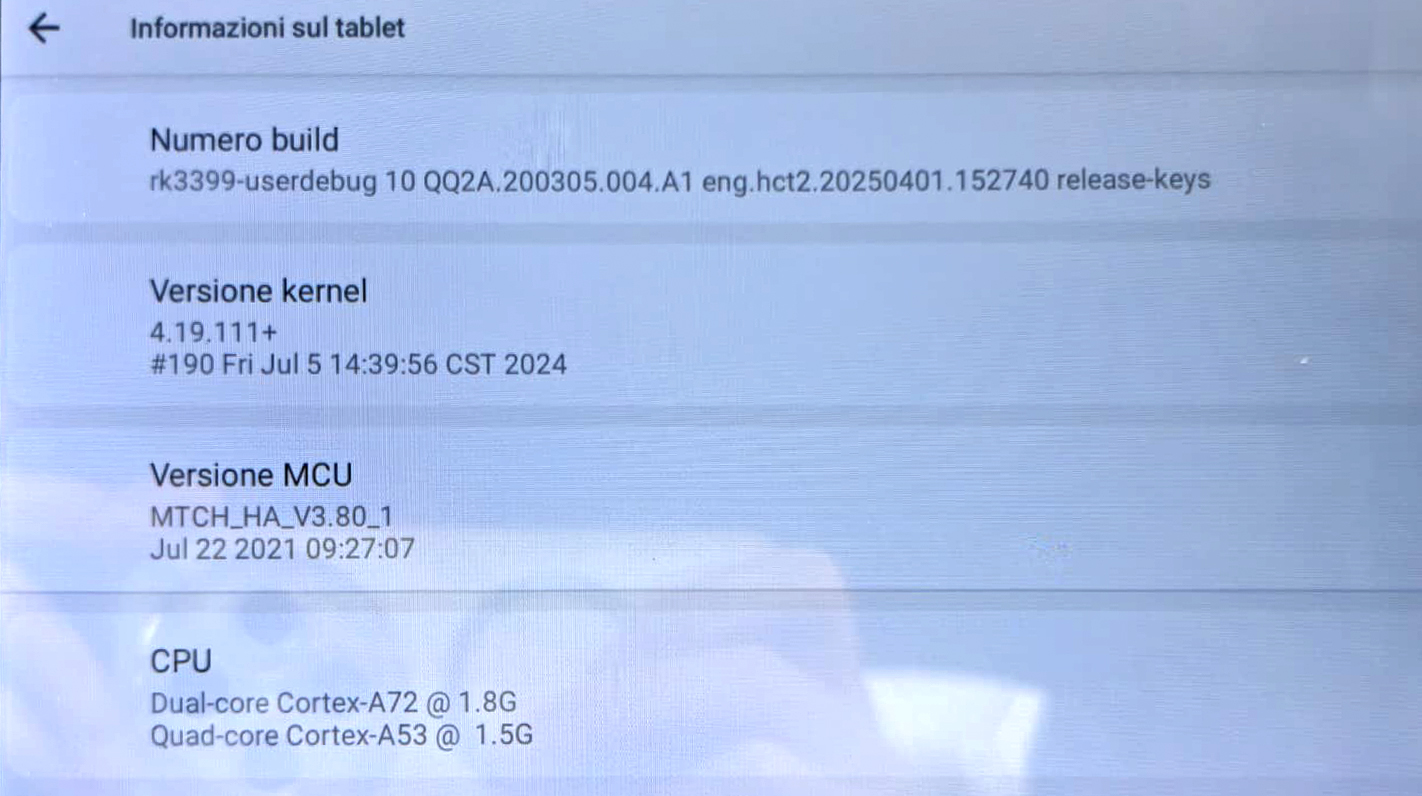
Hello, I have pretty bad reverse camera delay. Longer than 2-3 seconds. The guidelines show up before the actual camera turns on. This is on the G13 11.6 screen for my 2021 Tacoma. Do I have all the current firmware available? If not, can I get the update files please?
I also have a Vivid13 in my other Tacoma that doesn't have this issue. From my understanding they are the same unit with different operating systems? Can I also receive the flash files to possibly flash the G13 to Vivid?
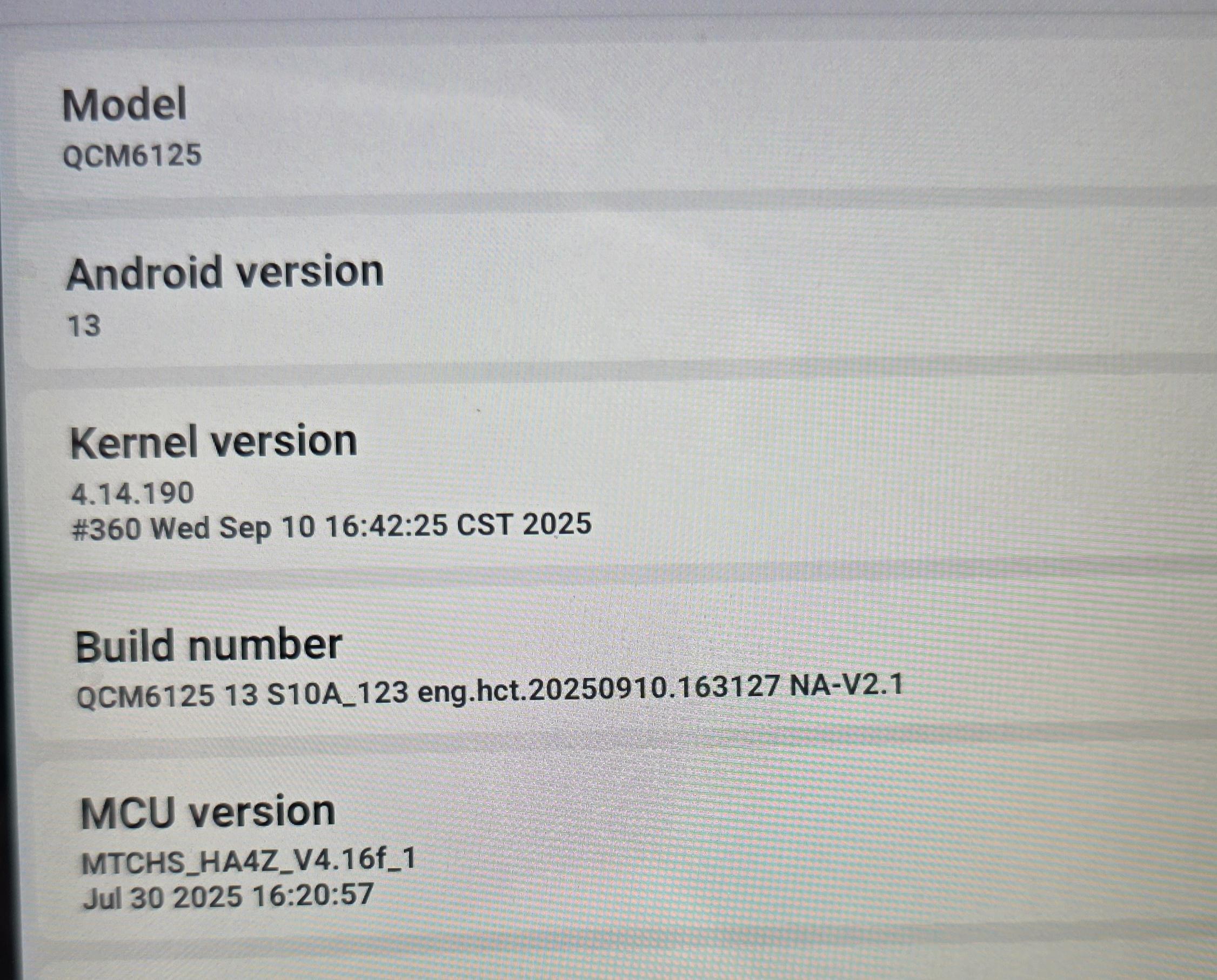
My current info is:
Model: QCM6125
Build number: QCM6125 13 S10A_123 eng.hct.20260409.193809 NA-V1
MCU version: MTCHS_HA4Z_V4.17f_1
@Support Dasaita okay thank you for the help! Have a great day.
@Matthew La
Hello.
Please check the update tutorial below then give it a shot.
Update File:
System Firmware-G13-20260409:
https://www.dropbox.com/scl/fi/h1e688co7vr53z30rtdlk/update.zip?rlkey=loanzw1z5hay4q0erpzj05qte&st=lp62ulvd&dl=0
MCU-4.17f:
https://www.dropbox.com/scl/fi/9t1gp2mkk3ertqyybpf5j/hmcu.img?rlkey=rs1abdmvfbk53331a024bps8j&st=dzwvztlg&dl=0
Tips:
1.
Download above update file via your computer/laptop.
2.
Format USB drive to FAT32 Format.
3.
Copy the file “update.zip”&“hmcu.img” to the root directory of USB drive.
4.
Insert USB drive into the unit via USB cable;
then it will pop up automatically a window of update.
Alternatively, please manually go "Settings > System > System updates/MCU updates" to start the update.
***NOTE:
Please make sure that you have ticked option "Wipe data and format flash!".
Reference Operation Video:
https://www.dropbox.com/scl/fi/7tgvc28sn77ux6g6fmosm/MCU.mp4?rlkey=7p5940e12kb88a42zue6qntft&e=1&dl=0
@AlchemEDC
Hello.
Please check the update tutorial below then give it a shot.
Update File:
System Firmware-Vivid13-20251022:
https://www.dropbox.com/scl/fi/hg80kccchvdh43qop20v8/update.zip?rlkey=ik335i49ets8jhe1ajtosohvy&dl=0
Tips:
1.
Download above update file via your computer/laptop.
2.
Format USB drive to FAT32 Format.
3.
Copy the file “update.zip” to the root directory of USB drive.
4.
Insert USB drive into the unit via USB cable;
then it will pop up automatically a window of update.
Alternatively, please manually go "Settings > System > System updates" to start the update.
***NOTE:
Please make sure that you have ticked option "Wipe data and format flash!".
Reference Operation Video:
https://www.youtube.com/watch?v=daXfUSMZt4Q&list=PLj4nbXKzYYkwxHfNGsONeDiqWzPmn8rAt
@IceyBiah
My pleasure :)
Have a great day!
HAving issues with Android auto via the zlink app cutting in and out. As well as blank black screen on occasion during boot up when my Tacoma is strarted. I have to pull power from the unit to get the screen to return to normal
May I get the latest firmware and MCU updates please?
@Support Dasaita
Update was successful, shows the zlink version is 6.0.47. The problem is continuing, almost exactly 3 mins it freezes then restarts zlink. Using a Samsung Z Fold 7 with One UI 8.5
Hello,
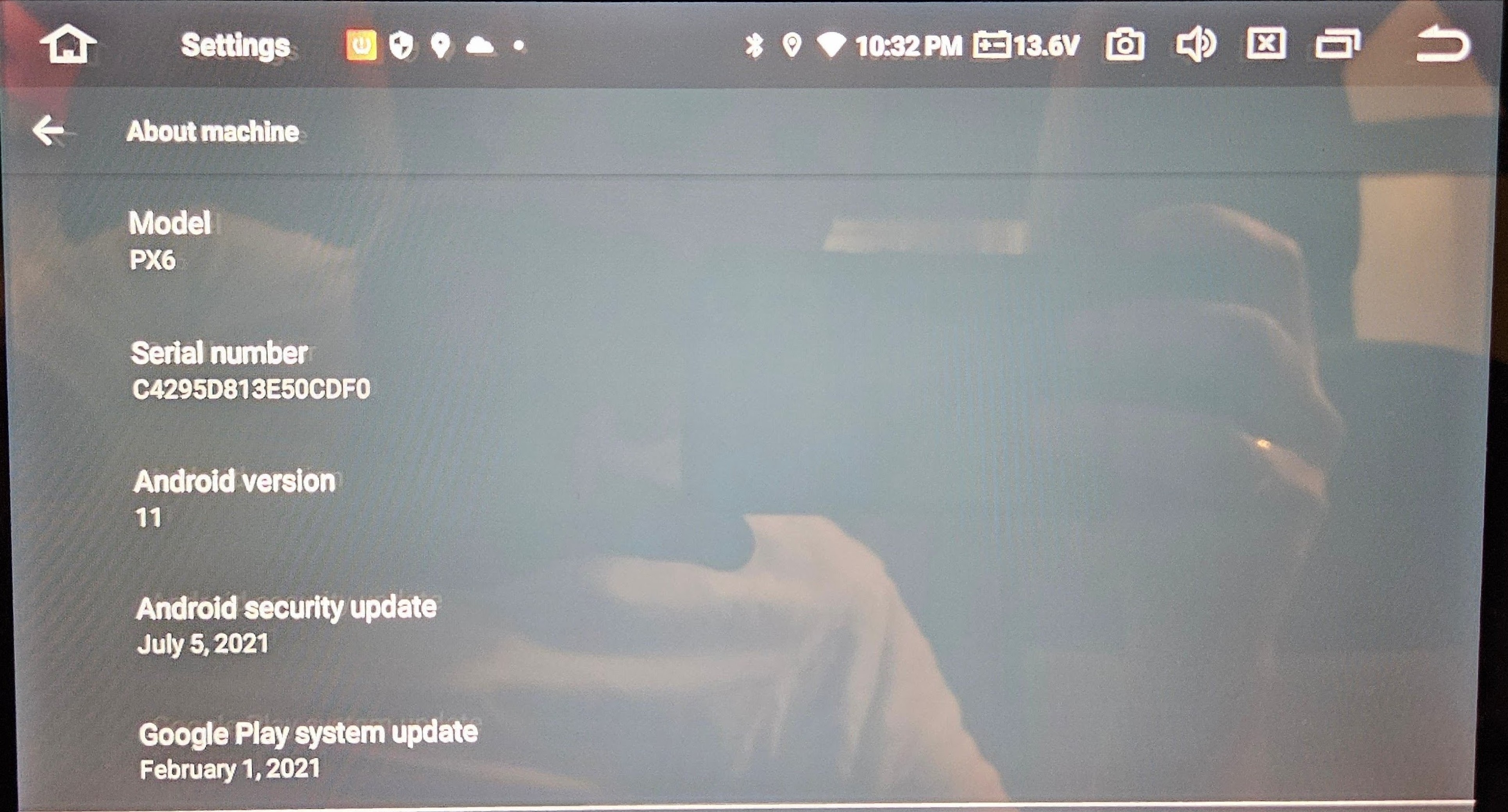
I have a px6 model with android 11 on 2014 toyota corolla. My steering wheel controls sometimes work, but sometimes don't work. Sometimes when I press volume up, the volume goes down. Also my zlink app doesn't work because it won't activate, though I am connected to internet.
HI Dasaita Support,
i have a problem with mic that too low, already adjust on Mic +12 but still low sound.
also my other problem is the oil percentage is missing from dashboard module.
can you give me newest version of the firmware with instruction as well ?
thank you
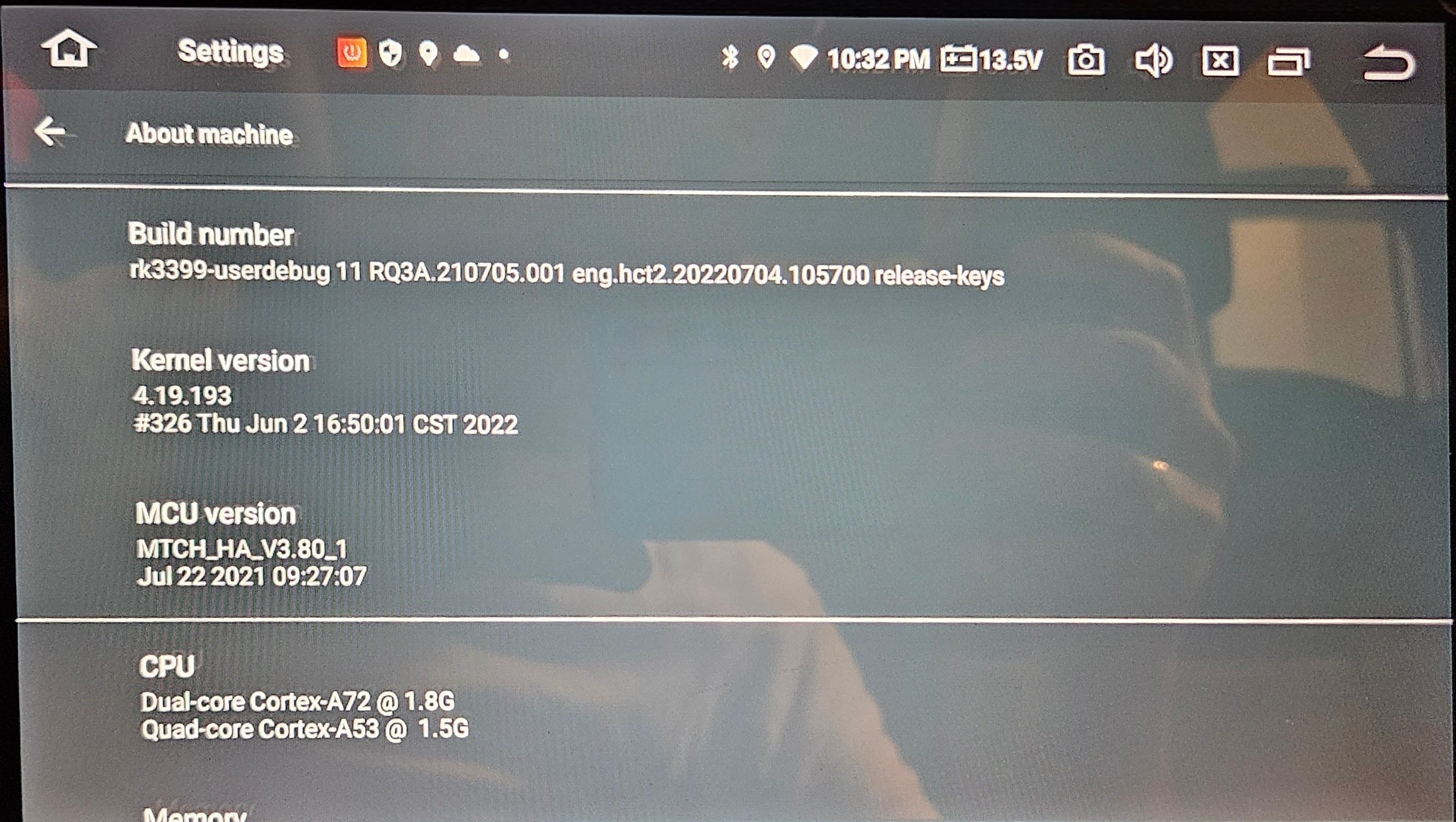
here is my dasaita information. 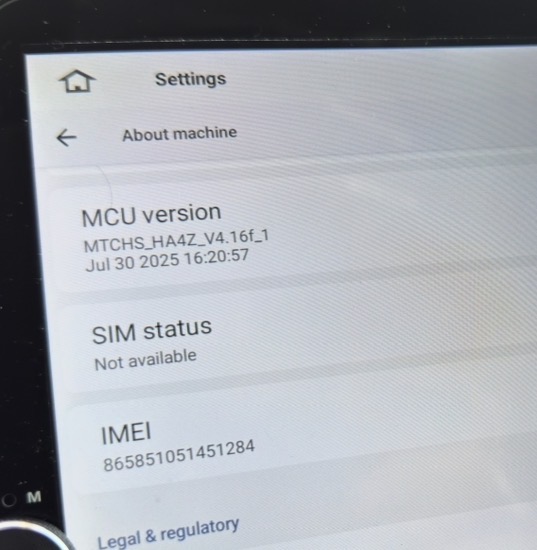
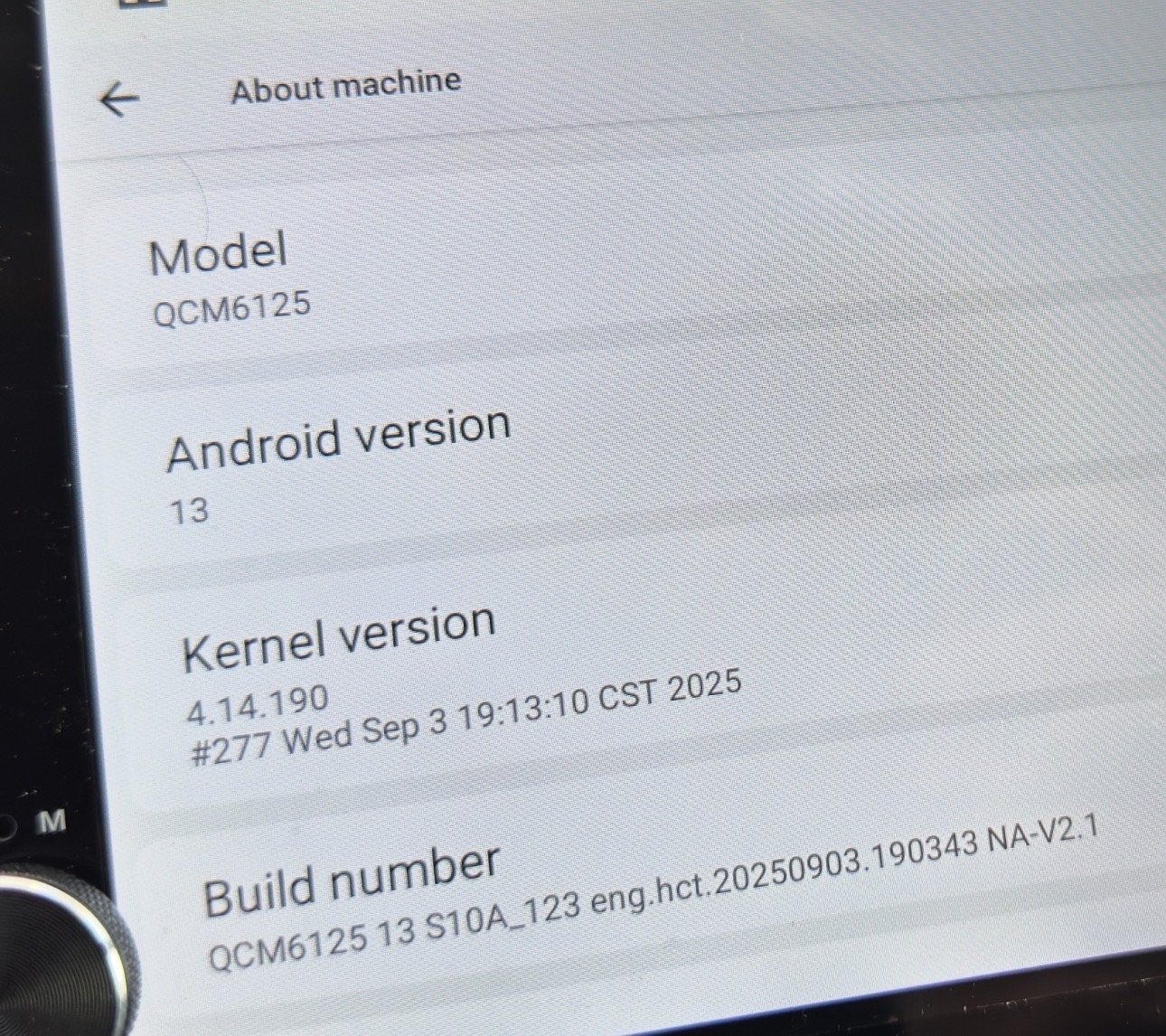
@Matthew La
Hello.
We noticed that recently many users have reported frequent Android Auto disconnection.
This is a global bug in Google’s official version 17.2.662404, not an issue with the head unit.
Symptoms:
Randomly dropping out every few seconds to minutes, especially when playing music.
Affected:
All phone brands(Samsung, Pixel, etc.).
Quick Fix(roll back to stable 17.0):
1. Open Google Play Store → Android Auto
2. Leave the Beta program
3. Tap ⋮ (top right) → Uninstall updates(reverts to 17.0)
4. Disable Auto-update for Android Auto until Google patches it.
@kaxfenix
Hello.
Please check the update tutorial below then give it a shot.
Update File:
System Firmware-Vivid13-V2-20260625:
https://www.dropbox.com/scl/fi/6uc15n3ovl2x60xahdc79/update.zip?rlkey=80rz30bp0njkwui4nfo7qsyyn&st=a351xeuc&dl=0
MCU-4.17f:
https://www.dropbox.com/scl/fi/9t1gp2mkk3ertqyybpf5j/hmcu.img?rlkey=rs1abdmvfbk53331a024bps8j&st=dzwvztlg&dl=0
Tips:
1.
Download above update file via your computer/laptop.
2.
Format USB drive to FAT32 Format.
3.
Copy the file “update.zip”&“hmcu.img” to the root directory of USB drive.
4.
Insert USB drive into the unit via USB cable;
then it will pop up automatically a window of update.
Alternatively, please manually go "Settings > System > System updates/MCU updates" to start the update.
***NOTE:
Please make sure that you have ticked option "Wipe data and format flash!".
Reference Operation Video:
https://www.dropbox.com/scl/fi/7tgvc28sn77ux6g6fmosm/MCU.mp4?rlkey=7p5940e12kb88a42zue6qntft&e=1&dl=0
@Srdjan Maksimovic
Hello.
Please check the update tutorial below then give it a shot.
Update File:
System Firmware-MAX11-20231216:
https://www.dropbox.com/scl/fi/w0wrjc80ksuxy3fe08gjw/update.zip?rlkey=tyoc18w33q1py8o1ooo2gw7yr&dl=0
Tips:
1.
Download above update file via your computer/laptop.
2.
Format USB drive to FAT32 Format.
3.
Copy the file “update.zip” to the root directory of USB drive.
4.
Insert USB drive into the unit via USB cable;
then it will pop up automatically a window of update.
Alternatively, please manually go "Settings > System > System updates" to start the update.
***NOTE:
Please make sure that you have ticked option "Wipe data and format flash!".
Reference Operation Video:
https://www.youtube.com/watch?v=daXfUSMZt4Q&list=PLj4nbXKzYYkwxHfNGsONeDiqWzPmn8rAt
@Edoardo Edo
Hello.
Based on your picture, it already is the latest version.
Hi, how do I update zlink app for Max11 without updating the firmware?
I have the following:-
Android Version 9
Base band
FM_BASE_18A_RLS2_ISHARKL2_W18.37.1_P1|sc9853_modem/05-09-2019 11:29:15
Marlin2_17b_iot_W19.35.2|marlin2_cm4|08-27-2019 08:43:27
System info
APP 1024x600 2020-03-06 15:42:30
CPU Info
CPU:Intel X86_OCTA-CORE 1.8GHz SC9853 4+32 GB
MCU Version
2020.02.28 14:40:24 ZHAN_53_C63L_G230 00000G_Ver: 1.0
do you have a ZLink and MCU for this unit please?
Hola, acabo de instalar mi dasaita PX6 MAX 10 en mi coche y quiero actualizarlo a android 11 y a la última versión del MCU porque no cambia de modo claro a oscuro al encender las luces ni se encienden los botones físicos.
Mi versión actual de MCU es:
MTCE_HA_V3.65_1
Oct. 19 2020 20:11:04
Número de compilación:
rk3399-userdebug 10 QQ2A.200305.004A1 eng.hct.20201019.100341 test-keys
versión del kernel:
4.19.111+#2458 Fri Oct 16 16:49:13 CST 2020
Hola, acabo de instalar mi dasaita PX6 MAX 10 en mi coche y quiero actualizarlo a android 11 y a la última versión del MCU porque no cambia de modo claro a oscuro al encender las luces ni se encienden los botones físicos.
Mi versión actual de MCU es:
MTCE_HA_V3.65_1
Oct. 19 2020 20:11:04
Número de compilación:
rk3399-userdebug 10 QQ2A.200305.004A1 eng.hct.20201019.100341 test-keys
versión del kernel:
4.19.111+#2458 Fri Oct 16 16:49:13 CST 2020
@megabeat1 The PX6 MAX 10 cannot be upgraded to version 11. Please check whether your settings are configured correctly.
Settings>Car>Extra Settings>Brightness mode
If you tried but still no luck,please go procee system update:
Please update the Firmware to the latest version via the link below,here are some tips to help you get it done:
Max10(20230414)
1.Please download the file though the link via your computer/laptop.
(Do not rename and Unzip the file)
2.Format the USB drive before copying the Update.zip file to it, then insert it to the USB cable,and it will pop out the firmware updating tips on the screen.
(Tick the option"Wipe data and format flash")
@mochiii any update for me ?