Radio is not working properly


  • Radio is not working properly:

    1. Ensure the radio area is correctly set.(Go to Factory Settings > enter 126 > Radio to verify the radio area.)
    2. Verify the radio antenna is properly connected; reconnect it to test.
    3. Check the ANT adapter has been connected with the OEM radio plug or not; reconnect it to test if neccesary.


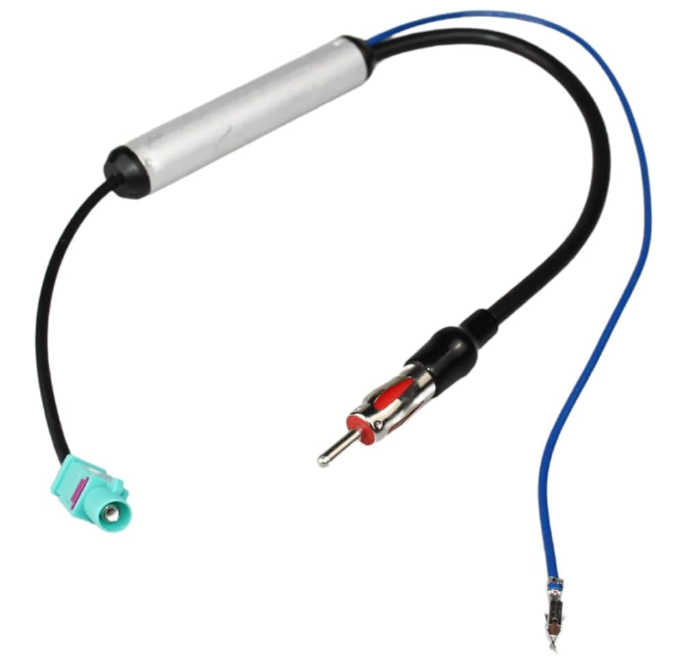
  • You can also install an amplifed antenna connector. That fixed the issue for me where no stations would pick up. Here's an example of what I purchased.

  • Hi @Support Dasaita 

    I'm also having a problem with my radio. I have a Dasaita PX6 unit with Android 10, and suddenly the radio stopped working. I can access the app, but there's no sound—no background noise or stations. The dial doesn't work, and there's no audio.

    This only happens with the radio. Bluetooth works fine, and playing music from a USB drive works fine, but the radio is silent. I open the app, but it doesn't play any sound.
    First, I did a factory reset, but it still didn't work. I unplugged the unit, checked the fuse, and made sure the antenna cable was properly connected, but it still didn't work.
    Then I updated the MCU from MTCE_HA_V3.71_1 to MTCE_HA_V3.78_1, but it still didn't work. I also updated Android to MAX10, but that didn't solve the problem either.
    How can I fix this?


  • @a.corrales.redondo 

    Hello.

    In order to help you better, please provide the following information:
    1.
    Order Number.
    2.
    Go Settings > About Machine > Build Number, then send us picture of this page.

    Thanks in advance.


Please login to reply to this topic!