No Right View After G13 Installation (Honda Civic/Accord) – Fix Guide
-
Issue:
Some customers report losing the right-side camera view (showing an exclamation mark) after installing the G13 unit in:-
Honda Civic (2015-2022):HA5262
-
Honda Accord (2013-2017):HA5206
Solution Steps:
Check Wiring
- Ensure the Front cam wire is properly connected to the BSM wire.
- HA5262
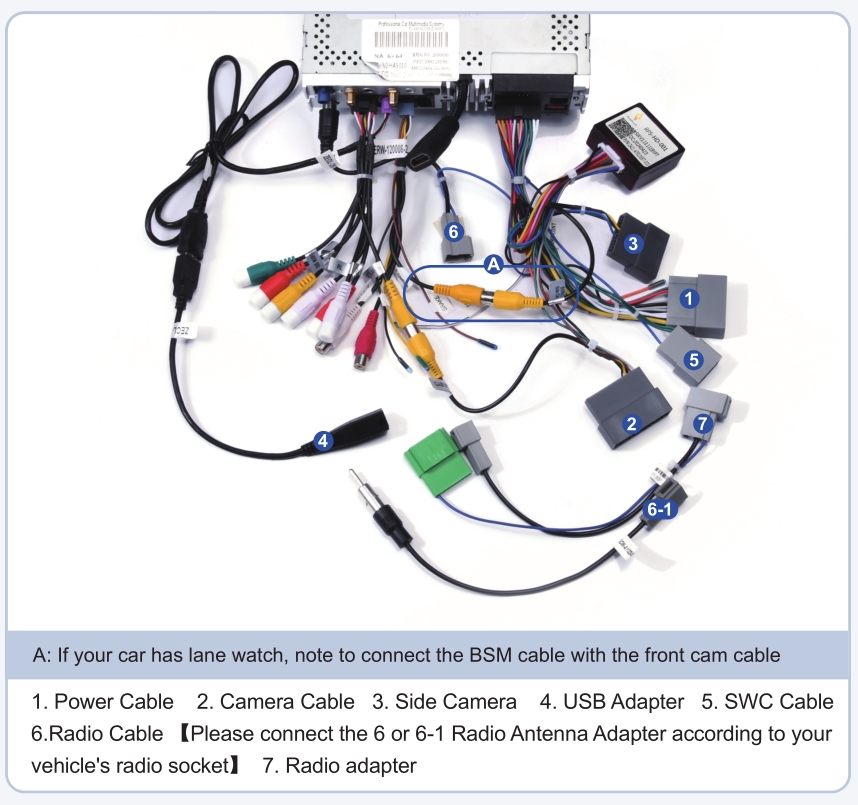
- HA5206:

Check system settings:
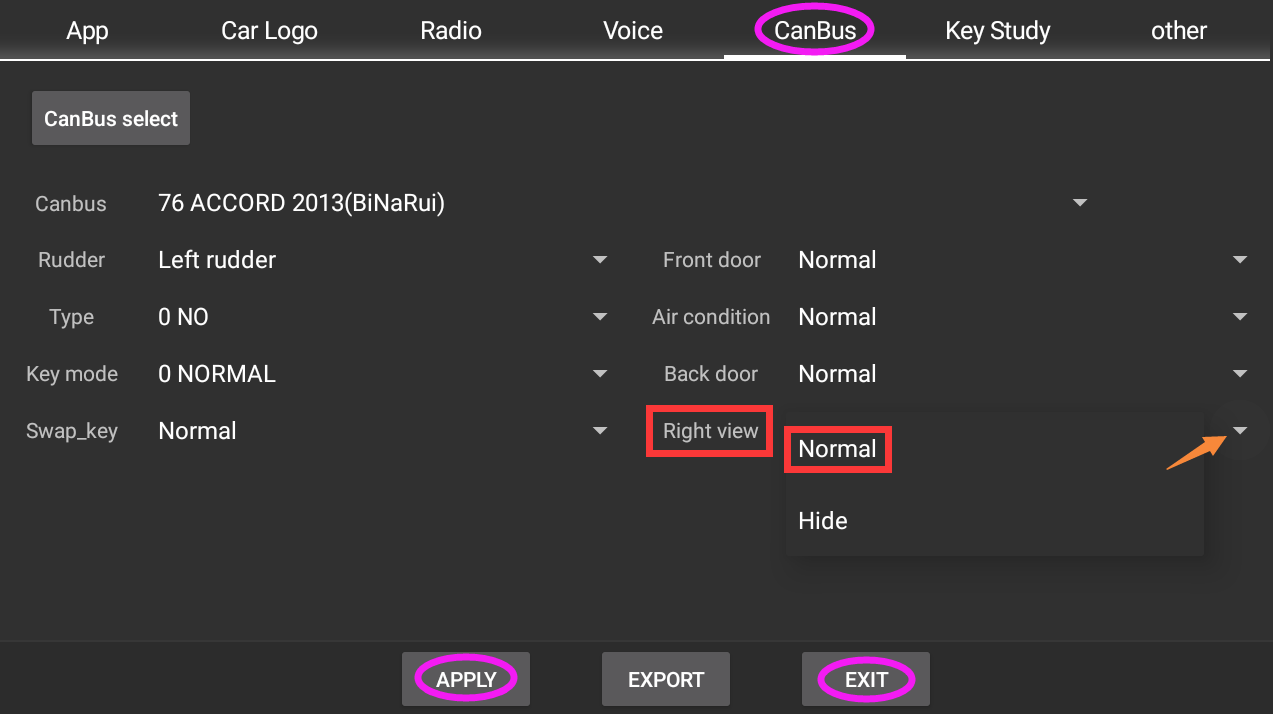
- Enable Right View in Settings:
- Go to:
Settings > Car > Factory Settings (126) > Canbus→ Enable "Right View". - Verify MCU Version
-
Navigate to:
Settings > About Machineconfirm the MCU version is newer than 4.16a. -
If your MCU is older and the issue persists, contact support: support@dasaita.com for an upgrade. C
-
Note: If problems continue, reply with your MCU version and wiring photos for further help.
-
-
-
@ivan lange
Hello.
About the aftermarket rear view camera, please refer to below photo.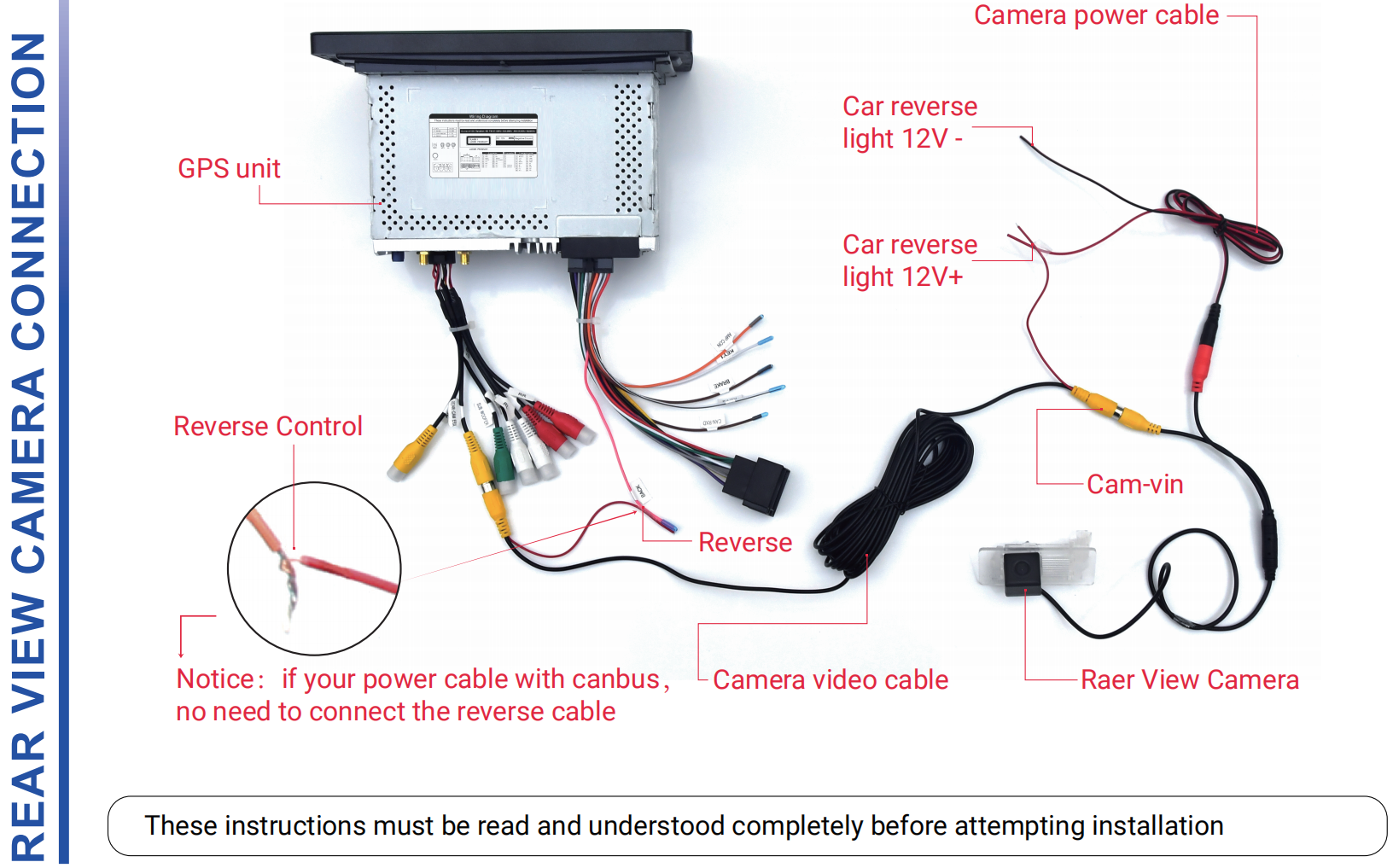
Please confirm that you have enabled the rear view camera and lane watch:
Go Settings > Car > Factory setting (password :126) > Other > Reverse Detection > Enable;
Go CanBus > Right View > Normal > Apply > Exit > Reboot.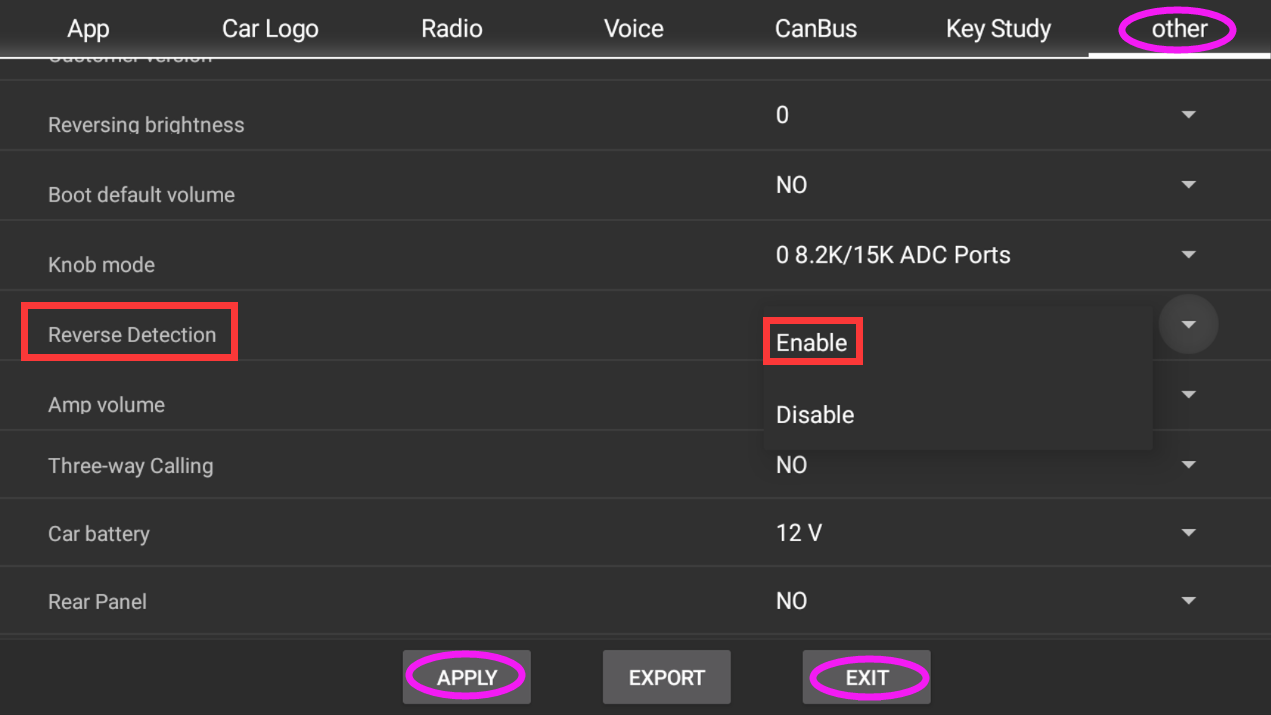
-
-
-
-
