-
Pair your phone's bluetooth.
-
Enable the CarPlay.
-
On your phone, turn on Wifi and search for the head unit's hotspot(e.g., "Android-***").
-
Return to the CarPlay interface. The connection should complete automatically.
Carplay or Andriod auto dropped / won't connect
-
Hello! Please help. Mid-drive Wednesday, that's three days ago, my
Dasaita 8GB+256GB Car Radio for 2010-2019 Toyota 4Runner Upgrade, 10.25" 2K Touchscreen, with Wireless Apple CarPlay Android Auto, GPS Navigation, Built-in 4G Cellular, Android 13, Qualcomm 8 Core
dropped the connection with my phone (Apple iPhone 16 running iOs 26.0.1). I tried all the easy 'fixes' listed in other threads. Turned off and on phone and headunit. Updated phone. Unpair/re-pair. No joy!
Here is a screenshot of my headunit:
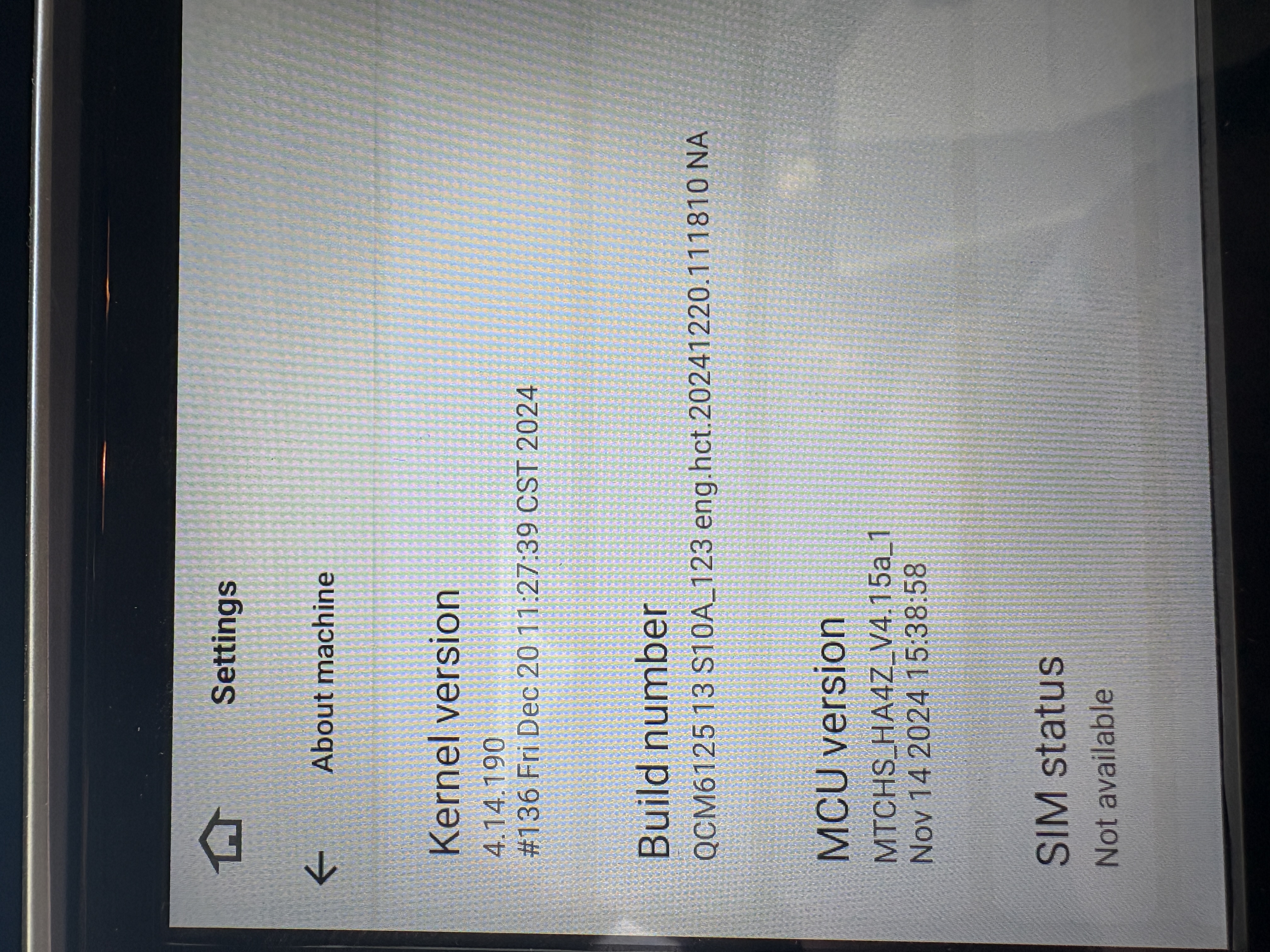
Without this feature, your product us worthless to me. Please help me fix whatever has caused this problem.
Jim
-
@Misterhow2
Hello, Jim.
Please check the update tutorial below then give it a shot.
-----------------------------------------------------------
Update File:
System Firmware-G13-20251021:
https://www.dropbox.com/scl/fi/hzwgbxrlai6oknufou764/update.zip?rlkey=91esqa0pi4imvzm7n2koq3ggj&dl=0MCU-4.17a:
https://www.dropbox.com/scl/fi/6g03cdcsfz2ynsk2wnimm/hmcu.img?rlkey=cqxi7l0uaogy9tc8zdpr82329&dl=0Tips:
1.
Download above update file via your computer/laptop.
2.
Format USB drive to FAT32 Format.
3.
Copy the file “update.zip”&“hmcu.img” to the root directory of USB drive.
4.
Insert USB drive into the unit via USB cable;
then it will pop up automatically a window of update.
Alternatively, please manually go "Settings > System > System updates/MCU updates" to start the update.
***NOTE:
Please make sure that you have ticked option "Wipe data and format flash!".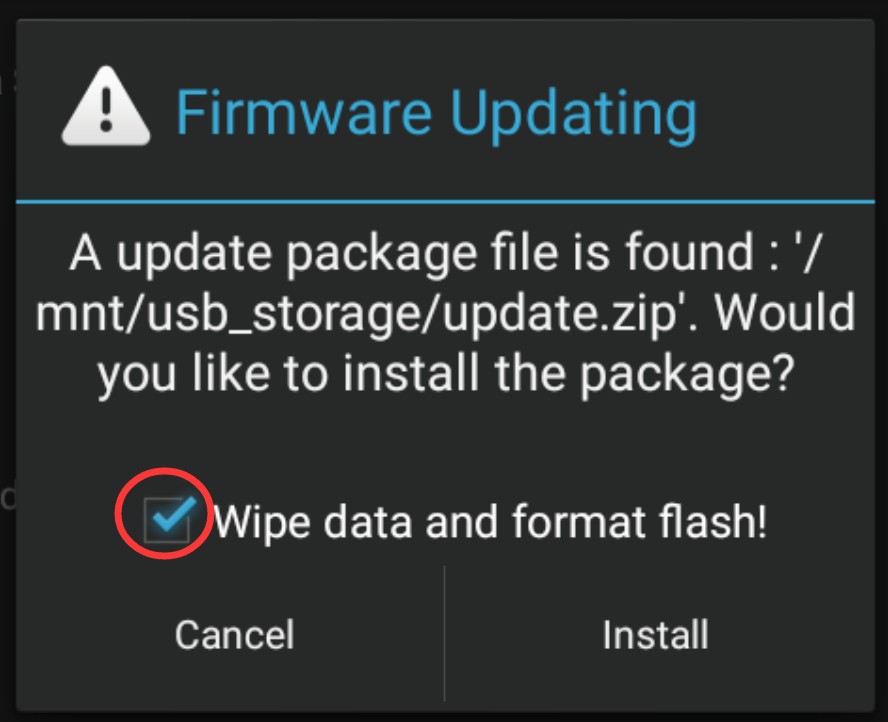
Reference Operation Video:
https://www.dropbox.com/scl/fi/7tgvc28sn77ux6g6fmosm/MCU.mp4?rlkey=7p5940e12kb88a42zue6qntft&e=1&dl=0-----------------------------------------------------------
-
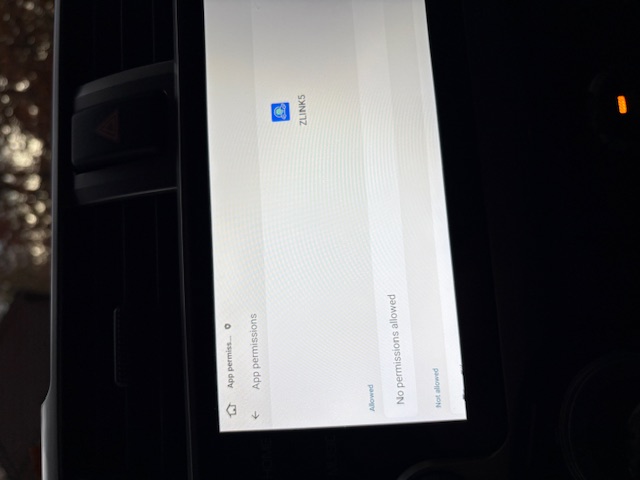
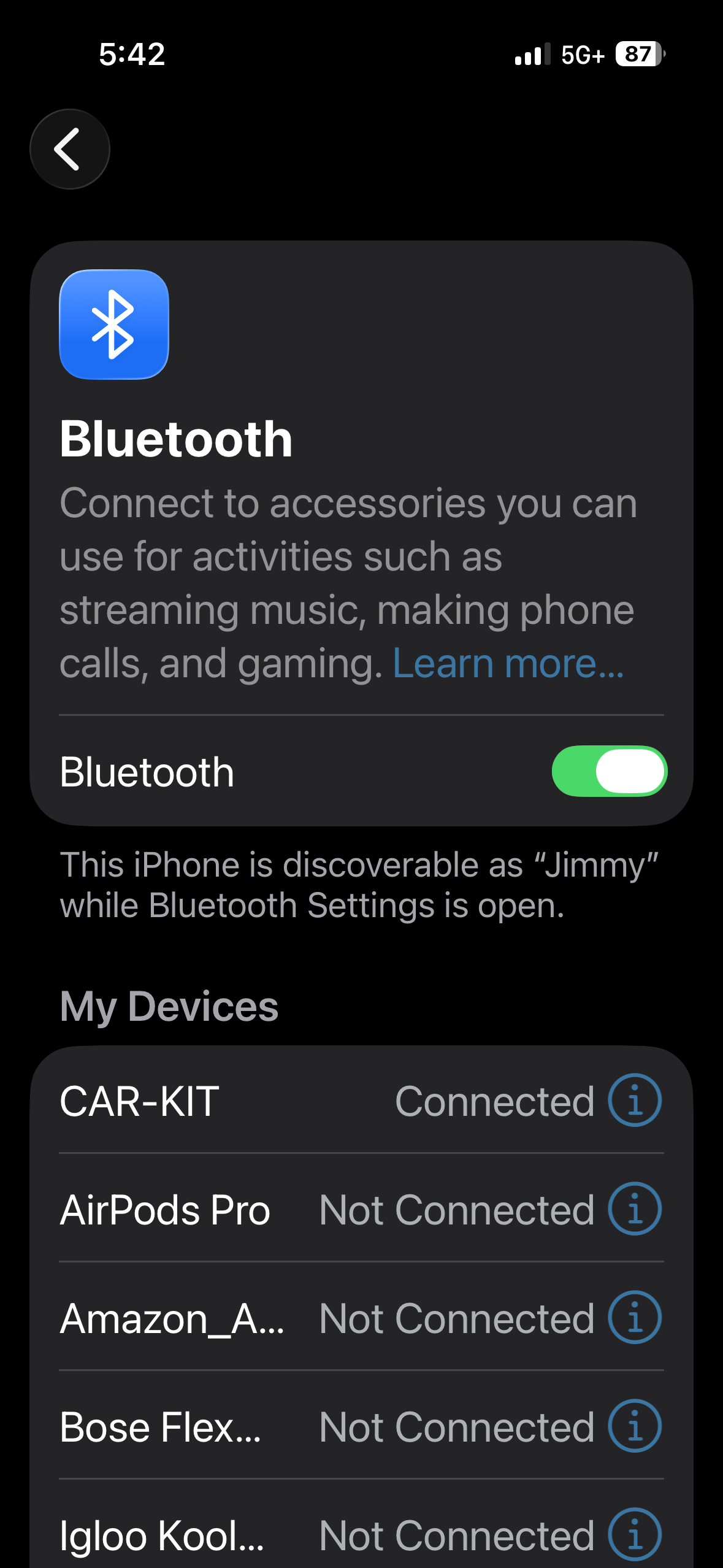
I did the update as instucted. I also backed up my phone and did a new install. Sadly, this DID NOT fix my issue. Oddly, it appears as though my phone can and does connect to the head unit but it does NOT connect to Zlink. Here are some screen shots that show this. An odd thing that I noticed is that Zlink seems to be denighed permissions to bluetooth?! Please advise.
-
Please login to reply to this topic!
