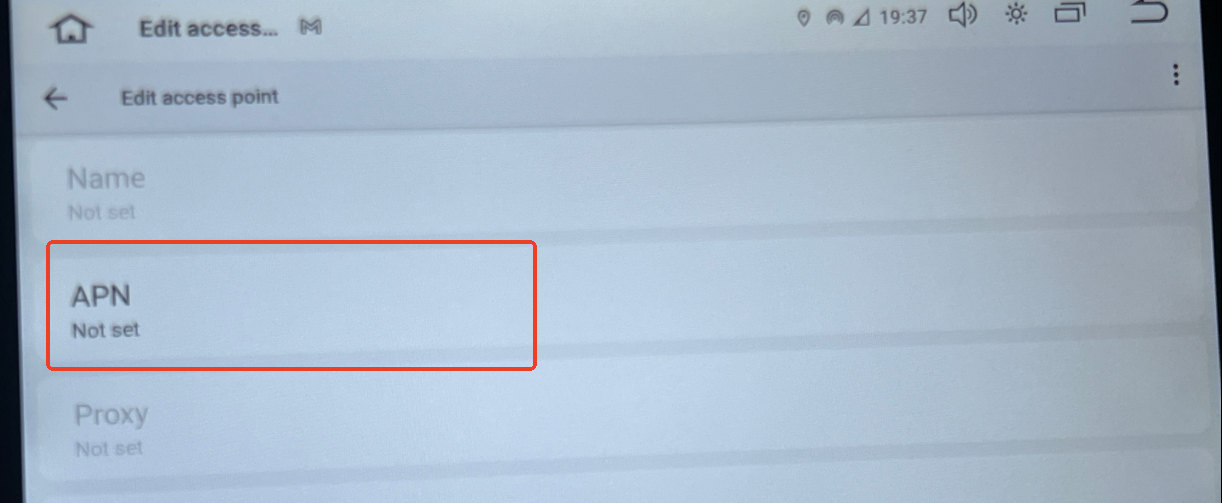
SIM recognized, still no data


  • Issues #1. 
    Unable to connect mobile hot spot, Z-link immediatly takes over WiFi and disconnects phone data. I have to turn off carplay in settings > general > carplay > car kit, and that didn't always work. 50/50 chance Z-link would still try to connect and take over wifi.
    Issue #2.
    The unit would show hot spot/bluetooth tethering was on, but BT Tethering will not turn on, it might toggle to the on position but would immediately revert to the off position. The unit is unable to connect to mobile data thru BT, even though factory settings is set to on. 
    Issue #3.
    After reading almost all posts about SIM issues and workarounds, though not much on the G13 08 Toyota Tundra version or V2, but I decided to give it a go. No pins on the SIM, it's recognized by the system, shows up on the Home Screen as if it is connected to data, but does not provide mobile data.
    Purchased 11/9/25, order #SP-DA754 on Dasaita website, I believe it went through an update after installation, and connected to home wifi. 
    Network set to LTE, Factory Settings > other > SIM card voice call - YES, APN looks correct, at least with the Verizon SIM, tried AT&T also and it was recognized too but would only show a temperary not in service in SIM setting. 
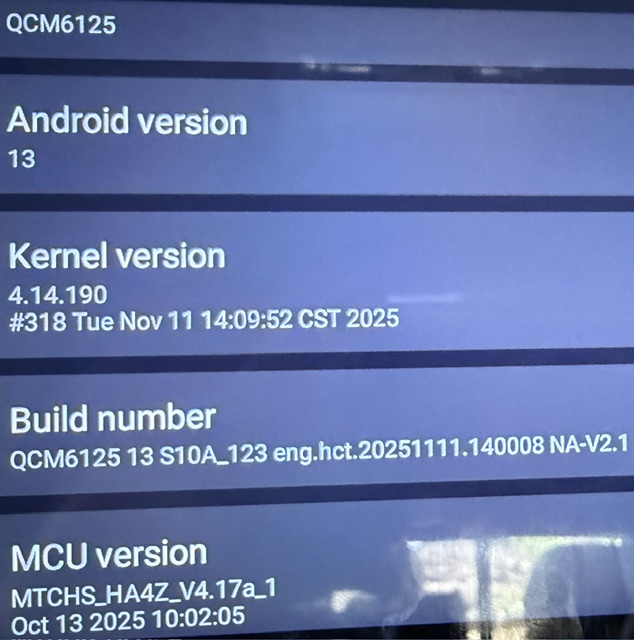
    Build - QCM6125 13 S10A_123 eng.hct.20250903.190343 NA-V2.1

    MCU - MTCHS_HA4Z_V4.16F_1

    Would be great to have this SIM card working, as the upgrade I thought I was getting is pretty much the PX6 Vivid 11 I was trying to replace.
  • @David Hollabaugh 
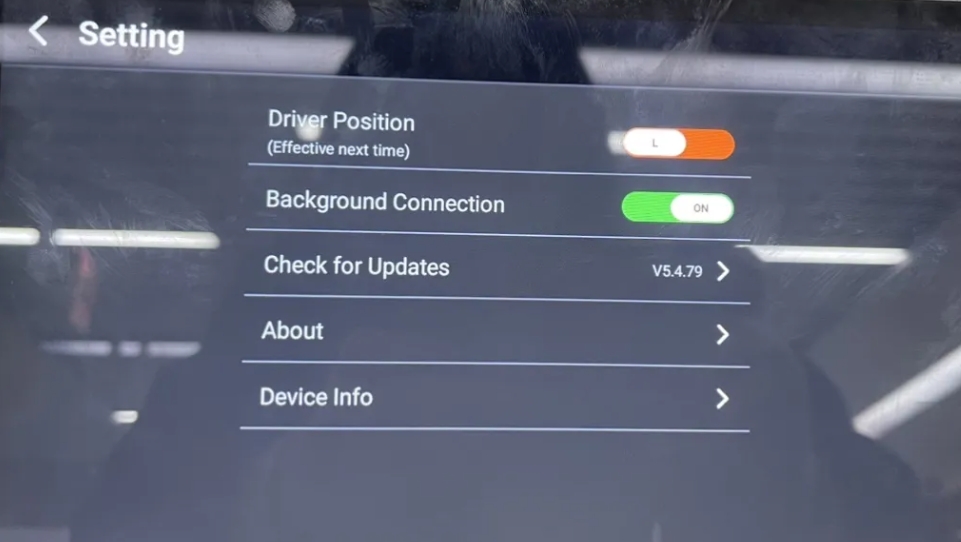
    1. Please go to CarPlay settings and turn off the Background connection.

    2.You could show us video to demonstrate the situation so that we could better confirm.

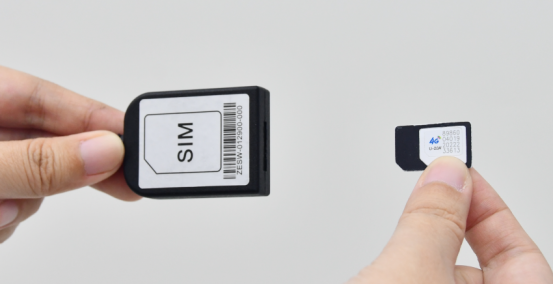
    3.When you plug in the SIM card, you must restart the Dasaita unit: settings > car settings > factory settings and put "hctreboot" as password.


  • I cannot add video in this forum. Zlink background connection is off, have rebooted with hctreboot. sim still says temperarily unavailable.  I am noticing now that I cannot connect to bluetooth while connected to the head units wifi. I was trying to turn on BT Tethering, but it will not stay on. Says it's on but when I click into BT Hotspot/tethering it's always off and mostly cant click to the on position. If I could connect to the unit's wifi hotspot and use bluetooth for data access that would be great. 


  • @David Hollabaugh 

    Hello,

    Thanks for your reply.

    Regarding to the SIM Card, Can the unit recognize the SIM card?

    Here are the trouble shootings:

    1.Please must power off the vehicle before inserting the SIM card .

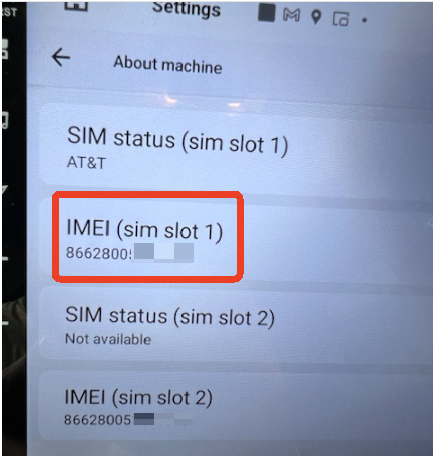
    2.Please make sure the IMEI of SIM card Setting is 15 series .Go Settings>About machine >IMEI .

    Regarding to the WiFi and Bluetooth, please note that you need to open both the WiFi and Bluetooth on your phone&the head unit to enable wireless CarPlay. In other words, the head unit could not be connected to hotspot when you’re using wireless CarPlay, cuz the WiFi and Bluetooth access has been occupied by the CarPlay.


  • The unit recognizes the SIM card, I'll check the series # next time I'm in 5e truck. I have noticed that Bluetooth disconnects when Zlink connects. If I turn off phone WiFi hotspot then Bluetooth connects, I have to go back into the phone and reconnect hotspot and and stop Zlink from loading 2 or 3 times before I can start using phone data, is there a specific Bluetooth in factory settings I should be using? My last unit used to connect to Bluetooth while the phone was connected to unit hotspot. I've also tried to add new APN from link found in another chat on this site, the unit will not keep it stored and I cannot edit the ones that are found from sim. 


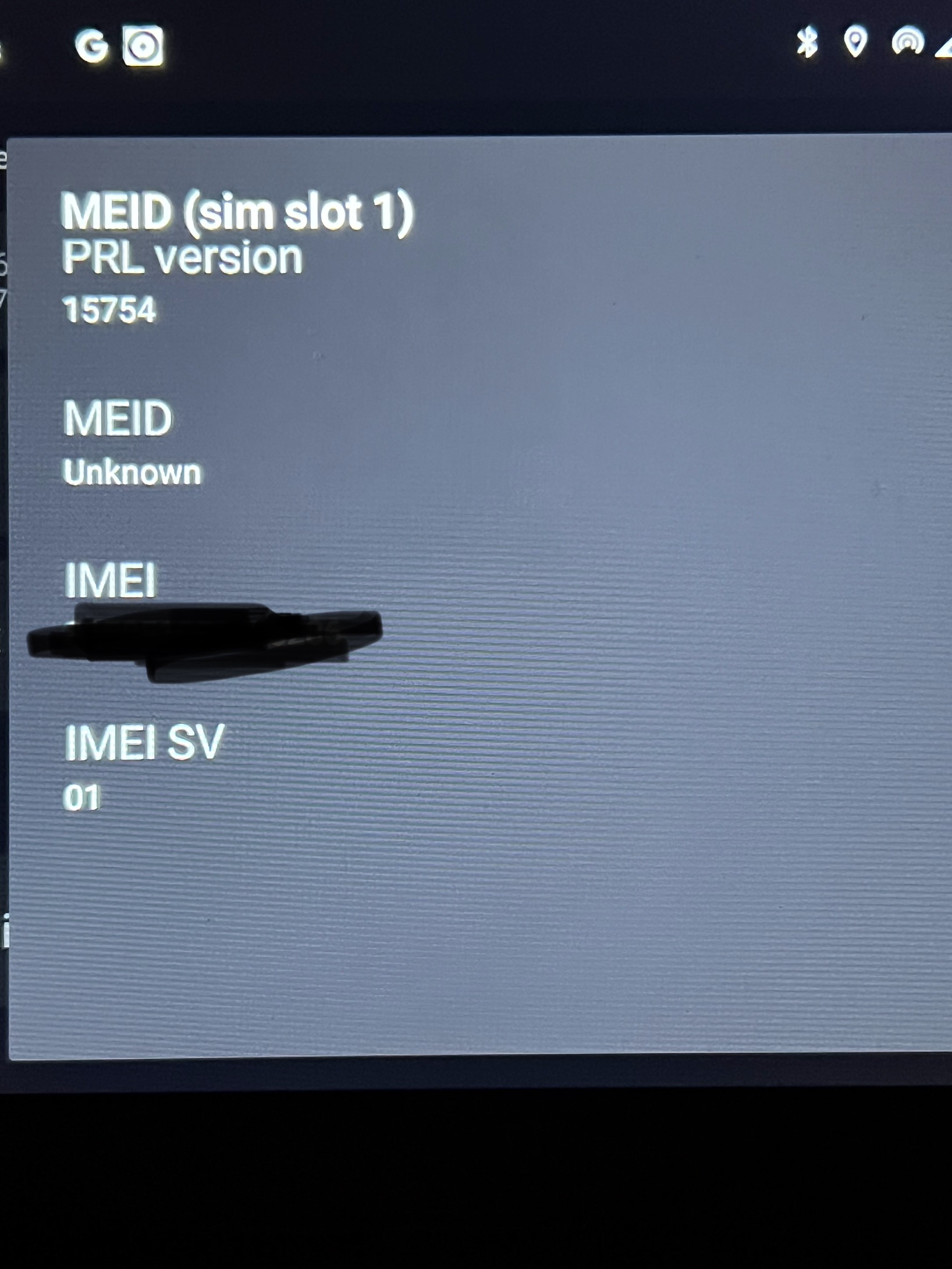
  • Just checked the IMEI on the unit, it does not have the IMEI as you are showing, it has MEID. There is an IMEI associated with that tab and an IMEI SV OF 01, MEID is unknown.


Please login to reply this topic!