Dasaita G-13 Missing Zlink
-
I resently installed a Dasaita G-13 in my 2010 4Runner SR5 and paired it to my iphone 13. From the beginning, I have had issues maintaining a WiFi connection. After seaching online following several suggestions, including disconnecting the iphone and head unit and performing soft and hard reboots, I managed to delete Zlink. I have tried other suggested solutions, but the iphone and Dasaita G-13 still will not maintain a Wifi connection. A suggestion in the forum chat was to reinstall Zlink 6 (version 6.0.31) So here i am.
-
@Jose Quiles
Hello.
For your WiFi issue, please try these troubleshooting steps:
1.
Confirm the Bluetooth name (CAR-KIT) and PIN (0000) on the unit:
Settings > Connected devices > Bluetooth, check Device Name and PIN Number.
2.
Ensure the WiFi antenna is tightly screwed.
3.
Zlink (Wireless CarPlay/Android Auto) takes over WiFi.
WiFi will fail to connect when Zlink is active.
Please disconnect Zlink completely before connecting WiFi.
You may turn off Zlink auto-connect if needed:
CarPlay/Android Auto App > Settings > Background Connection > Off.
4.
Reset WiFi, mobile & Bluetooth:
Settings > System > Reset Options > Reset WiFi, mobile & Bluetooth.
5.
Test with another phone if available.
6.
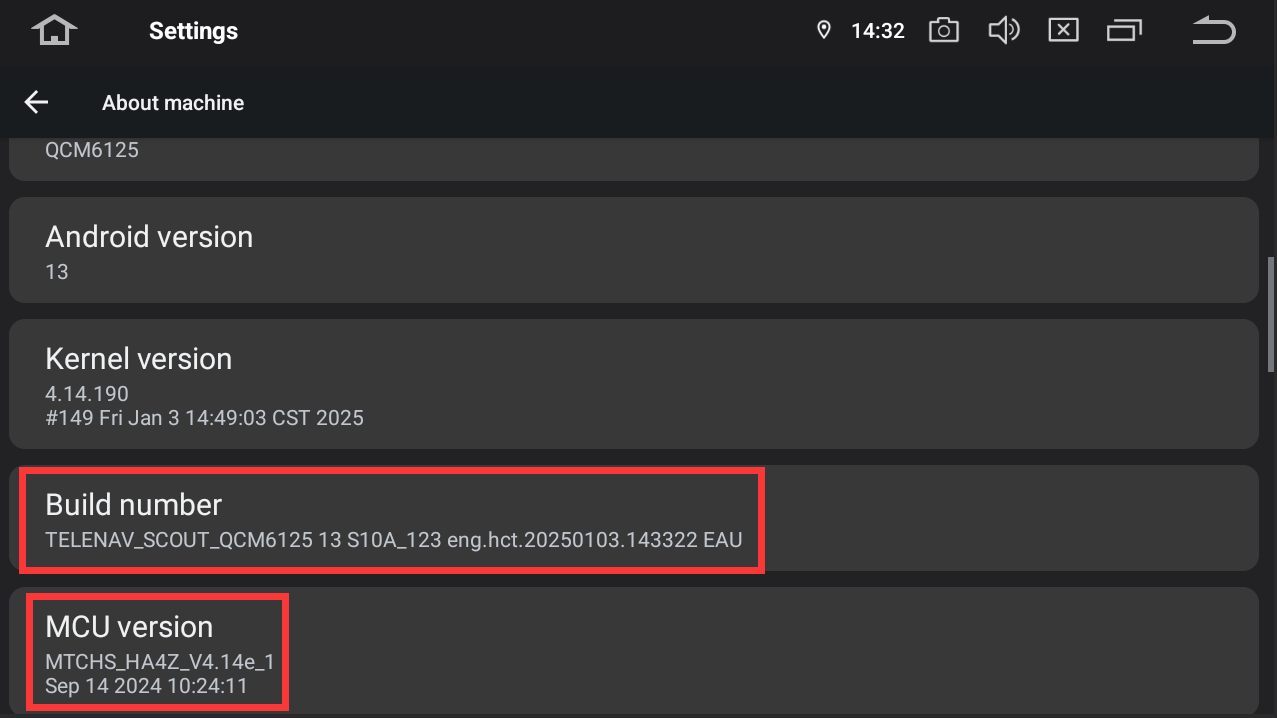
If the problem remains, go to Settings > About Machine.
Send us a clear photo (see attached example) showing Build Number and MCU version.