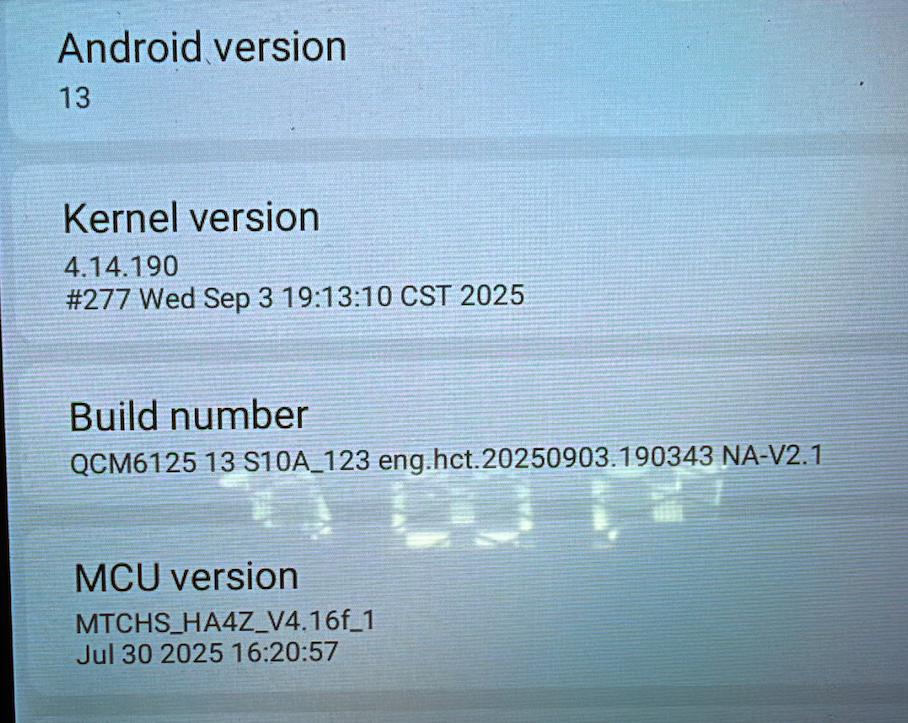
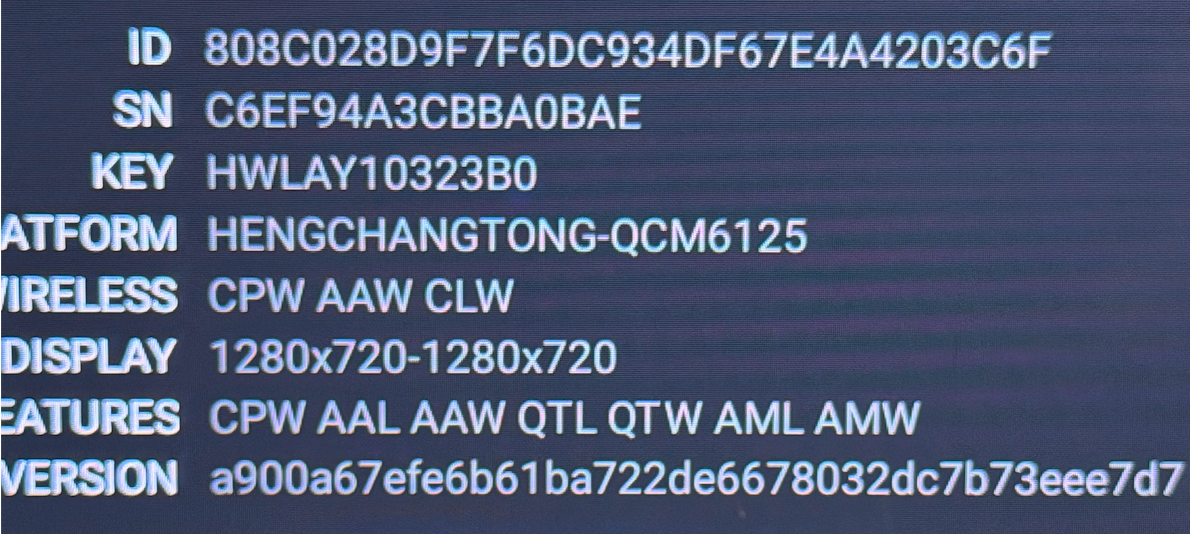
@Dale Scott
Hello,
Thank you for your contact.
Please see the picture for reference to access the settings.


Going into Settings --> Customize Icons only give me the option to select Default, Dark, or Clear stype icons. It has nothing to do with Widgets and getting the widgets to scroll.
@Dale Scott Hello,please send a video of showing the detail to this email : team@dasaita.com
Thank you!
@Dale Scott @Support Dasaita My G13 CarPlay Settings Customize Icons only offers Default, Dark, Clear as optional changes.
@Rlynch
Hello,
Please try to see this video for reference:
https://youtu.be/70A4WPuWEWY?si=_92JGWneZIqnL41j
@Support Dasaita That video only applies to widgets when the screen is running the basic OS. It has nothing to do with the CarPlay widgets.
@Support Dasaita You asked me to send a video to team@Dasaita.com. I shot a quick 30 second video showing how the CarPlay Widgets can scroll manually but are not automatically changing. Then, in the Carplay screen I clicked on Settings --> Customize Icons, and showed you where the only options are to set the icons to Dark, Default, or clear. Unfortunately I am not able to send the email to you as instructed as it is too large.
@Dale Scott Hello, thanks for your kind reply. Please upload to your dropbox with a link
It's been 4 months now and I still do not have an answer as to why Smart Rotate of CarPlay widgets is no longer working. The Rotate feature worked fine for months and then just quit. I can still rotate the widgets manually. I have tested this with my iPhone 17 Pro running the public iOS 27 Beta as well as my wife's Iphone 13 running iOS 26.6. Both behave the same way.
QCM6125 Android 13 G13
MCU MTCHS_HA4Z_V4.16f_1
ZLink 5.5.14
Wireless CarPlay
Automatic Smart Rotate worked originally but stopped during iOS 26.
Manual scrolling continues to work.
The problem occurs with both my iPhone 17 Pro and another iPhone running iOS 26.6.
Therefore it is not specific to the iPhone or iOS 27 beta.
Is there a newer ZLink version or G13 firmware that specifically addresses CarPlay Smart Rotate/automatic widget rotation?
@Dale ScottPlease go to Settings > About machine and send us a screenshot about the current Build Number and MCU version.
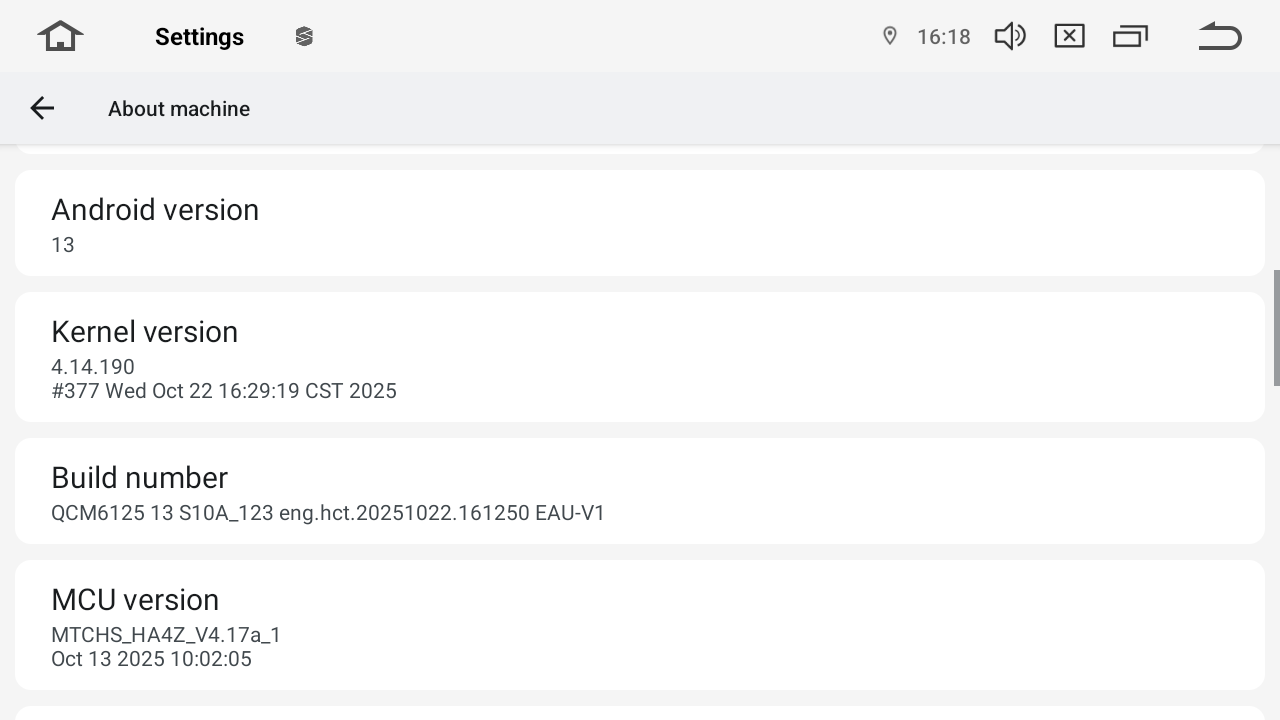
@Dale Scott
Please update the Firmware and MCU to the latest versions using the links below. Follow the steps carefully to complete the process.
Download Links:
① Firmware G13_V2(20260617):
② MCU 4.17h:
https://www.dropbox.com/scl/fi/pt4jbm1nmeh1w7octd5an/hmcu.img?rlkey=uzkuhqaj20wrexuis49oyctgm&st=uq56dcqk&dl=0
Steps:
1.Download both files on computer.(keep names & zipped).
2.Copy file①② to a FAT32 USB drive (root folder).
3.Insert the USB drive into the device→ follow prompts → tick "Wipe data and format flash".
I loaded those files as you instructed and the problem persists. I reloaded them, told my iPhone to forget that bluetooth connection, turned my iphone completely off, rebooted my iphone and reconnected it to the head unit. The widget stacks still rotate manually but not automatically.
@Dale Scott Please send a clear video of showing this issue to our support email:
office@dasaita.com
I just sent you a video per your request. I emailed it to the address provided above and it is in the form of a Dropbox link. Not sure what value this is going to provide as it is identical to the video you had me send 4 months ago. I have 3 stacks of widgets. I can rotate them manually but Smart Rotate no longer works. It worked for several months when I first installed the G13 head unit and then quit working.
Have you had an opportunity to review the video and any further suggestions as to how I might resolve this issue.
@Dale Scott
Hi,
Thank you for the detailed explanation.
Since these widgets and the Smart Rotate function are managed by CarPlay on your iPhone, this does not appear to be related to the G13 hardware itself.
Please try the following on your iPhone:
1. Go to **Settings > General > CarPlay > Your Vehicle > Widgets**.
2. Remove the widgets from the affected stacks.
3. Turn **Smart Rotate** off.
4. Restart your iPhone.
5. Reconnect to CarPlay, then add the widgets back to each stack.
6. Turn **Smart Rotate** back on and test again.
Please note that Smart Rotate does not work like a timed slideshow. CarPlay intelligently decides when to rotate and display a relevant widget, so it may not continuously cycle through the widgets even when Smart Rotate is enabled.
Since you mentioned that it rotated normally before you changed the widget configuration, recreating the affected widget stacks may help refresh the CarPlay configuration.