Toyota CHR Google assistant vocal command for call a phone contact in my G13 unit


  • Hello, 

    I have G13 unit 8+256GB for my Toyota CHR, when I press vocal button on my steering wheel, start Google assistant, I ask to call the contact X, I have an error and the call on my phone doesn't start.

    How I can resolve? 

    Thanks


  • @Giannantonio D'Avico 

    Hello.
    Please make sure that you have enabled Sync Contacts firstly.
    1.
    Settings > System > Reset Options > Reset WiFi, Mobile&Bluetooth.
    2.
    Reconnect the Bluetooth, and then it will pop up automatically a window: 
    "Allow Contacts and Favorites Sync? Your car may request your contacts, phone favorites, and recent phone calls over Bluetooth. Do you wish to allow this?".
    Please tap "Allow"(see pic1).
    Alternatively, please try to enter Bluetooth setting to enable "Sync Contacts"(see pic2).


  • Hello, 

    I have contact sync enabled, in phone section in cartablet I can see the contact number and in this section I can call manually contacts. Only call with Google assistant doesn't work


  • @Giannantonio D'Avico 

    Hello.

    1、
    In order to learn your order details, please provide us with your valid Order Number.

    2、
    Please tell us whether it pops up a remind on screen when you tried to use Google assistant vocal command for phone calls.
    If YES, could you please provide its photo to us?

    3、
    For further confirmation, please go Settings > About Machine;
    then send below pictures to us:  Model; Android Version; Build Number; MCU version.
    Thanks in advance.


  • Hello, 

    1. Order SP-DA535

  • @Giannantonio D'Avico 

    Hello.
    We notice that you are contacting with our after sale team at the same time via email.
    In order to follow up on your order better, please discuss further with our personnel via email if you have any questions.
    Thanks in advance. 


  • Hello,

    I contacted you via email for questions relating to the order and not for problems with the car radio, but ok, I will write via email for this problem too.

    Thanks.


  • Hi!

    I have this same issue exactly. Were you able to solve it?

    My contacts are syncronized and I can make a call through the Bluetooth app, but if I use the voice command (with Google Assistant or with Gemini, I tried both) it shows the error pop-up, just like @Giannantonio D'Avico .

    My "about" screen information is the one shown below:
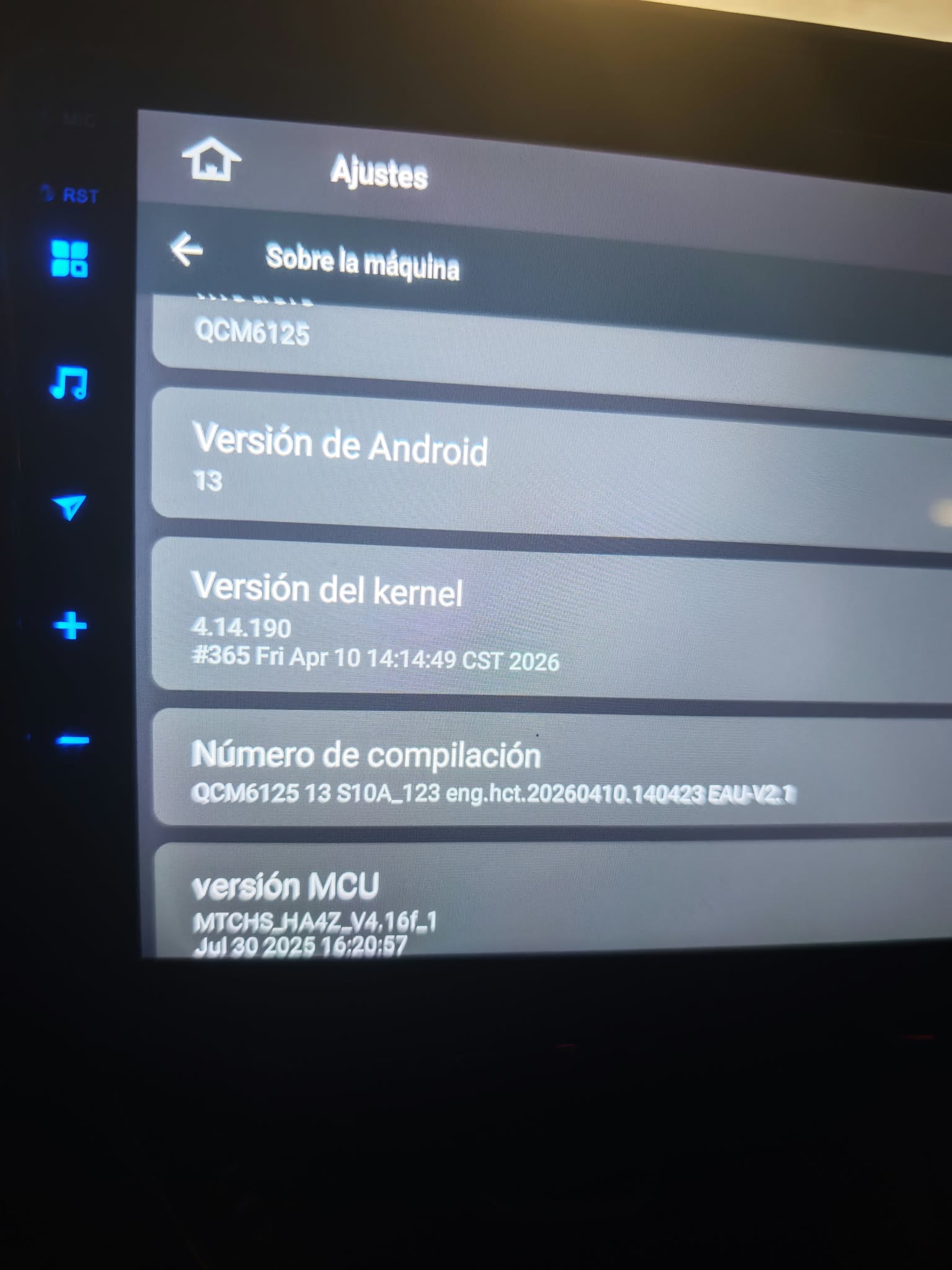
    Please, let me know if you need further details, or if you know how to make it work. Thank you


  • @Natalia

    Thank you for the screenshot. The message indicates that Google Assistant cannot find an account/service that supports this type of call. This is usually related to Google Assistant permissions or contact synchronization rather than the head unit Bluetooth function itself.

    Could you please confirm whether you are using Google Assistant directly on the G13 unit or through Android Auto? Also, please check whether your phone contacts are synchronized to the Bluetooth Phone app on the head unit and let us know your phone model. We will help you check further.


Please login to reply to this topic!
