I use the SIM card reader. Does this mean I'm stuck forever with random reboots?
@Genghis Quan
Hello,
Thank you for your contact .
Do you mean that the G12 random reboots when you use the SIM Card?
Please also go to Settings > About machine and send us a screenshot about the current Build Number and MCU version.
Thank you for your time and cooperation.
@Support Dasaita
I don't know if it's only when the SIM card is inserted. I have had it in the whole time, but it does reboot a lot, once a day or more.
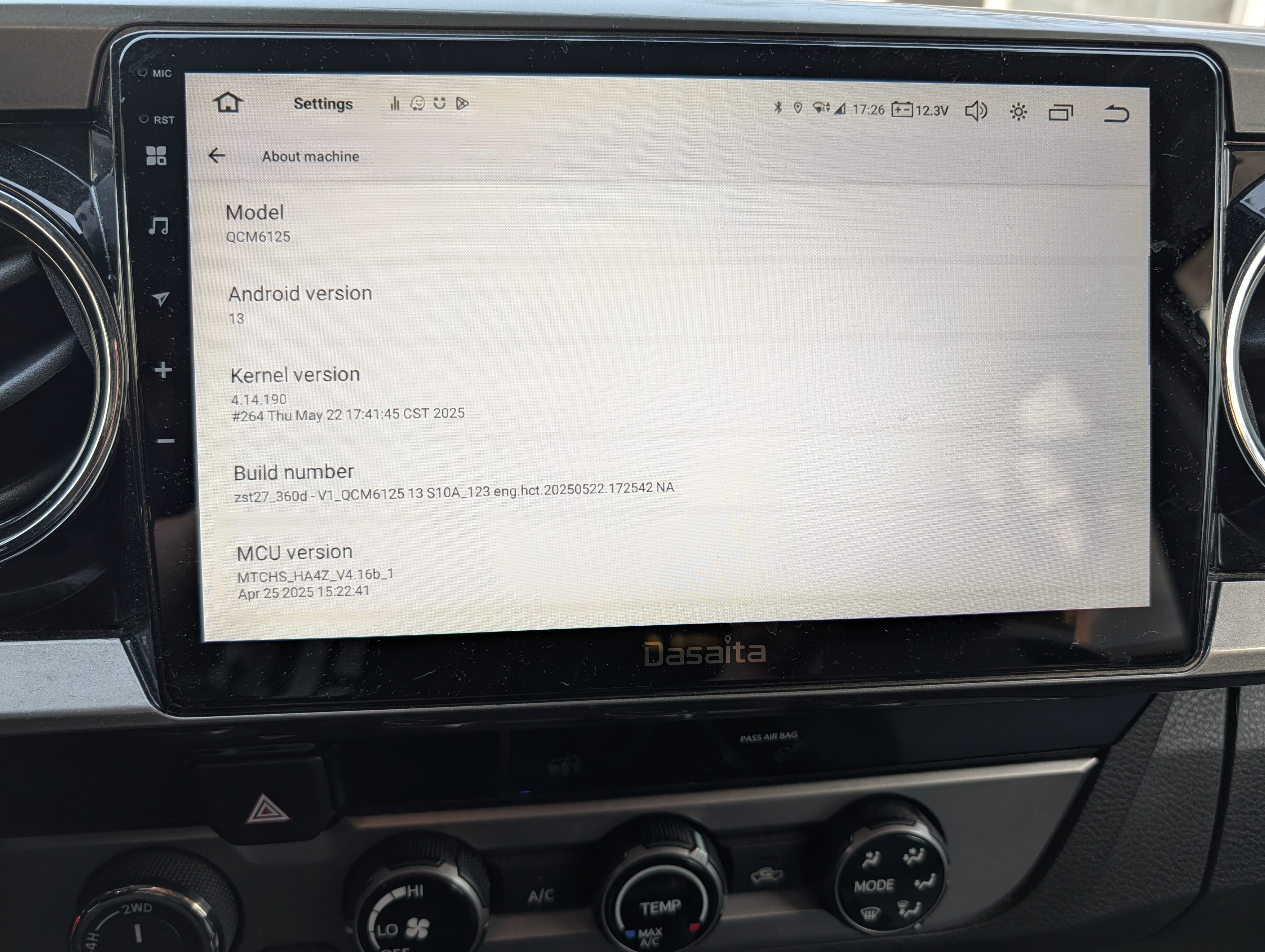
@Genghis Quan I can only tell you that since I removed the SIM card reader, I have not had the annoying reboots of the device even though it has already been almost 12 months. I hope the DASAITA team solves this annoying problem🙂
@Antonio Catalano
Hello,
Thanks for your details.
Based on the firmware you provided ,it is the andriod 13 unit.
May we have your order ID ? Our techincal team sent us a firmware to resolve the issue for random reboot when you insert the SIM Card.
@Antonio Catalano
Hello,
If possible,please provide the log dat to us so we could forward the technical team solve the problem one-on-one.
1.Go to Settings > Car > Factory Settings> Password : hctlog&
2. Waiting for the random reboot.
3.Go to the FileBrowser app and copy the below files to send to us.
*klog
*alog
Thank you for your time and cooperation so much.
@Support Dasaita Thanks support, my unit is G12, not Android 13...Order Number is SP-DA4261
@Support Dasaita To do what you ask, do I need to reconnect the SIM module, wait for the reboot to appear, and then log? My device has been stable since I removed GPS module. It would be really annoying to have one or more reboots while traveling. Therefore I will provide logs as soon as possible
@Antonio Catalano
Hello,
Yes, please provide the log the data that works together with the SIM card on the head unit.
Thank you!
@Support Dasaita My unit randomly started powering down and restarting while I was driving today. Can you tell me what I need to do. I have tried rebooting, but it seems the problem persist. Can you tell me if I need to update firmware/MCU to fix this? 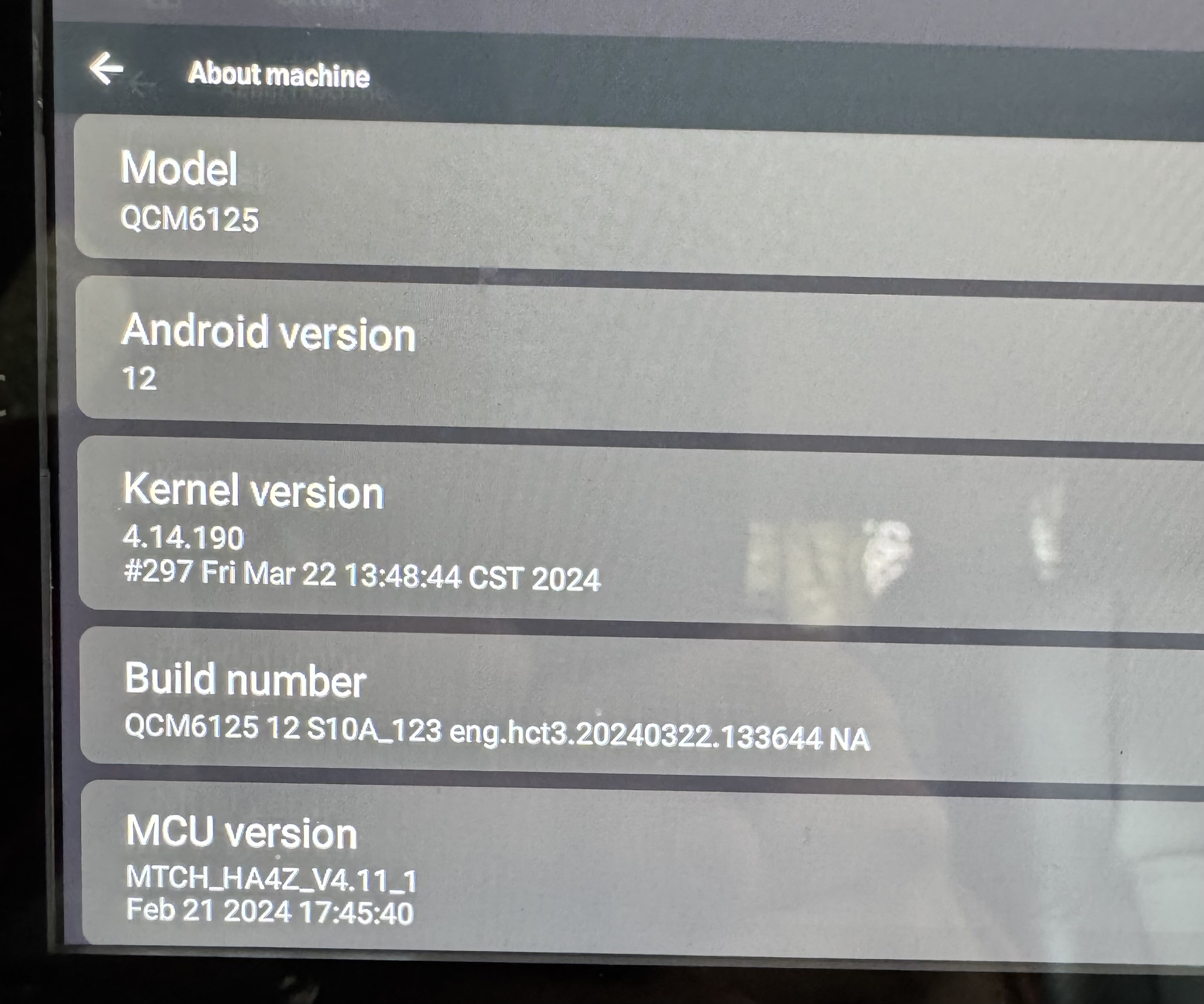
@Ravin Patel
Hello,
Please update the Firmware & MCU to the latest version via the link below,here are some tips to help you get it done:
①G12 Version:Make Sure your unit is QCM6125 Andorid 12
zst27_sc138_12_G12(20241126)
②4.12b MCU
1.Download the documents ①&② through the link on your computer/laptop.
(Do not rename and Unzip the file)
2.Format the USB drive before copying the Update.zip & hmcu.img file to it, then insert it to the USB cable,and it will pop out the firmware updating tips on the screen.
(Tick the option"Wipe data and format flash")

MCU updated: Settings>System>MCU updates
Thank you for your time and cooperation.
@Support Dasaita Thank you for your help. Should I do the Firmware, then the MCU update or will they run at the same time?
@Ravin Patel
Hello,
Please copy the Firmware and MCU files to the root directory for the update. The system will automatically recognize the files.
To verify whether the update was successful, please go to Settings > About Machine to check.


