@gustavo montemayor
Hello.
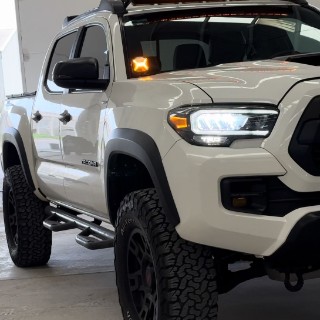
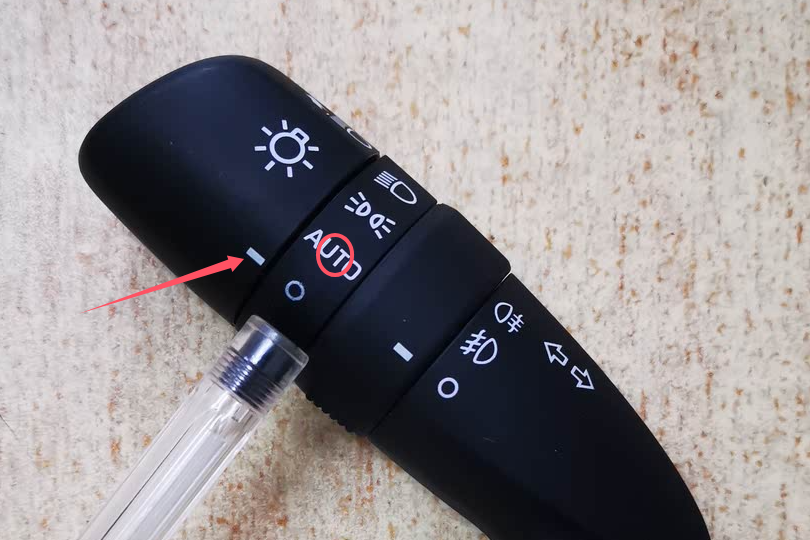
Could you pleaes check whether it works well if you turn on the headlight?
@Support Dasaita Qiero tambien mencionar que ene ocasiones se deja de escuchar la musica de spootify o playmusic son intermitencias en ocasiones y algunas veces se desconecta el carplay y se vueleve a conectar ya slo use con 2 telefonos diferentes y es lo mismo sera que se debe actulizar la aplicacion ZTE gracias
@gustavo montemayor
Hello.
About CarPlay issue, please try to do as follows:
1. Re-pair your phone's Bluetooth with the head unit.
2. Enable CarPlay on your head unit.
3. On your phone, turn on Wi-Fi and search for your head unit's hotspot (e.g., "Android-***") to connect.
4. Go back to the CarPlay interface, it should connect automatically.
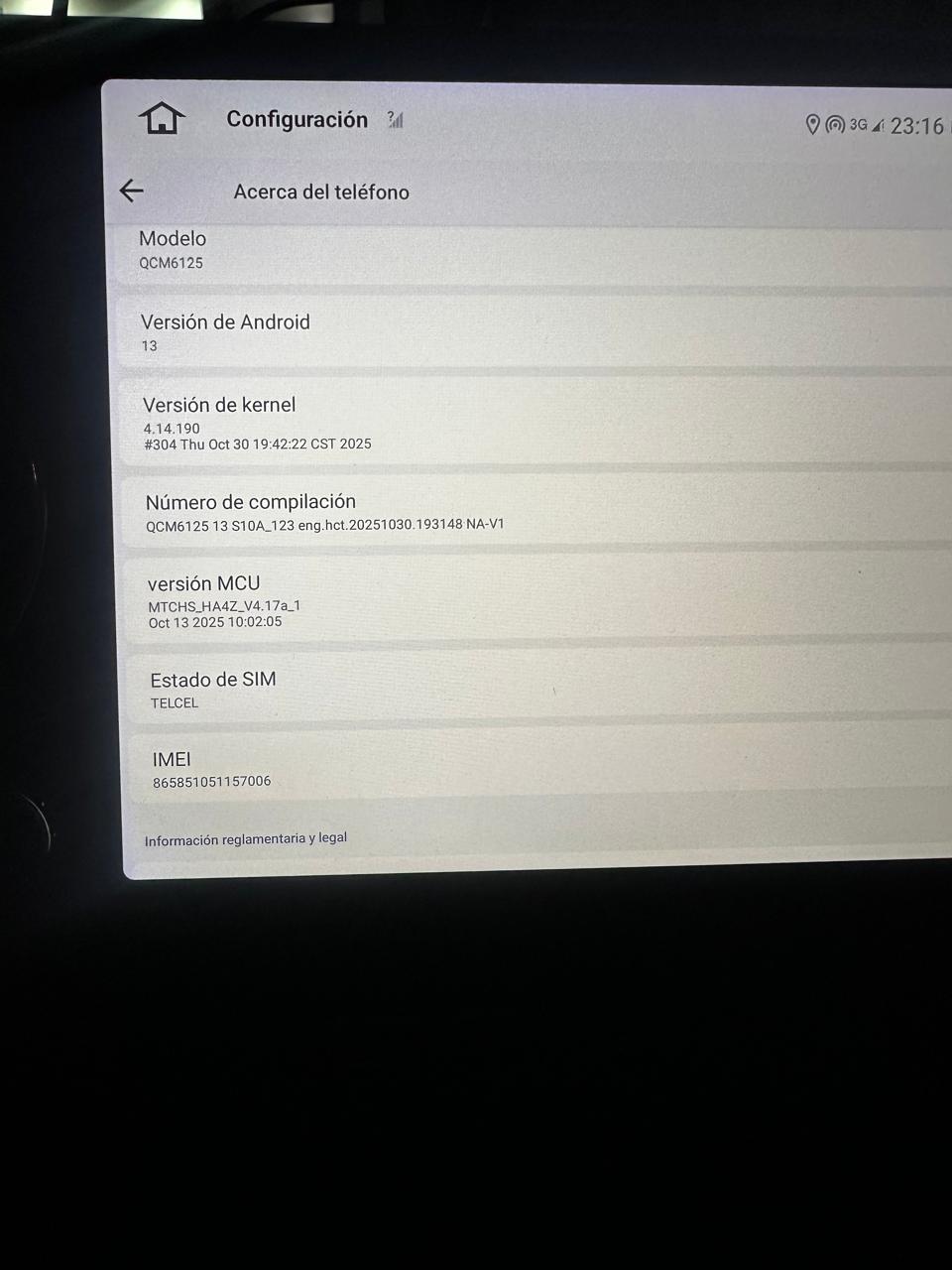
To further confirm, please go Settings > About Machine,
then provide the following picture: Build Number; MCU version.
hola nuevamente estoy teniendo problemas ya que de repente se desconecta de car play y despues d e 1 min aprox se vuelve a conectar solo y en ocasiones no se desconecta pero se deja de escuchar la musica y despues de 2 segundos se escucha
hola tendras una aplicacion de radio am/fm diferente a la que viene de inicio ya que no es muy amigable y se batalla para buscar poder sintonizar una estacion dura solo 3 segundos y se cambia ya puse en varias opciones y no seria mejor una APK de radio diferente grcias
@gustavo montemayor
Entendemos perfectamente que la aplicación de radio predeterminada pueda resultar incómoda al buscar o sintonizar emisoras. La buena noticia es que tiene fácil solución y solo lleva unos segundos:
Simplemente ve a Google Play Store e instala la aplicación de radio de terceros que prefieras.
Cabe aclarar que, por el momento, el dispositivo solo incluye la aplicación de radio predeterminada preinstalada. Además, la radio satelital XM funciona perfectamente a través de CarPlay.
Si tienes algún problema durante la instalación o el uso, no dudes en contactarnos.
Hello everyone,
I’m having an issue with the RCA audio outputs on my Desaita G13 installed in a 2023 Toyota Tacoma (non-JBL).
I installed a Kicker Hideaway HS10 powered subwoofer, but I get no audio signal from the head unit.
Here is everything I have already tested:
• Vehicle: 2023 Toyota Tacoma, non-JBL factory audio.
• Head unit: Desaita G13.
• Subwoofer: Brand new Kicker Hideaway HS10.
• The amplifier powers on normally (green LED is on).
• I previously had a Nakamichi powered subwoofer, and it had exactly the same issue (no sound).
• I have tested both the SUB OUT RCA and the FRONT OUT RCA from the Desaita harness.
• I adjusted all DSP/amplifier settings, including Subwoofer ON, subwoofer level, crossover, and amplifier settings.
• I verified the Kicker is configured for LOW LEVEL (RCA) input.
• I am using the original RCA harness supplied with the Desaita.
• Despite all of this, there is still no audio signal from any RCA output.
Has anyone experienced this with a G13?
Could this be:
• a defective RCA harness,
• a faulty RCA output on the head unit,
• or is there another setting that enables the RCA outputs?
Any suggestions would be greatly appreciated.
Thank you!
hola me pasa que el car play se desconecta de mi iphone siempre en 3 ubicacion es que suelo pasar lo valide mas de 5 veces ya que es mi trayecto diario , paso esa zona y metros mas adelente se vuelve a conecatr
ES LA VERSION ACTUAL TENDRAS UNA MAS ACTUALIZADA YA QUE TAMBIEN EL SPOOTIFY QUE BAJO DE PLAYSTORE EN ANDROID DESPUES DE 2 DIAS SE DESCONFIGURA Y DEBO INSTALAR DE NUEVO
@gustavo montemayor Hi gustavo,
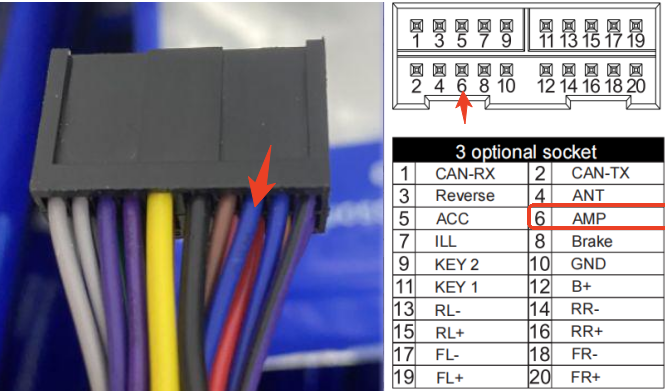
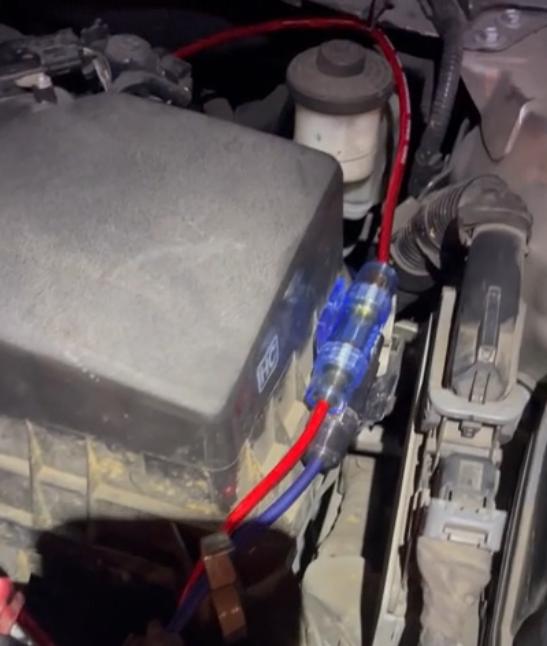
For an active subwoofer, you will need to connect to the vehicle's battery — both B+ (positive) and GND (ground). Additionally, the AMP wire (amplifier turn-on signal) should be connected to the REM (remote turn-on input) on the subwoofer