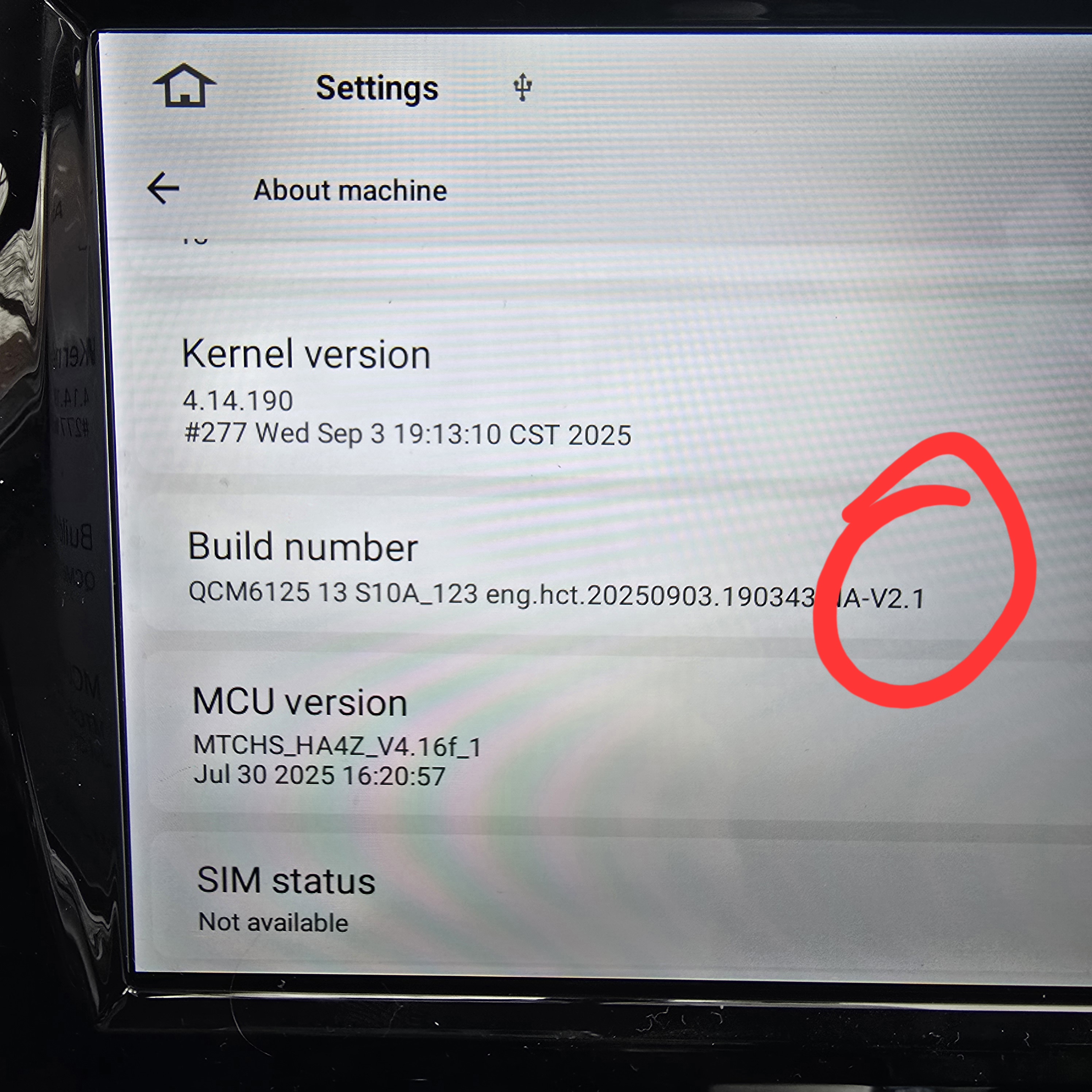
Hello @Support Dasaita ,
I noticed there are 2 versions of the new QCM6125 G13 firmware. What is the difference between the two?
G13 Version: Ensure your unit is QCM6125 Android 13
Build: zst27_sc138_13_V1(20251030)
Build: zst27_sc138_13_V2(20251031)
Thanks!
J
Hi, in this picture, there is no version. Which version do I have to download?
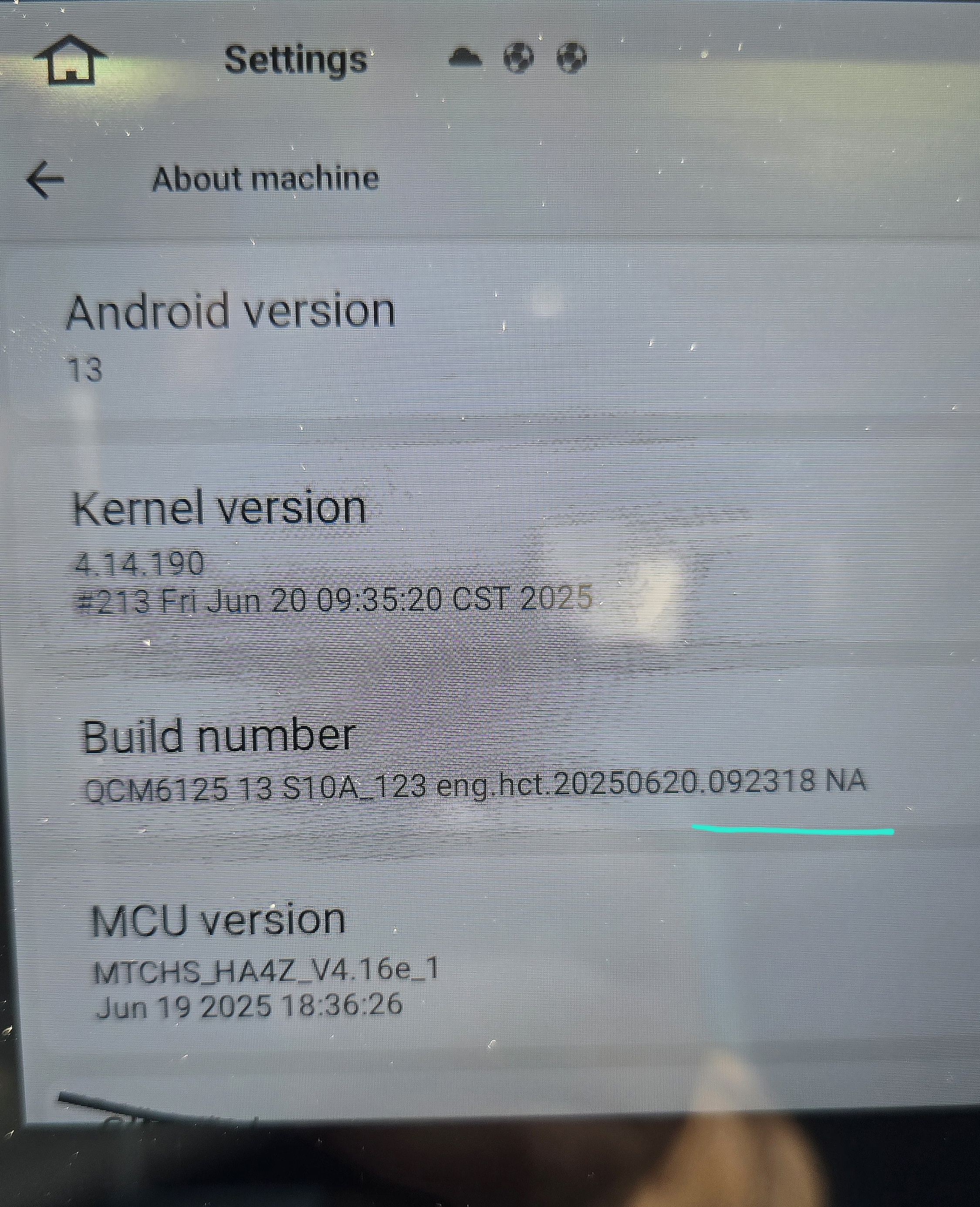
@HL
Hello.
Based on your picture, it is V1.
Please check the update tutorial below.
-----------------------------------------------------------
Update File:
System Firmware-G13-20251030:
https://www.dropbox.com/scl/fi/z47cujybwxdgj15bokfbz/update.zip?rlkey=cbh8x18aszp1vj9pso77u154e&dl=0
MCU-4.17a:
https://www.dropbox.com/scl/fi/6g03cdcsfz2ynsk2wnimm/hmcu.img?rlkey=cqxi7l0uaogy9tc8zdpr82329&dl=0
Tips:
1.
Download above update file via your computer/laptop.
2.
Format USB drive to FAT32 Format.
3.
Copy the file “update.zip”&“hmcu.img” to the root directory of USB drive.
4.
Insert USB drive into the unit via USB cable;
then it will pop up automatically a window of update.
Alternatively, please manually go "Settings > System > System updates/MCU updates" to start the update.
***NOTE:
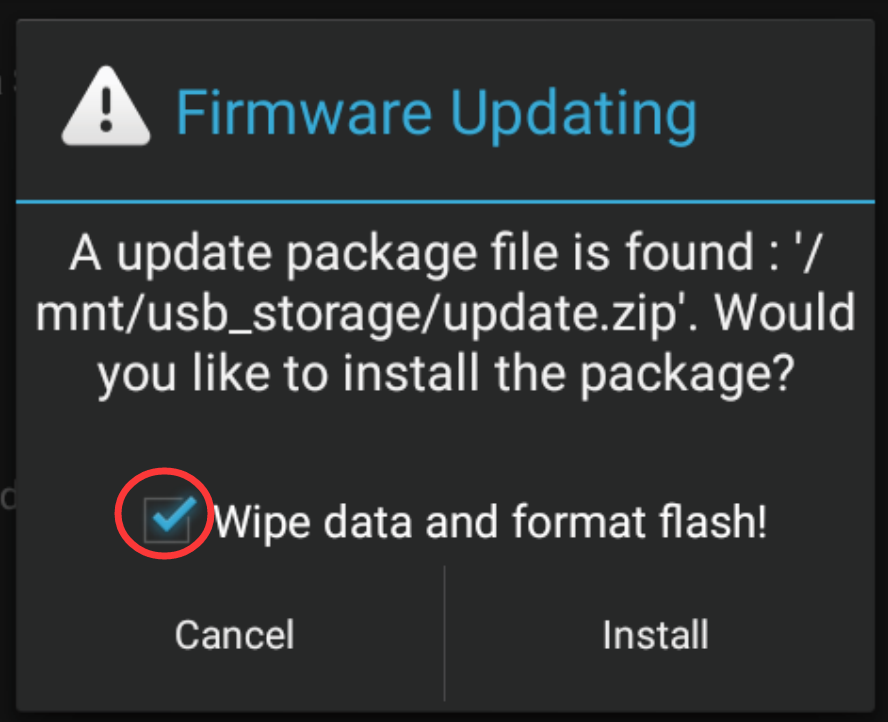
Please make sure that you have ticked option "Wipe data and format flash!".
Reference Operation Video:
https://www.dropbox.com/scl/fi/7tgvc28sn77ux6g6fmosm/MCU.mp4?rlkey=7p5940e12kb88a42zue6qntft&e=1&dl=0
-----------------------------------------------------------
Welche Version muss ich laden V1 oder V2?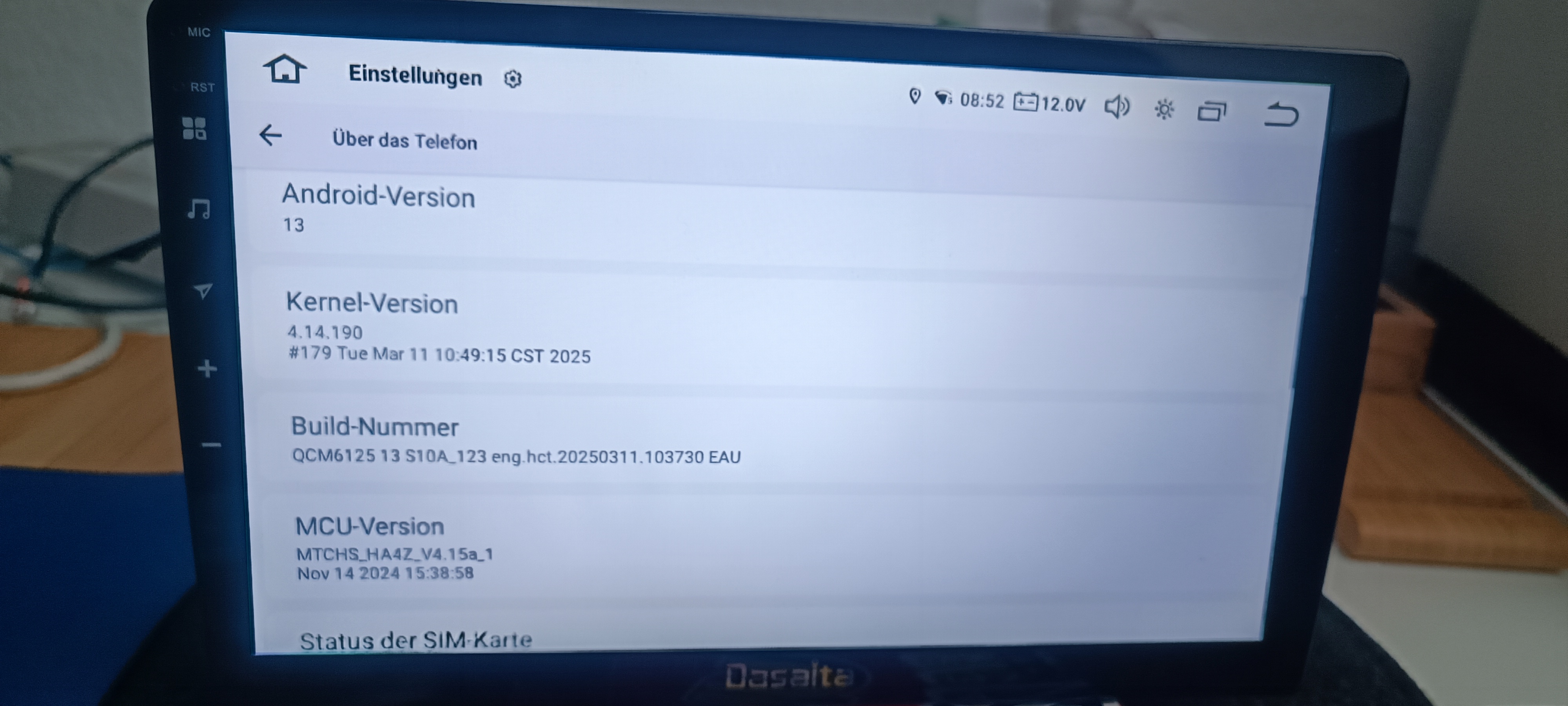
@AO1967
Hello.
Based on your picture, it is V1.
Please check the update tutorial below.
-----------------------------------------------------------
Update File:
System Firmware-G13-20251030:
https://www.dropbox.com/scl/fi/z47cujybwxdgj15bokfbz/update.zip?rlkey=cbh8x18aszp1vj9pso77u154e&dl=0
MCU-4.17a:
https://www.dropbox.com/scl/fi/6g03cdcsfz2ynsk2wnimm/hmcu.img?rlkey=cqxi7l0uaogy9tc8zdpr82329&dl=0
Tips:
1.
Download above update file via your computer/laptop.
2.
Format USB drive to FAT32 Format.
3.
Copy the file “update.zip”&“hmcu.img” to the root directory of USB drive.
4.
Insert USB drive into the unit via USB cable;
then it will pop up automatically a window of update.
Alternatively, please manually go "Settings > System > System updates/MCU updates" to start the update.
***NOTE:
Please make sure that you have ticked option "Wipe data and format flash!".
Reference Operation Video:
https://www.dropbox.com/scl/fi/7tgvc28sn77ux6g6fmosm/MCU.mp4?rlkey=7p5940e12kb88a42zue6qntft&e=1&dl=0
-----------------------------------------------------------
@Support Dasaita Nochmals vielen Dank hat alles bestens geklappt!.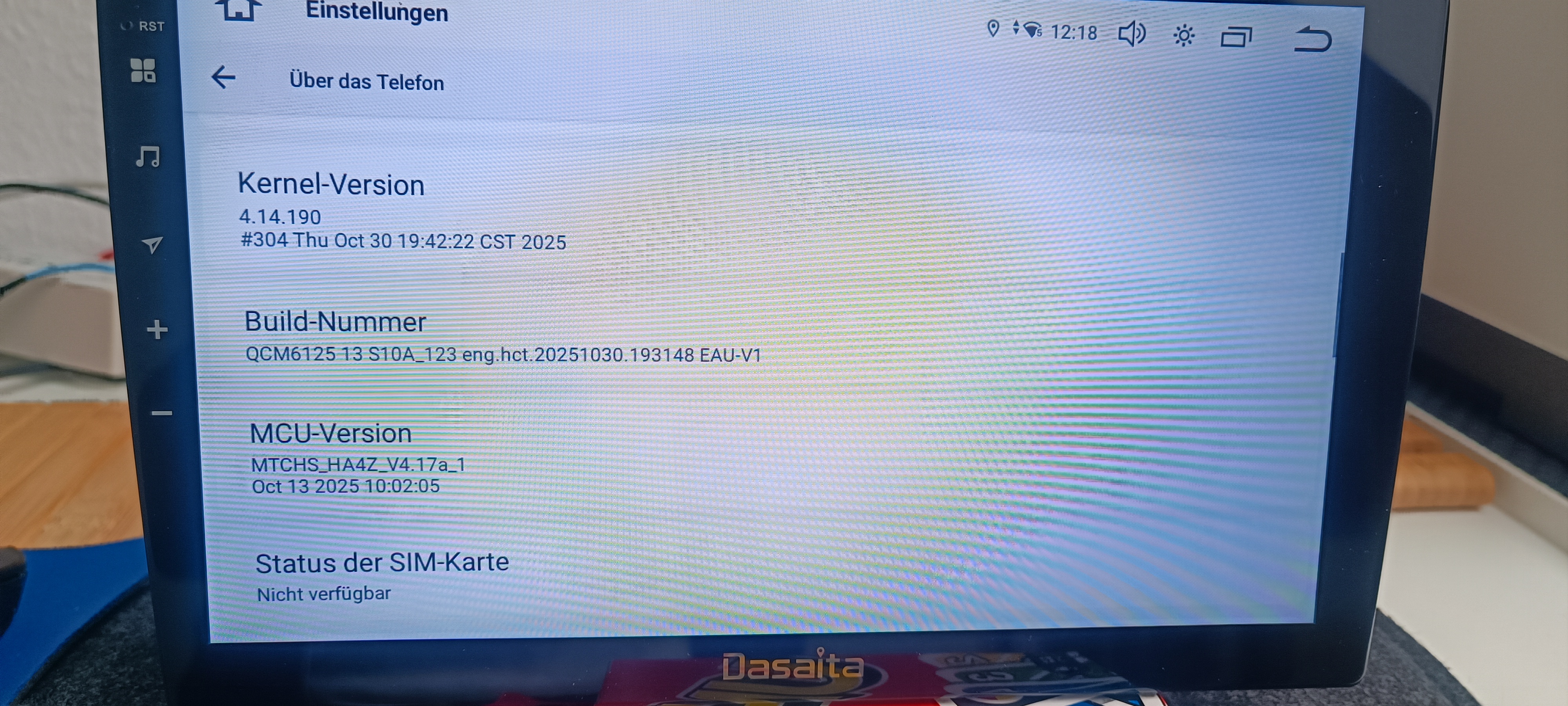
From what you state where is v2 update I only see v1 update only.