using firmware: zst27_sc138_13_(20250903)
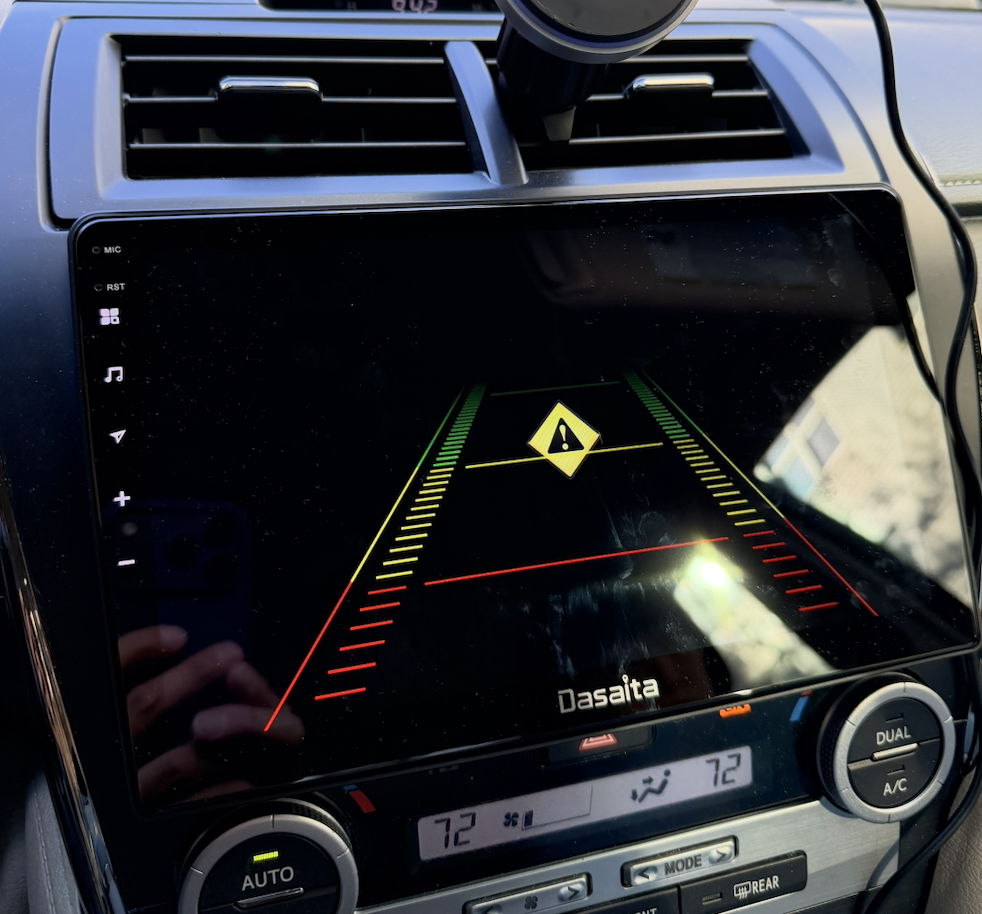
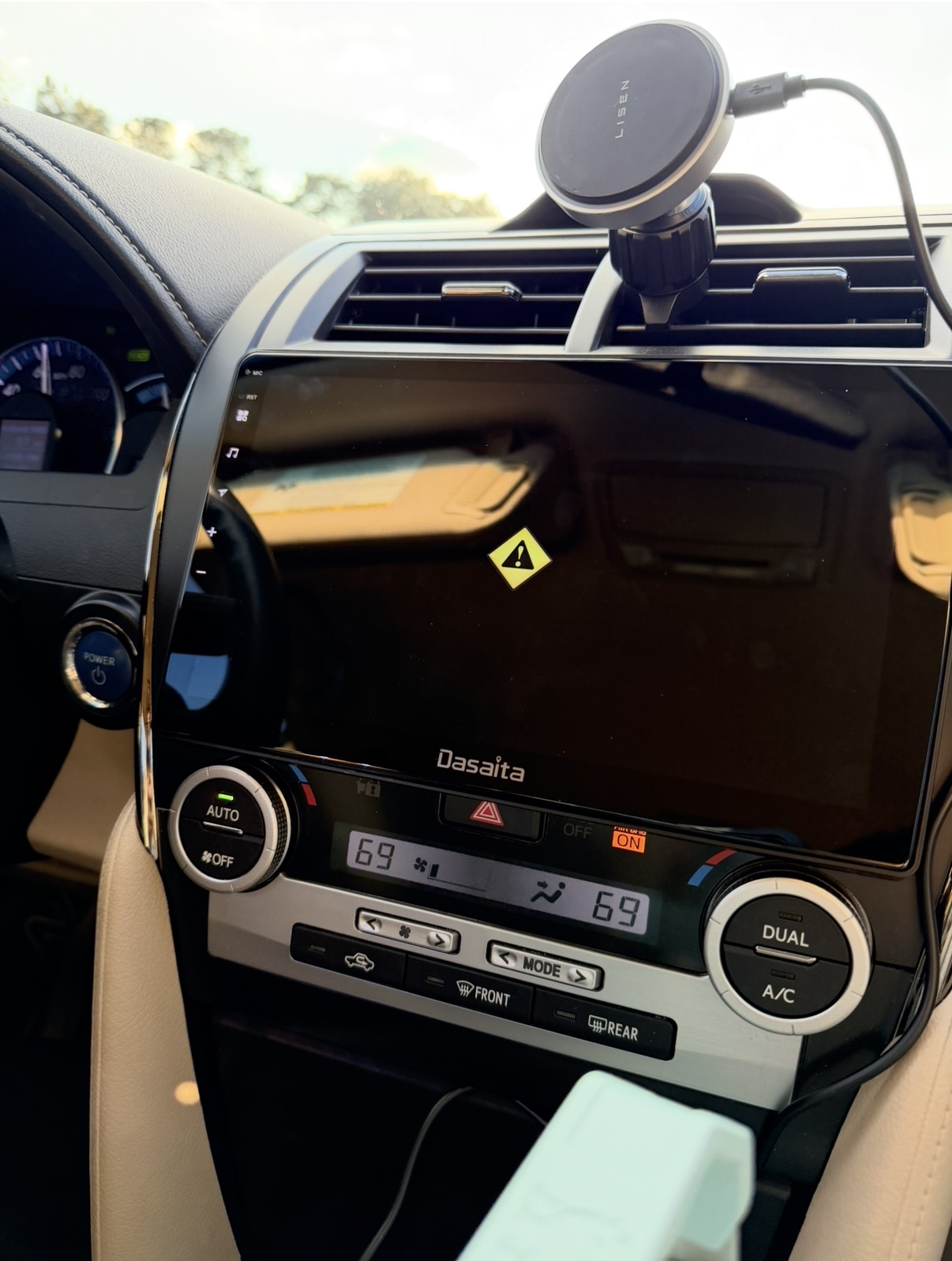
G13 unit for my 2013 Toyota Camry, the unit runs fine for months with Apple CarPlay, but not working today, the touch screen is frozen on this screen!
Car strated and unit works fine at startup, but then it switch to this screen after a few minutes of driving.
Car is in Drive (D) mode, screen switch to this back up camera view (but no reverse image)! has the yellow Warning triangle symbol display as seen on the picture.
Put the car in Reverse (R), the back up camera view works! Put it back to Drive (D) same frozen screen.
It does not respond to any Menu button on the left side, except volume + -
Cannot pull down menu from top of screen, it cannot go to home screen, hold button cannot restart the unit.
I tried with turning car OFF, then ON, same frozen screen. I tried the car's fuse remove and replace to turn power OFF and restart, same issue.
What is wrong with it?
@Mochi Kiwi
Hello.
Sorry for any inconvenience caused.
In order to help you better, please provide the following information:
1.
Order Number & Purchase Date.
2.
Picture: Settings > About Machine > Build Number; MCU version.
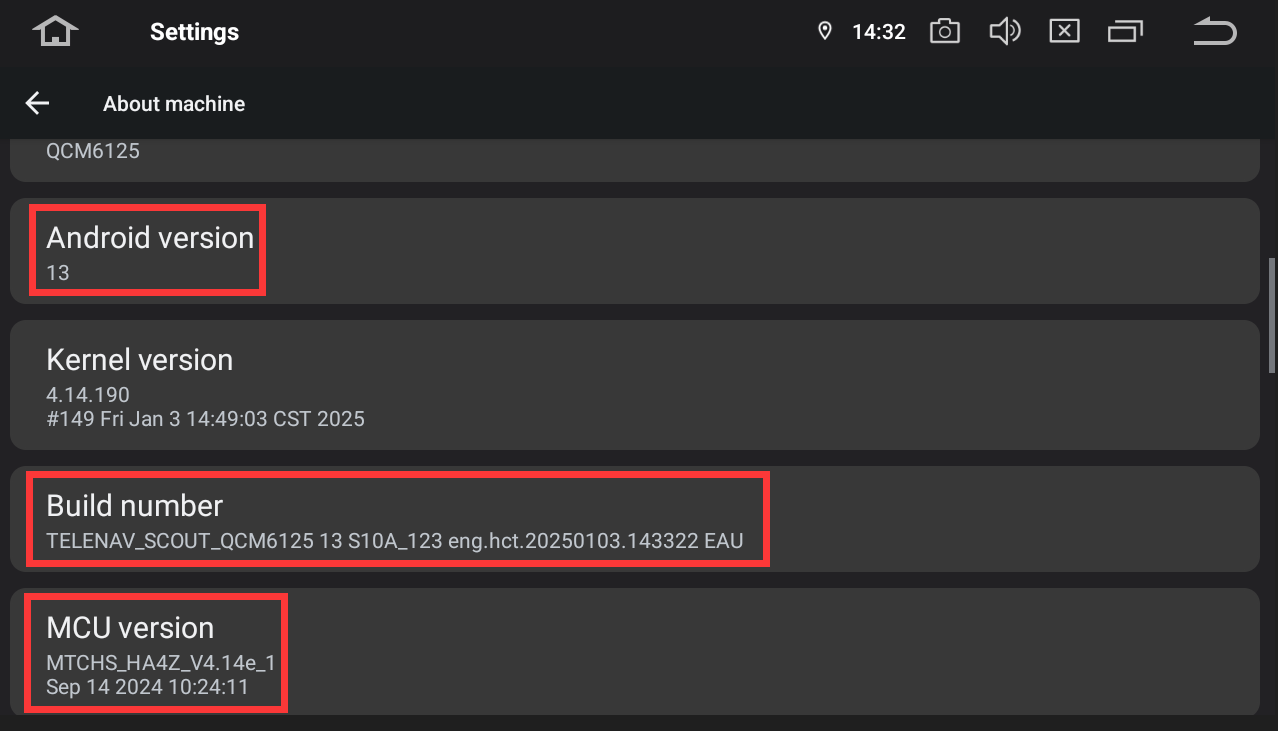
Android version
13
Kernel version
4.14.190
#179 Tue Mar 11 10:49:15 CST 2025
Build number
QCM6125 13 S10A_123 eng.hct.20250311.103730 NA
MCU version
MTCHS_HA4Z_V4.14_1
Jul 23 2024 09:48:27
Is this heat issue?
I had no problems during summer time while driving, but now it's winter and very cold outside. Inside car's temperature is set around 68F to 72F with A/C or Heat
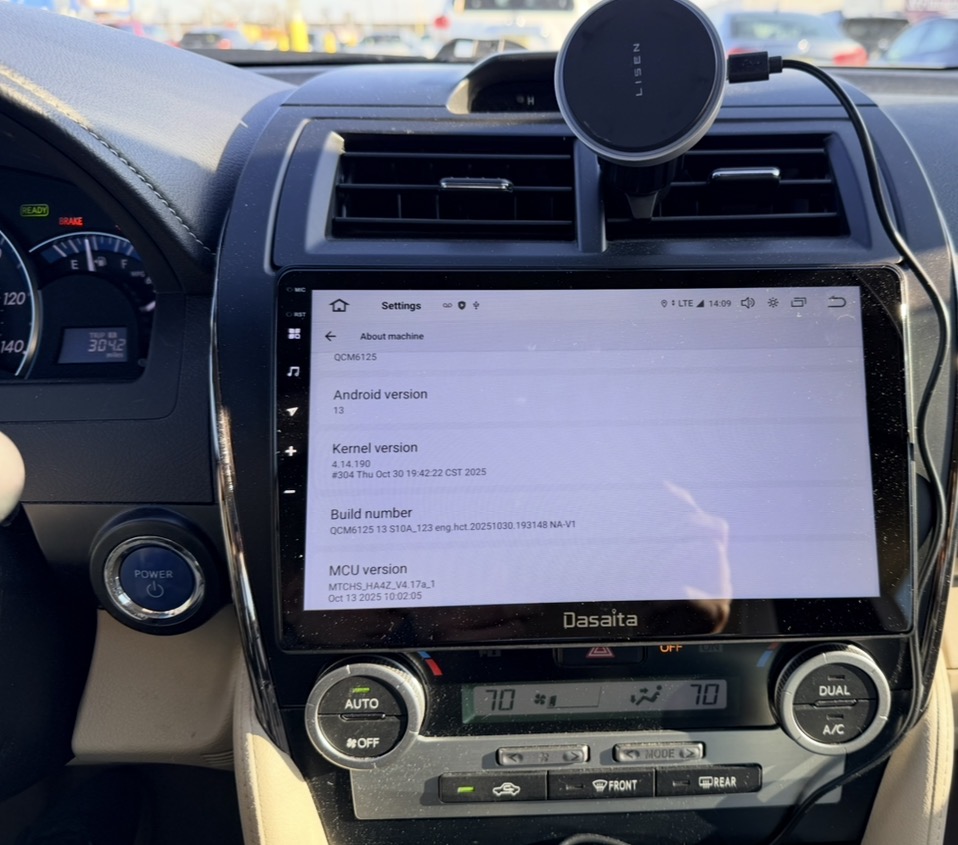
I have updated to latest firmware and mcu.
screen still frozen on this page while driving.
Looks like software issue? Why does the screen show that and does not respond to any button press? I am driving long distance and cannot stop the car and restart the car every time, then the problem appears again!
@Mochi Kiwi Could you please shot a video to demonstrate the whole process, so that we could forwarded to senior engineer for assistance?
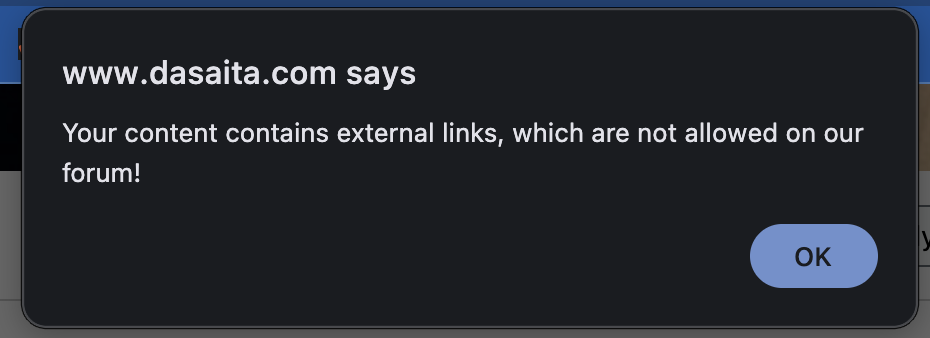
@Support Dasaita How do i post a video if you dont allow it?!
Hi @Mochi Kiwi ,
Could you please send us your order number so that we could document your issue?
Meanwhile, we are wondering which power cable that you have connected, is it cable CB004? Or it's DYX004, you could also let us know if the rear camera is aftermarket or OEM.
Thank you for your cooperation in advance!
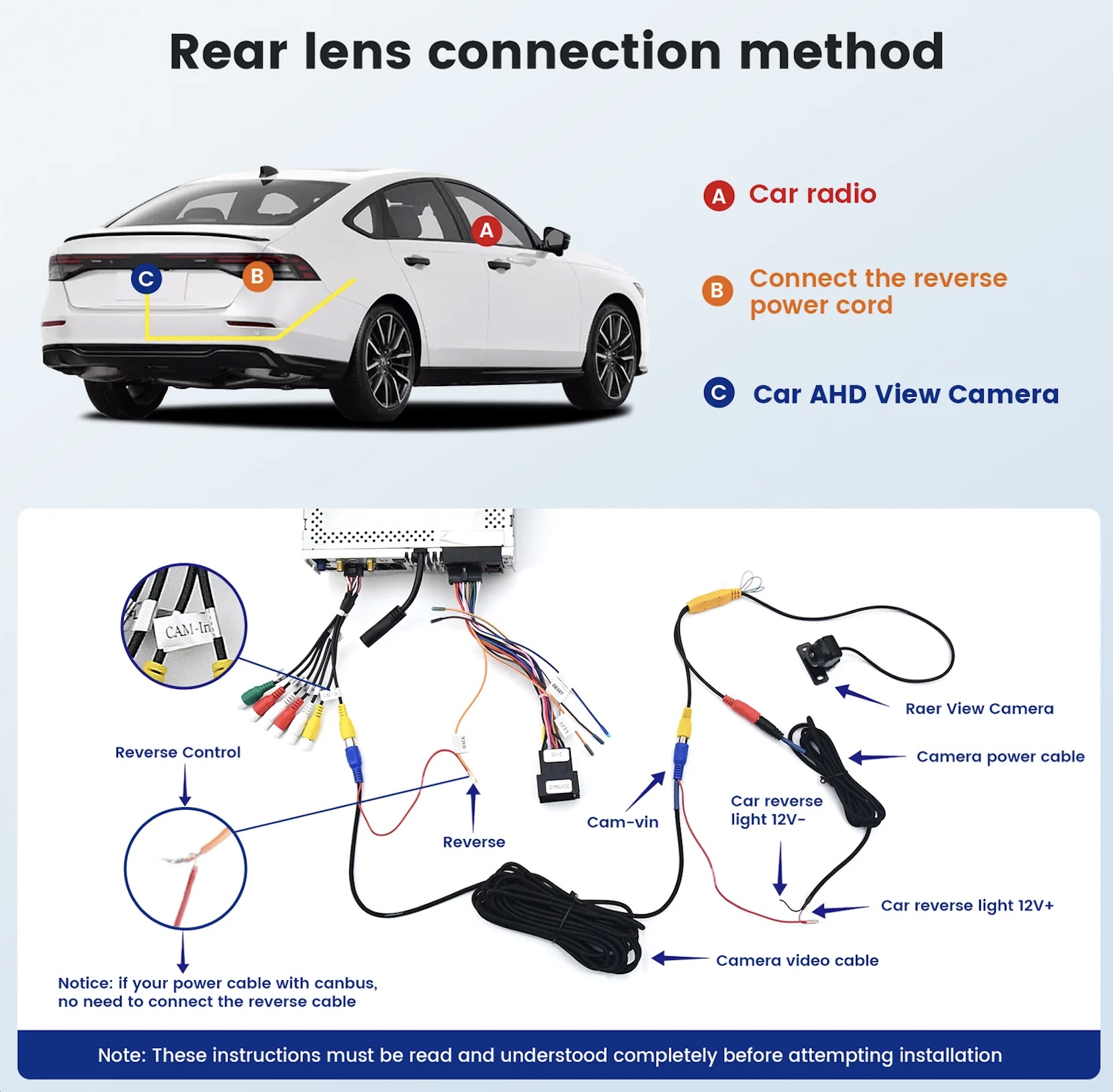
Aftermarket rear camera wires connected as instruction picture
screen power plug in from harness, no modification
Order 114-2771075-5590603
@Mochi Kiwi We sent you email, could you please kindly test the voltage according to that instruction?
Thank you for your cooperation in advance!
https://streamable.com/ed9jmk
Here's a video of car going from Park to Reverse to Drive to Reverse and back to Drive without any issue.
The wiring is correct.
Backup camera is for the correct voltage (12V)
@Mochi Kiwi In this case, you may need to guide you through return the radio to our US facility to inspect the issue.
You could reply the email we sent you.
@Mochi Kiwi Please let us know if you return and not reverse, will it show 0V? It seems that when drive, it will still received reverse detection voltage. Please send us your wirings of the camera if possible. Send us your car year and trim level as well.
@Mochi Kiwi
Could you please send a video of showing the wiring connection,so that we could better confirm if there is any issue?
It seems to be due to the wiring issue.