How to Check if You Need the V1 or V2 Update for Your G13 / Vivid13
-
Step-by-Step Guide:
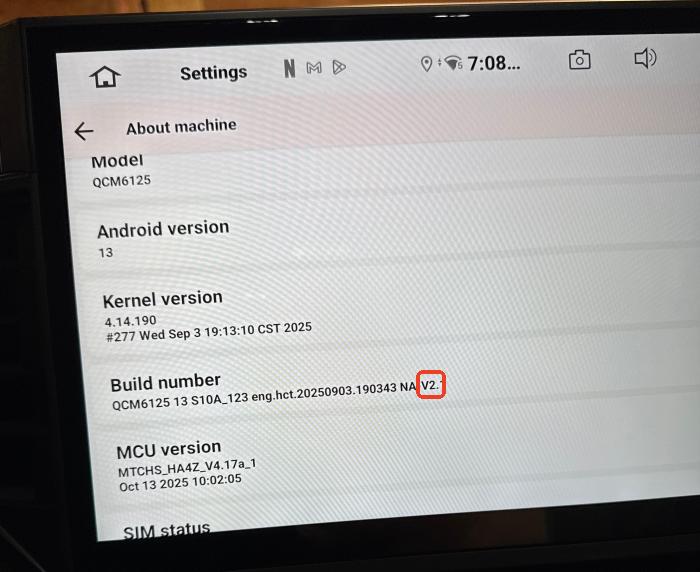
Go to Settings > About Machine > Look for the Build Number > Check the end of this number for a V1 or V2 marking.
Which Version Should You Use?
-
If you see V1 → Please download the V1 firmware.
-
If you see V2 → Please download the V2 firmware.
-
If there is NO V1/V2 marking → Your unit is an early version and should use the V1 firmware.
-
Please login to reply to this topic!
