Forum
Official Store
Installation Guide
Firmwares
Login
Register
Forum
Technical Support
Troubleshooting
Zlink(CarPlay/Android Auto/Mirrorlink)
Icons on CarPlay are too small after updating to IOS 26?
Icons on CarPlay are too small after updating to IOS 26?
SD
Vip
Support Dasaita
Staff member
12/24/25, 5:52 AM
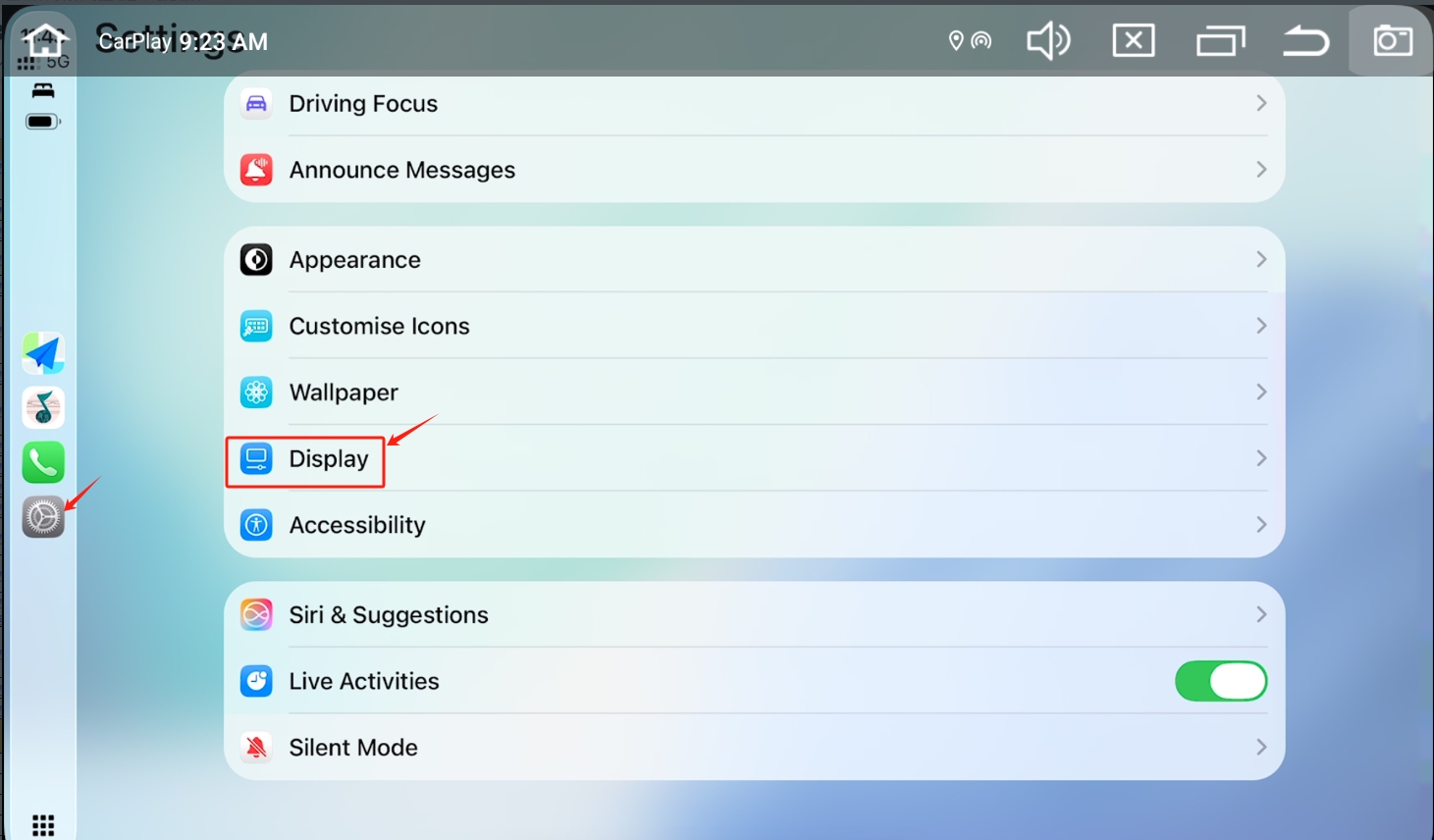
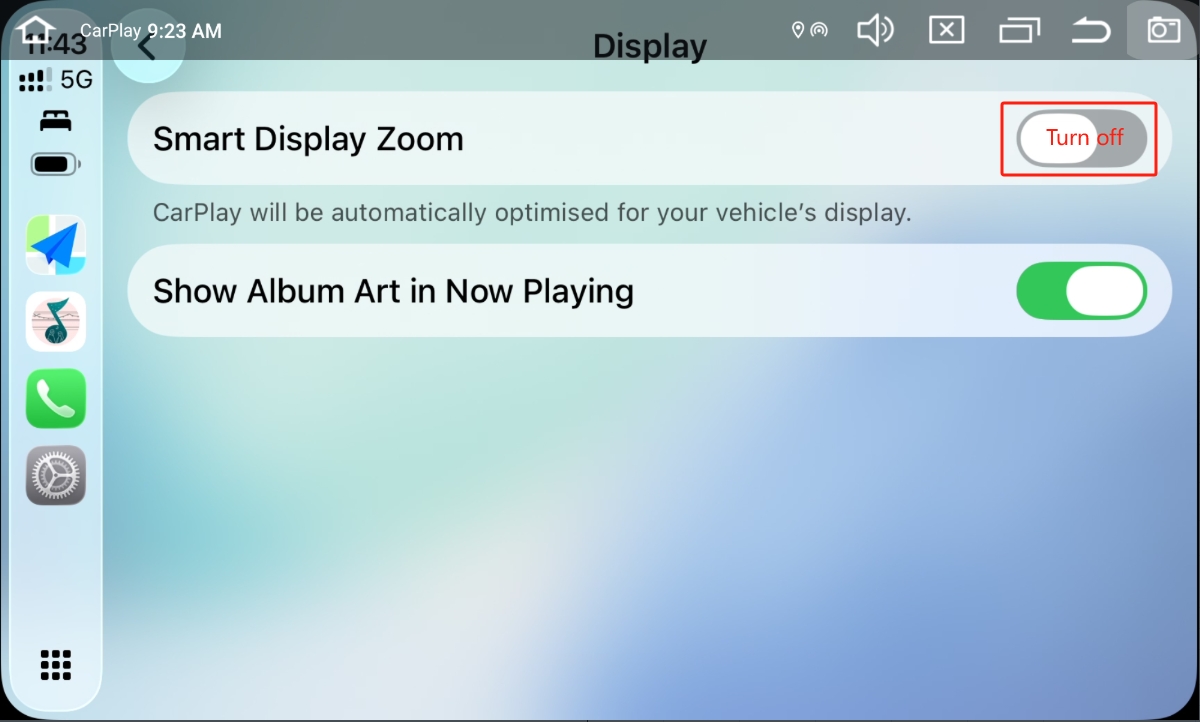
Please go to CarPlay Settings > DisPlay > Turn off the Smart DisPlay zoom.
1
Posts
276
Views
Reply
Please
login
to reply to this topic!
Related topics
Fix Zlink / Android Auto Random Disconnects --Dasaita Andriod 13 Head Unit.
Support Dasaita
7/16/26, 7:53 AM
Zlink(CarPlay/Android Auto/Mirrorlink)
»
zlink dropping randomly after a minute or 2 of android auto working
dakota havens
7/15/26, 12:28 AM
1
Zlink(CarPlay/Android Auto/Mirrorlink)
»
Dasaita Andriod 13 Head Init - Zlink / Android Auto Disconect Issue
rrh4562
7/12/26, 5:28 PM
8
Zlink(CarPlay/Android Auto/Mirrorlink)
»
Google assistant volume too low compared to music
Jiří Mrázek
7/8/26, 5:45 PM
2
Zlink(CarPlay/Android Auto/Mirrorlink)
»
G13 Widget Issue
Dale Scott
4/16/26, 12:11 AM
18
Zlink(CarPlay/Android Auto/Mirrorlink)
»
Participants
SD
Support Dasaita
12/24/25, 5:52 AM
People who liked this
Email Verification
An email with a verification link will be sent to your email address.
[Email is not found]
Please login to continue
Please log in or register to continue
Login
Register
Search