I have a G13 in my 2015 Toyota Tacoma and I just connected my external microphone but it appears the internal microphone is staying on. As far as I can tell both microphones are being used but the internal microphone picks up a lot of the road and other noise. I swear on my older firmware there was an option to select internal or external for the microphone in the factory settings -> other menu but I do not see that on the latest firmware.
I see a lot of threads with older Dasaita models that people had to physically desolder and remove the microphone. Is this normal? How can I turn the internal mic off for good?
Hi @Mike C,
Does the screenshot you provided indicate that the microphone issue still persists even after the firmware update?
I did not get a chance to try the external mic on the old firmware but I did notice the old firmware had a mic select.
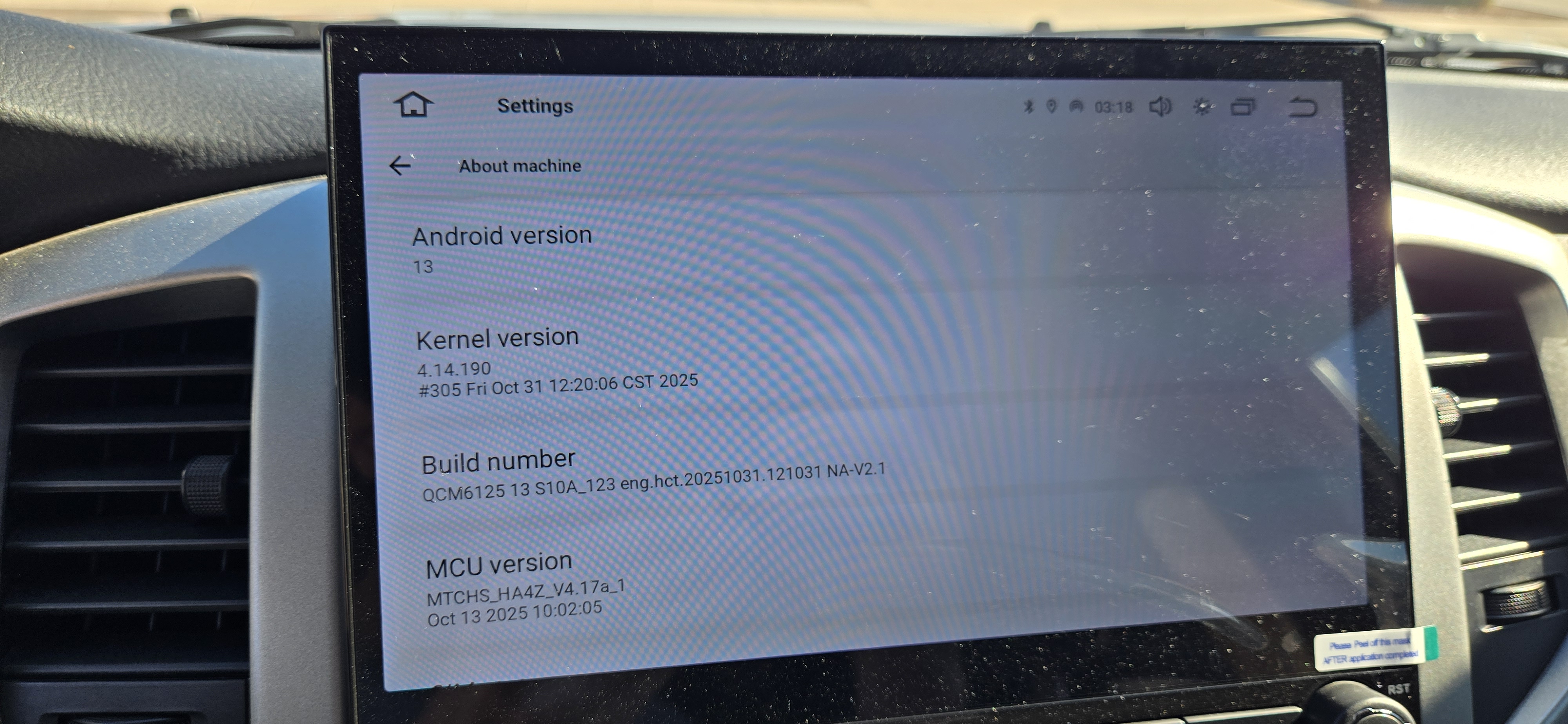
To clarify this problem exists on the latest firmware in the screenshot above. I confirmed both mics are working at the same time using the sound recorder app on the G13 and on a call with my wife.
@Mike C
To clarify regarding the microphone: the external and internal microphones are wired in series, so it is not possible to disable one independently.
The option to switch between them in the old software was a bug. The new software has fixed this issue, so that option is no longer available as it did not work correctly.
Could you let us know if you have ever updated the firmware or not, have you tried removed the external mic to see if the internal has static or not?
I did update the firmware once. I went from 20250903 to the most recent 20251031 shown above.
At first I was only using the internal mic but the quality is poor. It picks up a lot of road and engine noise and people complained of hearing their voice echo back.
@Mike C If you updated the firmware and connected the external microphone but issue persist, we assume it should be firmware related issue. You could send email to support@dasaita.com with the order number for further assistance.
It appears that many users are having this exact issue. The latest version on the download page is 20251030, however the images above shows a 20251031 version. The user reported that the microphone issue persists in the 20251031 version. Dasaita has said multiple times that the issue is hardware based, but also said that firmware updates can fix it - these are 2 conflicting messages supposedly.
It is also well known that the G13 models have a faulty internal microphone design that is suseptable to static and echo, requiring an external microphone for reasonable audio quality. Given the overall high quality of the unit, most users choose to write the issue off as acceptable losses.
Dasaita: can you provide more details on this?
@Scott
Microphone Issues
There are two common scenarios related to microphone performance:
1.)Hardware-related: In some units, the internal microphone may not be properly soldered, which can lead to static or echo.
2.)Software-related: For many customers, updating to firmware versions 20251030 or 20251031 has significantly improved microphone performance.
Screen Brightness
If you’ve already switched to night mode and adjusted the brightness to the lowest setting but still find the screen too bright, we recommend installing a trusted third-party app to further fine-tune the display brightness:
https://www.dasaita.com/community/forum/topic/212238/screen-brightness-settings-and-adjustment-solution
With the subpar microphone quality in these units it would be great if Dasaita could implement a physical switch to bypass the microphone on future model revisions. The microphone quality really ruins the experience of using this as a feature rich head unit capable of phone calls. I've been resorting to using a bluetooth earpeice for my phone calls which is unacceptable for the cost of this unit.
I did email the tech support address and provided samples but haven't heard back on this topic.
@Mike C Thank you for your advice. Please go to Settings > About Machine and send us the current Build Number and MCU version, so that we could better confirm and fix your problem.
@Support Dasaita this was included in my original post
@Mike C Could you please use the sound recorder to provide us with two audio samples of your sound so we can determine whether the issue is related to the firmware or the microphone?
Here is the instruction:
1.Remove the extemal mic.
2.Go to the "Recorder" application on the head unit and then record a short message, such as "Test 1 2 3," and playit back to check for any noise.
3.Let us know the results of your tests so we can further assist you. Thank you for your cooperation.
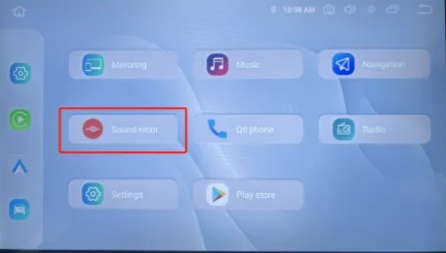
Please send us the order number and the records to our support team: support@dasaita.com

