Skip button doesn't work from steering wheel for Spotify app
-
Skip button doesn't work from steering wheel for Spotify app. This issue is only for spotify app and works other apps + radio.
I don't know why this button doesn't work only spotify.
I installed this unit to RAV4 2019 Hybrid and connect with apply car play (ios 26.7.1).
Is this working better if I upgrade my phone to ios27?
-
@KS
Hello.
In order to help you better, please go Settings > About Machine,
then provide the following picture: Build Number; MCU version.
Thanks in advance.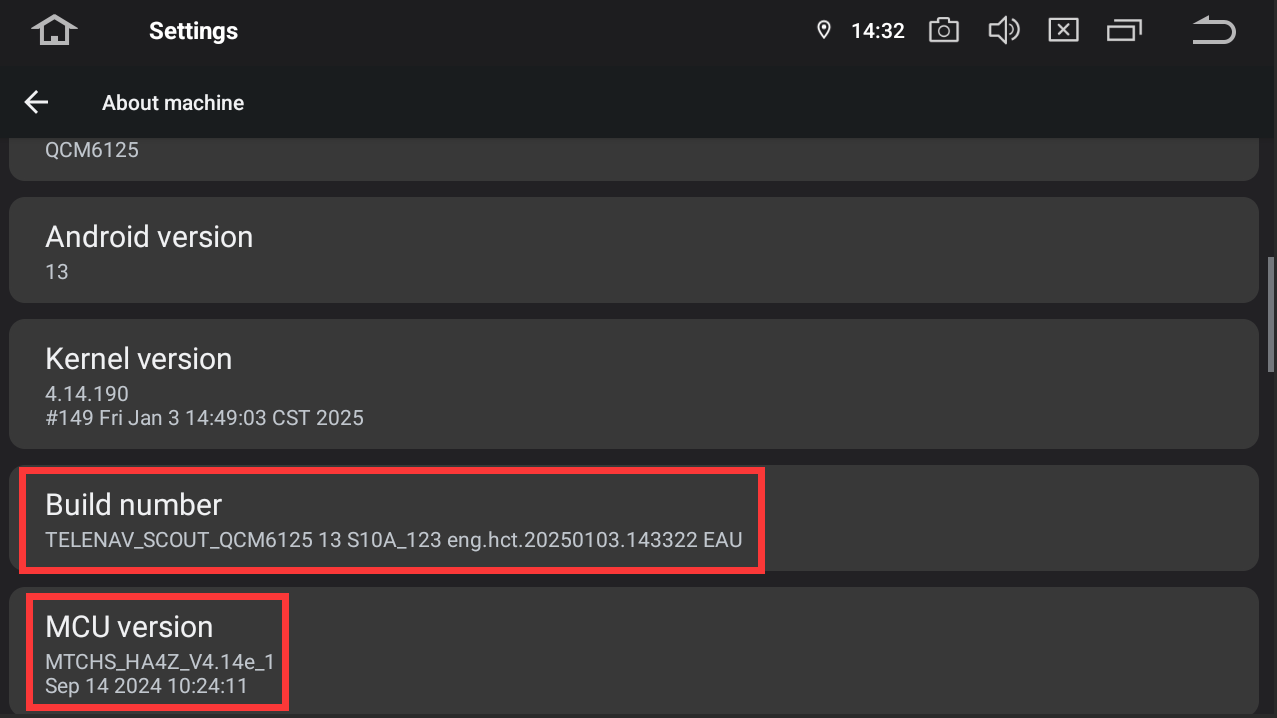
-
Hello,
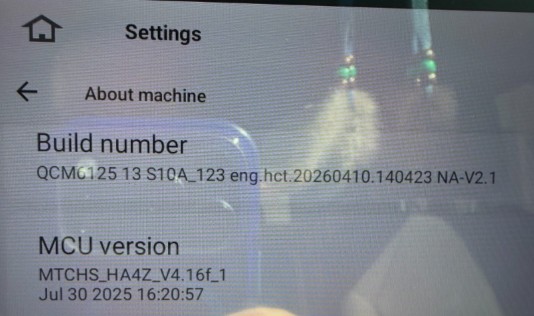
Here is build number and MCU for my unit.
-
@KS
Hello.
Please refer to the update tutorial provided below and follow the steps to perform the update.
Thanks in advance.Update File:
System Firmware-G13-V2-20260811:
https://www.dropbox.com/scl/fi/puxm4pw9s4ypu1j6cxp32/update.zip?rlkey=6v9kkeufk3bkgfzpitt1rwchv&st=3y9hrx5d&dl=0Steps:
1.
Download the above update file on your computer or laptop.
2.
Format the USB drive to FAT32.
3.
Copy both “update.zip”&“hmcu.img” to the root directory of the USB drive.
4.
Plug the USB drive into the unit via USB cable.
An update pop-up window will appear automatically.
If not, manually go to "Settings > System > System updates / MCU updates" to launch the update.***NOTE:
Ensure the option "Wipe data and format flash!" is checked.Reference‑Operation Video:
https://www.dropbox.com/scl/fi/7tgvc28sn77ux6g6fmosm/MCU.mp4?rlkey=7p5940e12kb88a42zue6qntft&e=1&dl=0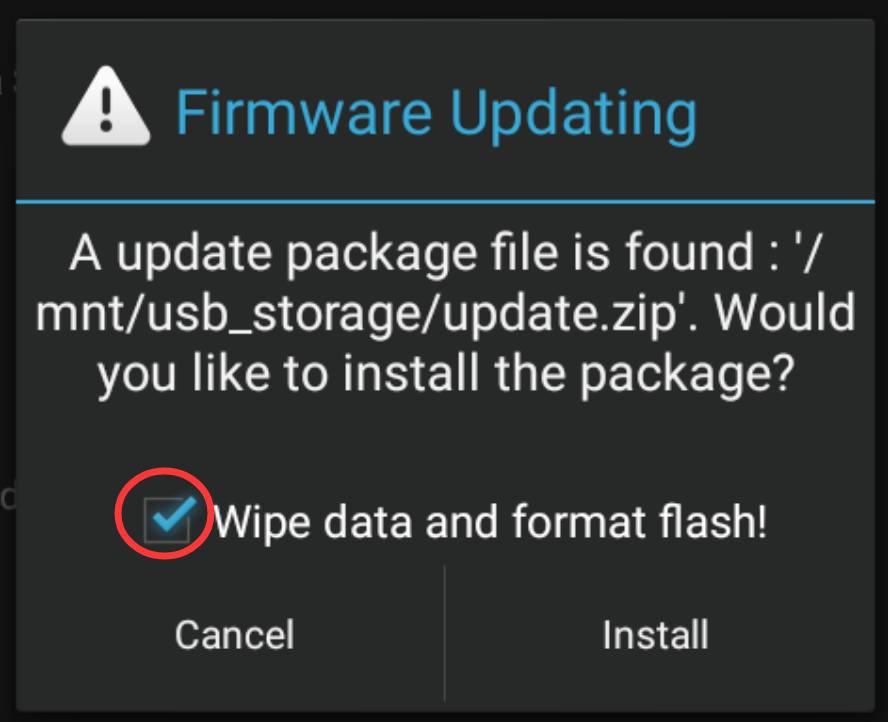
-
-