Hello @Support Dasaita Team,
I am experiencing an issue with my head unit regarding voice assistants.
When I trigger Gemini (or previously Google Assistant), the head unit picks up my voice command properly, processes it, and displays the visual feedback on the screen. However, there is no voice spoken response coming through the car speakers. The assistant's voice is completely silent, even though music playback, navigation prompts, and phone calls work normally.
This issue was already present with Google Assistant and persists with Gemini.
-
Could you please advise if there are specific audio settings (either in Android settings, or factory settings) that I need to adjust to get voice feedback?
-
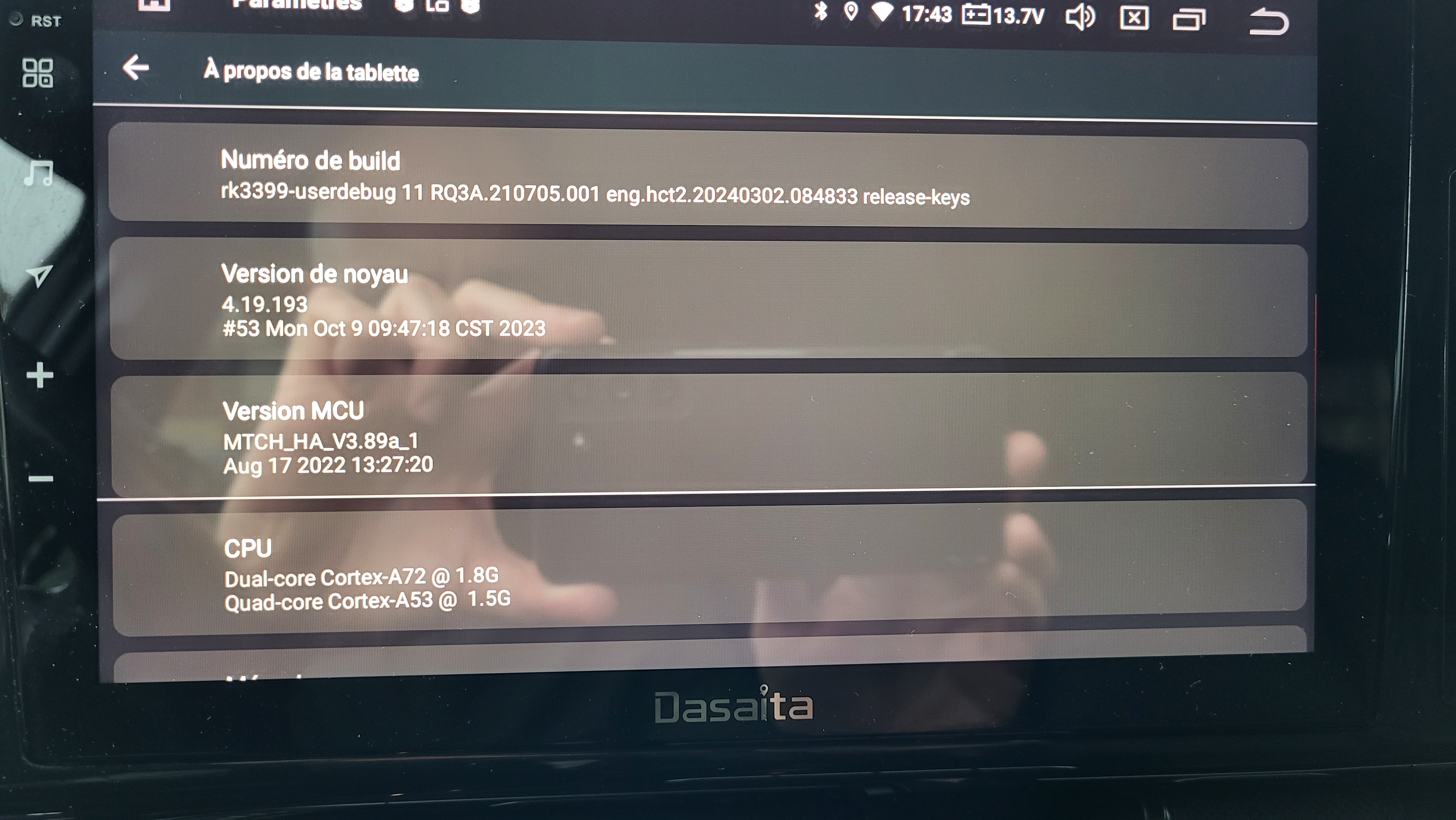
Is there an updated Firmware and/or MCU update available for my unit (Androïd 11) to fix this voice audio channel issue?
Thank you in advance for your support
@Julien B
Hello.
Thanks for your message.
Please try the settings below:
Open Google / Gemini app → Profile → Settings → Google Assistant → Speech output, make sure it is set to **Full** (not None).
If the issue persists after trying, please refer to the update tutorial provided below and follow the steps to perform the update.
Update File:
System Firmware-Vivid11-20250401:
https://www.dropbox.com/scl/fi/gvynerjbwf5qlcap3bphs/update.zip?rlkey=v1p7o6vppnyfpm9cgwguqwak2&dl=0
Steps:
1.
Download the above update file on your computer or laptop.
2.
Format the USB drive to FAT32.
3.
Copy the file “update.zip” to the root directory of the USB drive.
4.
Plug the USB drive into the unit via USB cable.
An update pop-up window will appear automatically.
If not, manually go to "Settings > System > System updates" to launch the update.
***NOTE:
Ensure the option "Wipe data and format flash!" is checked.
Reference‑Operation Video:
https://www.youtube.com/watch?v=daXfUSMZt4Q&list=PLj4nbXKzYYkwxHfNGsONeDiqWzPmn8rAt
Hello @Support Dasaita,
Thanks for getting back to me.
Unfortunately, I can't find the "Speech output" setting, even after updating the firmware.
Would it be possible for you to attach some screenshots or a short video showing how to get there? That would really help me locate it.
Best regards,
@Julien B
Hello.
Please try to as follows:
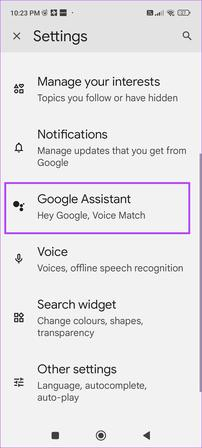
Open Google app → Profile → Settings → Google Assistant → Assistant voice & sounds → Phone → Speech output → Set to Full.
Hello @Support Dasaita,
Thanks for the screenshot. It confirms I was looking in the right place. However, it appears that Gemini doesn't offer the same settings as Google Assistant — there's no speech output setting (not even on phones).
On the head unit, I uninstalled all Google updates and reinstalled the former Google Assistant, but there is still no speech output setting.
Any other suggestions?
@Julien B
Hello.
Could you test whether Siri’s voice response works normally when CarPlay is connected?
Hello @Support Dasaita ,
I can't test CarPlay or Siri since I don't use an iPhone.
However, I hear Gemini's voice responses loud and clear when using Android Auto.
@Julien B
Hello.
Could you please confirm: without connecting Android Auto, is there no spoken voice response from Gemini?
Hello @Support Dasaita,
Yes, I do confirm that there's no spoken voice response from Gemini; only written response.
Dobrý večer mám dasaita px6 android 11 takže pri androide nenájdete to nastavenie hlasitosti mám presne taký istý problém snažím sa ho vyriešiť už dva roky nikto mi zatiaľ neporadil tak OK google asistent mam bez hlasu ináč všetky aplikácie fungujú morálne.
@Julien B
Hello.
We regret that no further troubleshooting options are available for now.
We have submitted your case to the technical department and will notify you right away once we have a new solution.
We appreciate your understanding and patience.
@17syky17
Dobrý deň.
Ospravedlňujeme sa za spôsobené nepríjemnosti.
Tento problém sme postúpili nášmu technickému tímu na ďalšiu analýzu.
Akonáhle budeme mať k dispozícii riešenie, budeme vás bezodkladne informovať.
Ďakujeme za vaše pochopenie a trpezlivosť.