I purchased an Android G13 and installed it in my 2018 Tundra, non-JBL truck. It's a definate upgrade as regards capabilities. The sound quality is lacking, however. It seems to rely heavily on the smaller front speakers making the sound 'Tinny.' I have adjusted the Amplifier/Equalizer in numerous configurations. I am able to get a little more volume from the rear speakers, but the sound from them is muffled and 'Muddy.' The sound quality is markedly inferior to that produced by the original Toyota Head-Unit.
I purchased, configured and installed an Amp Bypass Harness with no improvement to sound quality.
I am using the stock Toyota speakers.
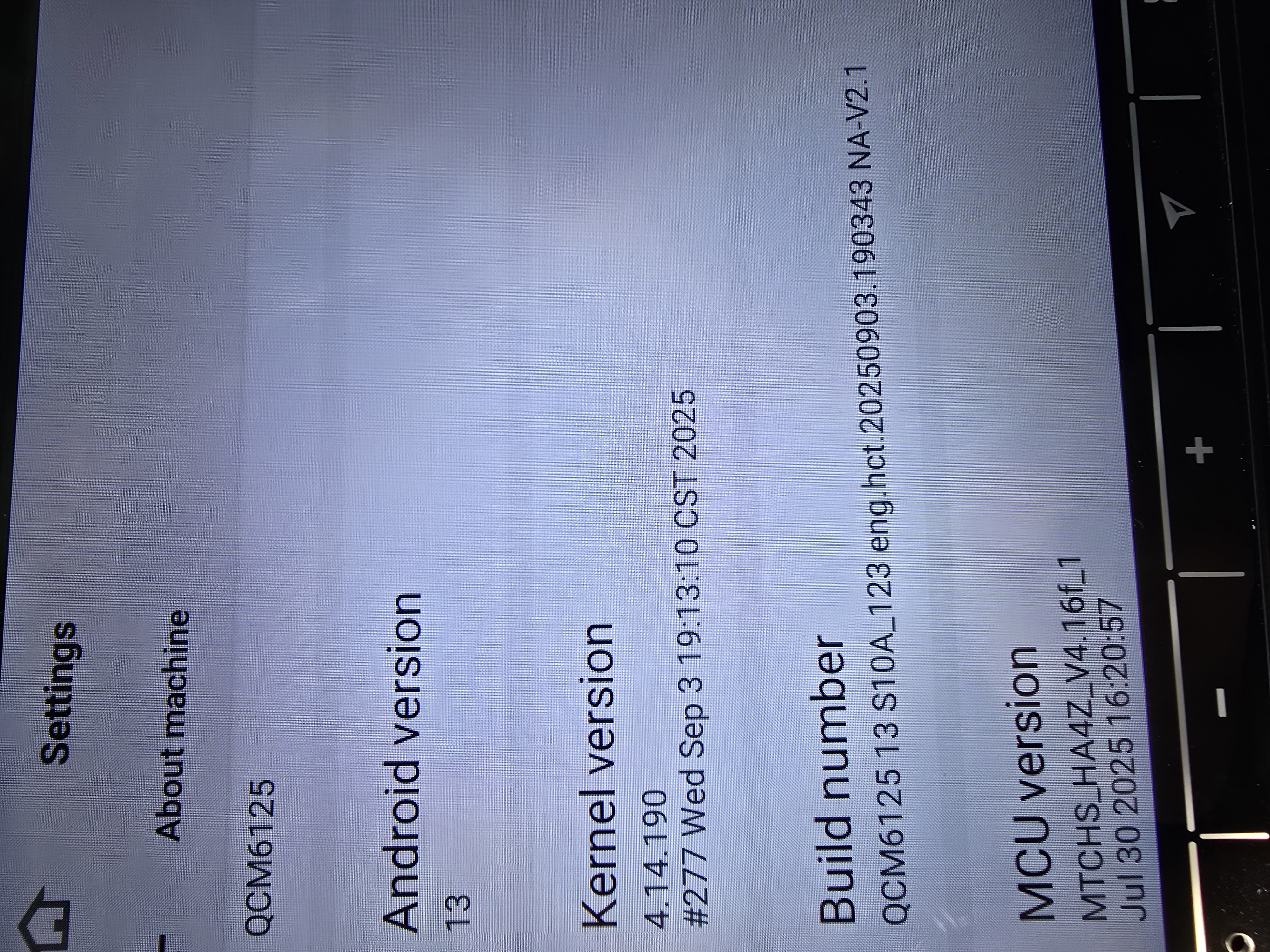
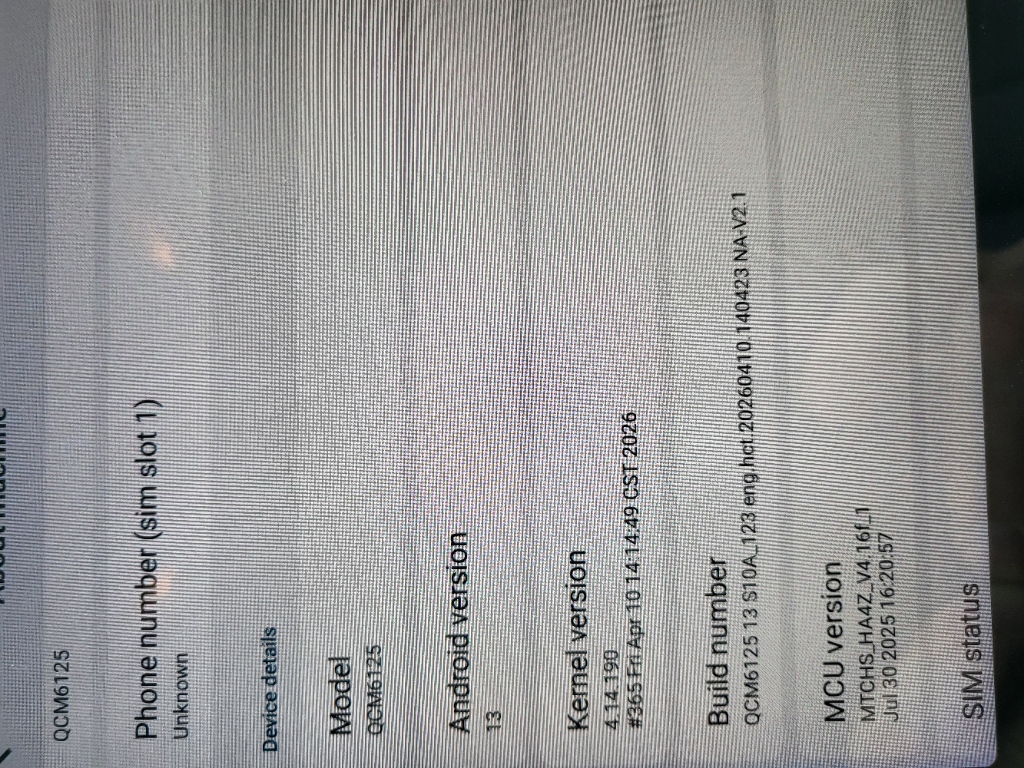
I verified the Model number is QCM6125.
Android version is 13. Kernal 4.13.190. Build number: QCM6125 13 S10A_123 eng.hct20241022.090634 NA
MCU version is: MTCHS_HA4Z_V4.15a_1 Nov 14 2024 15:38:58
Tips: 1. Download above update file via your computer/laptop. 2. Format USB drive to FAT32 Format. 3. Copy the file “update.zip” to the root directory of USB drive. 4. Insert USB drive into the unit via USB cable; then it will pop up automatically a window of update. Alternatively, please manually go "Settings > System > System updates" to start the update. ***NOTE: Please make sure that you have ticked option "Wipe data and format flash!". --------------------------------------
@Support Dasaita Per your instructions, I downloaded and installed the G13 20250212 Firmware Update. I made a difference. The sound quality seems a good bit better. I hesitate to call it excellent, but it is much improved and acceptible. I Hope to be able to tweak the equilizer setting and make it even better. Thank you for your quick attention to this issue.
Hello. Thanks for getting back to us. Glad to hear that it is much improved after the update. About the equilizer setting, we will report your idea to our technical department. We will inform you if we make further optimizations in the future.
We value your opinion and strive to offer a high quality service. As such, we invite you to share your experience and customer service evaluation via below link if this will not disturb you. We genuinely appreciate your attention to this matter.
1.Download the documents ①&② through the link on your computer/laptop. (Do not rename and Unzip the file)
2.Format the USB drive(FAT32 Format)before copying the Update.zip & hmcu.img file to it, then insert it to the USB cable,and it will pop out the firmware updating tips on the screen. (Tick the option"Wipe data and format flash")
3.MCU updated GO:Settings>System>MCU updates.
Thank you for your time and cooperation in advance.
Hello. I am having the same issue with my 2014 Toyota Tundra SR5 crewmax 4X4 non JBL. The sound is loud and clear coming from the dash and center channel speaker, but the door speakers (front and rear) are muffled . I have tried messing with the fade/ EQ but i cannot get them to get any clearer or louder.
It did not fix the issue. The speakers in the front and rear doors have sound, it is just low volume and muffled. The dash speakers are very loud. It is non-JBL but there is a factory amp under the pasenger seat.
I have this same issue in my Tacoma. I've updated my headunit to the newest android 13 I've been sent as of 2 days ago. I'm not sure what else do. It seems to be more of a problem with the MCU which I have also updated 2 days ago. I'm not sure if it's because Toyota has the tweeter speakers tied in with the front speakers but the front and rear speakers don't pus hardly any sound compared to the tweeters.
@Support Dasaita it does not. Ive messed around with a few canbus settings I was able to get it a little louder but not ideal. I do also have aftermarket door speakers. So I know it's not a speaker issue.
Could you please let us know what CANBUS settings you have configured?If the vehicle is not equipped with a factory amplifier, you can only adjust the related settings in the Amplifier app > Volume. Additionally, you mentioned an MCU update earlier.Please let us know the MCU version before the update and the current MCU version.
So I was having the same issue. Downloaded and installed the update as mentioned in previous posts. It now is just stuck on the android boot screen. Rebooted 3 times on its own, about 15 minutes between the reboots.
1.Find a pin, press and hold the RST button for 15 seconds to see if you can enter the factory setup page, if you can, select factory reset and reboot the unit;
NOTE: Make sure you press the RST button vertically and firmly, you should feel a slight press, or even hear a faint click.
2.Please remove all the wiring and then reconnect the unit.