Hello,
I am having the issue of a black/dead screen on my Vivid13 head unit the volume knob is illuminated. I've had the head unit since August of 2025. A few days ago it got into my truck and the screen was black. My phone still connects to Zlink/CarPlay and I am able to play music.
Head unit details:
Purchase from Dasaita Official Amazon Store.
Order # 111-1377410-8138618
Model: QCM6125
Firmware: Vivid13(20250910)-V1
MCU Version: MTCHS_HA4Z_V4.16g_1
The first day it happened I was able to get the screen to work with the Reset button.
The next day when I turned on my truck the screen was dead again. Zlink/carplay still work.
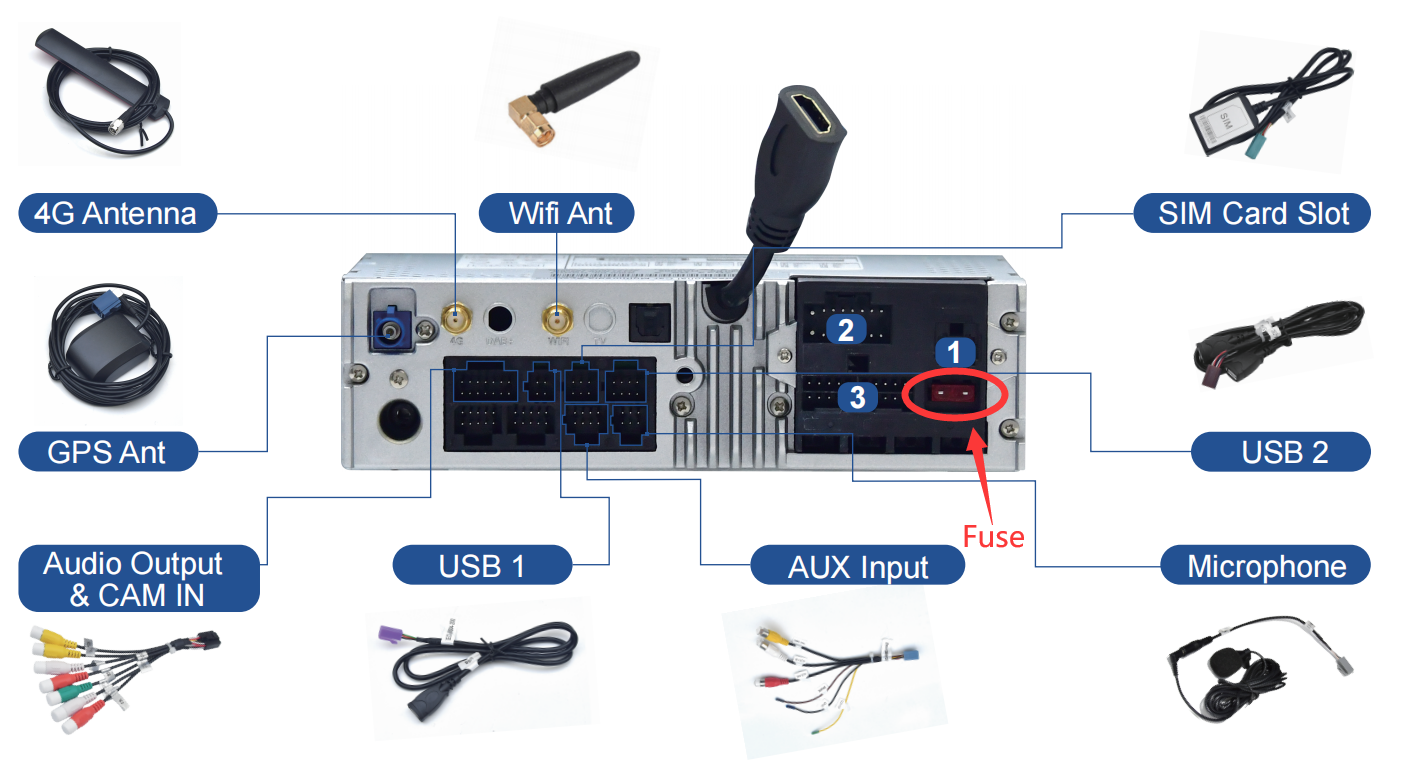
I tried disconnecting the negative on my battery for 5, 10 and 30 minutes. Replaced the fuse and Still dead screen.
Putting my truck in reverse or receiving a phone call do not trigger the screen to turn on. There is no ghosting or image when shining a light on the screen.
Today I unplugged the power harness from the head unit then plugged it back in and the screen came on. I updated to the Vivid13(20250910)-V1 firmware successfully.
The screen was on and working properly but after the 3rd startup in my truck it was black again.
I have also noticed using the remote start to turn on my truck, the screen is dead when I get in my truck. The remote start was installed months before the head unit and have not had issues until now.
Has this been seen before? Can I get some guidance? Any information is appreciated.
Thank you!
@Israel Garcia
Hello.
Regarding your issue, here are some trouble-shootings for you:
1.
Use a Pin/Paperclip to press and hold the RST Button for 15 seconds to enter the recovery interface to do the factory reset.
(Tap "Wipe data/factory reset" > "Factory data reset" > "Reboot the system now".)
Here enclosed the operation video for your reference:
https://www.dropbox.com/scl/fi/6mhzgijcv059wo2s9octl/G13-RST.mp4?rlkey=366exgktisqwb4ml1elqoge2u&e=1&dl=0
2.
Remove all cables and then reconnect again, make sure no slipped back wires or poor contact.
3.
Remove fuse of headunit back side, and reinsert it properly after 3 minutes, make sure there is no burnout.