Maybe it's me but I just installed the Dasaita 12.3" Car Stereo for Toyota RAV4 2019-2022 Upgrade to 8GB+256GB and I went to customize the main screen and the only thing I can do is swap the top selection with the bottom, and I tried to add a widget on the other pages that had open slots and it doesn't add it. This seems extremely limiting not being able to tweak buttons screens etc.. please tell me im wrong! This should is all software so maybe there are releases that allow this?
@Richard Oliver
Hello.
Please provide a short video about the issue to our below email address and indicate your Order ID# in email subject.
So that we can learn the situation better and offer the solution further.
Thanks in advance.
Email: support@dasaita.com
@Support Dasaita Hello, I'm not sure if it's an issue or by design. Do you have a video or instructions on how to configure the screens? For example, can I completely reconfigure the home screen so I can add direct-dial widgets? if not, then I guess its a limitation of the software on the radio, if you can, please provide more details on how to do it. Thanks
@Richard Oliver
Hello.
Please try to do as follows:
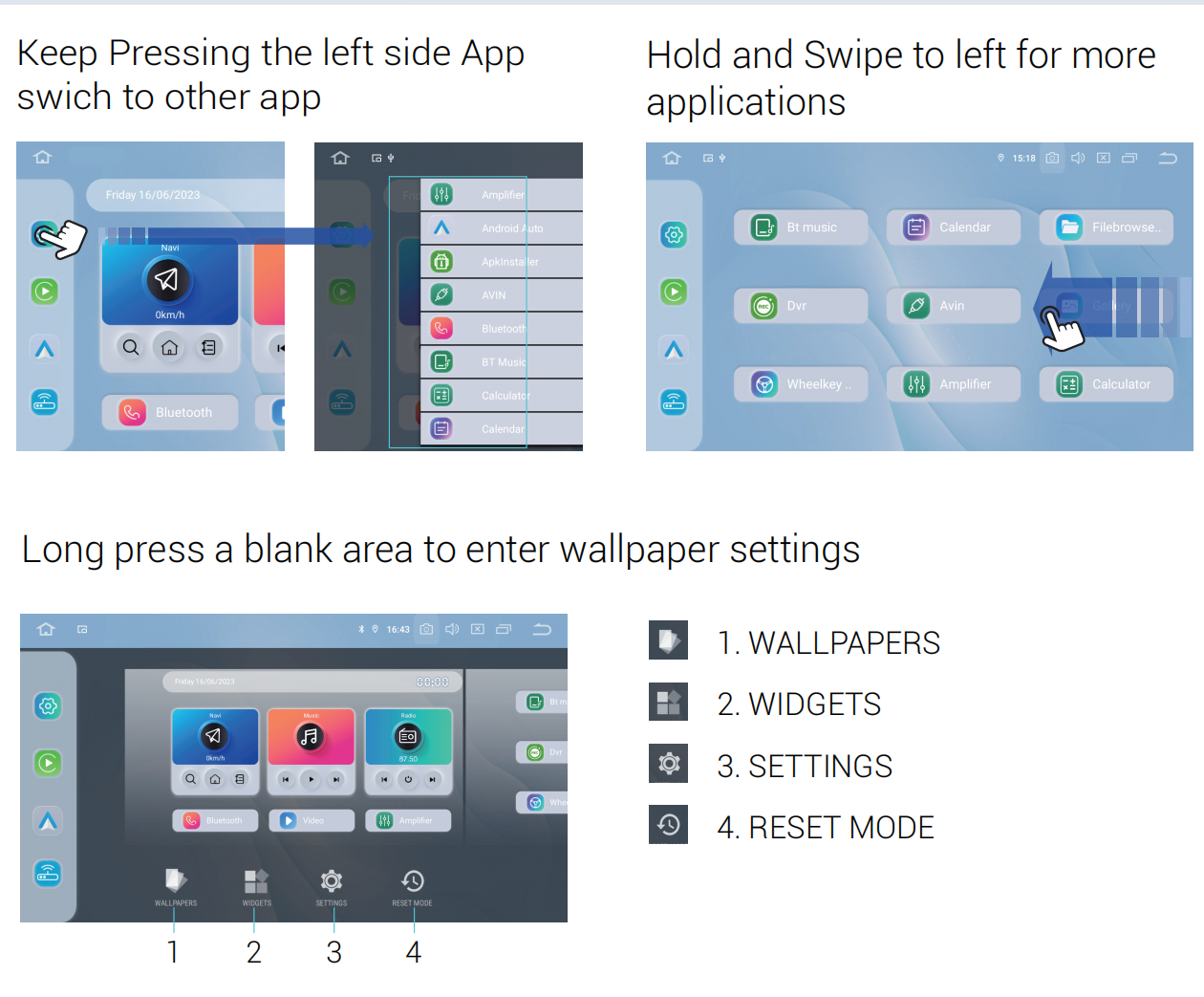
1. Long press a blank area on home page.
2. Hold and drag the App to the home screen.
About the widgets, please refer to pictures.
Reminder: Some applications may not support customization.
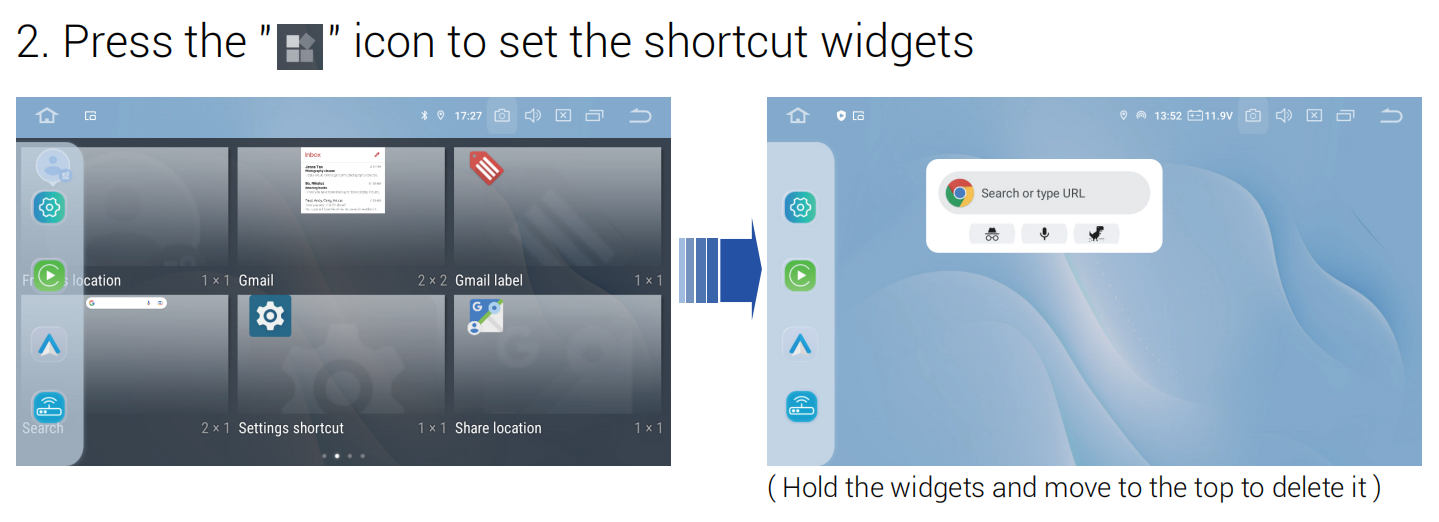
@Support Dasaita Thank you, I was able to modify the home screen and the main screen but when I drag the quick dial widget into an open space in any of the screens that have available slots it shows the list of people/phone numbers to choose from, I click on one and then it never shows up. not sure what I'm missing on that. Also, I have ZLink disabled and would rather just use the android exclusively for many reasons because ZLink gets in the way. With that said am I able to use the quick dial to trigger my phone to call a number through BT? Also, not sure if this is possible but I have google assistance on the radio and would like for it to be able to make a call with my phone through BT. Thanks!
@Richard Oliver Hi Richard,
If possible take a video of showing the issue?So that we could better confirm the question.
@Support Dasaita hello, I figured out a solution on screen configuration but I do have another question. The car console time does not match the correct time on the radio. I looked through the settings and can not find a way to update. Can you help?
@Richard OliverCould you please confirm whether the issue is with the time itself being incorrect, or with the time format (e.g., 12‑hour vs. 24‑hour) being different? Also, which one is showing the correct time—the instrument cluster or the car navigation system? Please provide the order information as well as the exact model and year of the vehicle.
@Support Dasaita hello, you can disregard I was able to set the time through the car console. thank you

