Dasaita G13 for Subaru Outback 2015 with Harman Kardon


  • I own a Dasaita G13 head unit for a 2015 Subaru Outback with a Harman Kardon system. Everything is connected.

    Now I am experiencing the following issue:

    Sound comes out of the speakers only when I re-enable the settings every time. Upon restarting the car, the audio stops working again until I manually re-activate the setting in the menu.

    What can I do?

    The CAN bus decoder box initializes once, but it seems to hang or get stuck when the car restarts.

    The Simple Soft CANBUS seems to lose sound after restart

    Is there a software update available?

    I would appreciate your support.


  • Hello,

    After several hours and attempts, a miracle happened.

    I don't know what I did, but now the Daisaita is working and the amplifier switches on.

    Problem solved.


  • Hello, I have the same issue with Subaru Outback 2015 with Harman Kardon amp with the Dasaita G13 unit with Simple Soft CanBus. Do you use the "with amplifier" or "without amplifier" setting in your canbus settings under factory settings?

    I can only get it to work using "without amplifier", but it doesn't sound as good as "with amplifier". Can you pleaseshare what settings you have. Thank you!


  • Hello,

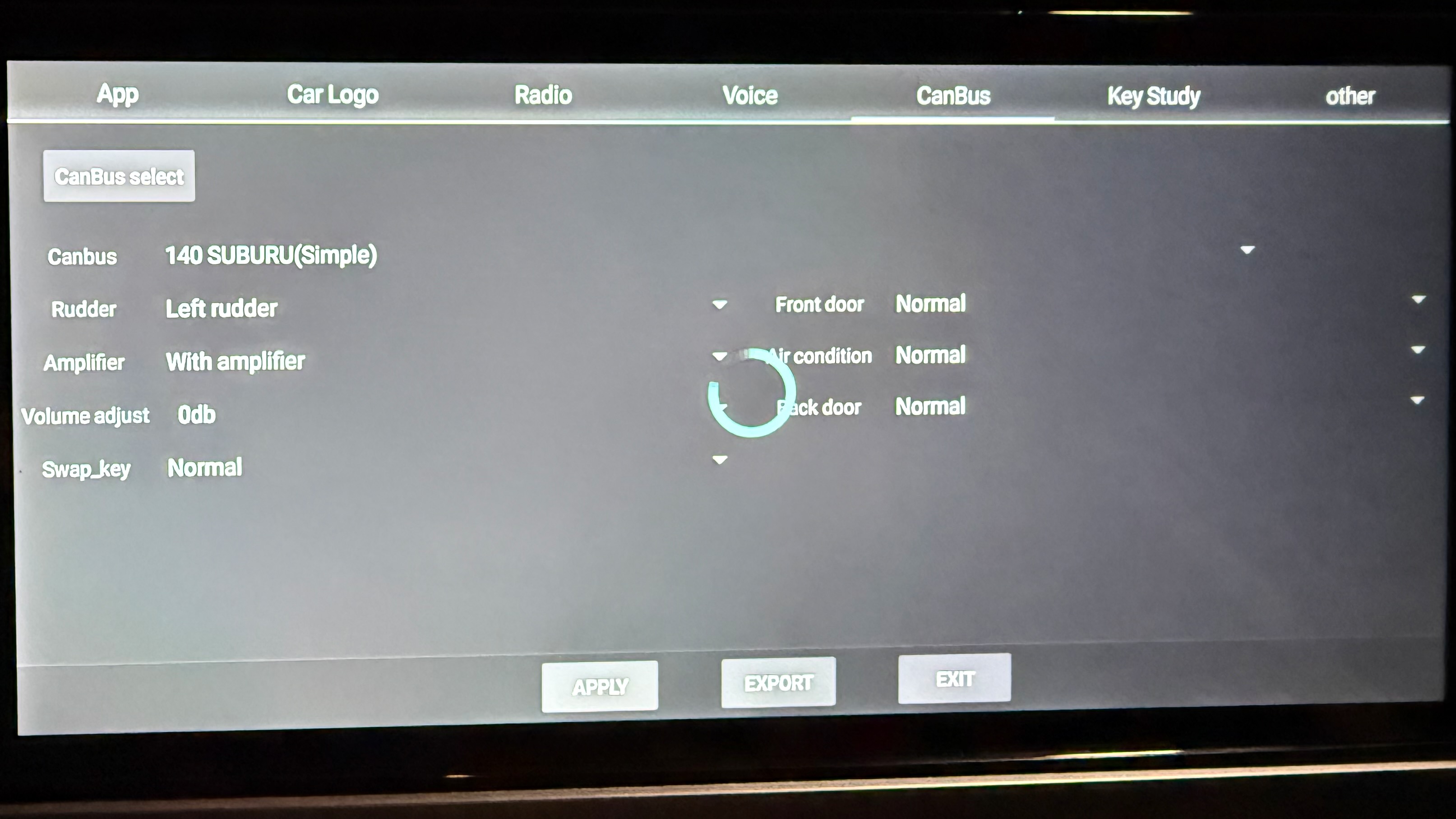
    I use the "with amplifier" setting under factory settings.

    Here my procedure,how it finally worked:

    As far as I can remember, I always made the settings with ACC on.

    The amplifier started working after I changed the setting to “No amplifier”, restarted the unit, and then changed it back to “With amplifier”. The amplifier was activated again, and the sound came through the Harman Kardon system.

    However, after restarting the unit, it seemed that the setting had not actually been applied, even though the correct setting was still displayed in the menu.

    I then changed my approach. I selected a setting outside of the Subaru profile, confirmed it, and restarted the unit. This time, however, I did it with the engine running.

    After that, I went back into the settings, selected the Subaru profile again, and confirmed the profile by pressing “Apply.” I did not press “Exit”. Instead, I immediately restarted the radio, again with the engine running.

    This time, the setting was finally saved correctly in the CANBOX. Since then, the radio has been working properly with the amplifier, and the sound is coming through the Harman Kardon system.

    But from now I have a problem with the HCAC illumination light. After closing the car the lights still shine.

    I think it is a grounding problem with the unit.


  • Thanks for the detailed instructions. A clarifying question - when you say you selected a setting outside of the Subaru profile, do you mean you selected a different car model under the Simple Soft canbus, or you changed some setting other than the CanBus settings screen? 

    Did you have to disconnect the battery or pull the head unit or amp fuses in case the HK Amp went into a disabled state and wouldn't wake up from it? This happened to me whenever I switched from "without amp" to "with amp".

    Is there a way you could verify if the audio is being sent to HK Amp using the "with amplifier" setting - that is, the Dasaita head unit sends a constant audio level to the HK Amp and the volume control instruction is sent separately to the HK Amp? Either in logcan canbus logs or in the OBD-II interface?

    Guess another way (less than 100% sure) is try muting all the speakers the volume control page in the Amplifier app. If the audio still plays, but only mutes on pressing the physical mute button, then it's using the "with amp" setting. 

    Hope your grounding problem is fixable. :) 


  • @Rafael OHi,


    Regarding the Harman Kardon amplifier setting issue you mentioned previously, we have forwarded the case to our engineering team for further testing and verification.

    Could you please confirm whether the audio is now working normally? After restarting the vehicle/head unit, does the sound continue to work properly without needing to re-enable the amplifier setting again?

    Also, could you please confirm if you are using the CB076 harness with the CANBUS decoder box?

    Regarding the HVAC illumination issue (the lights remaining on after the vehicle is locked), could you please provide your order number? This will help us locate your product information and provide a more accurate follow-up.

    Thank you for your cooperation and support. We look forward to your reply.

    Best regards,
    Dasaita Support Team


  • @str Could you please confirm if you are using the CB076 harness with the CANBUS decoder box?Please provide your order number? This will help us locate your product information and provide a more accurate follow-up.


  • @Rafael O Regarding the issue of HCAC illumination light,could you please power off the car and disconnect the canbus box to see if the issue still happen?


  • Hello,

    I have now tried everything I can think of.

    I disconnected the CAN box, completely removed everything, pulled the fuses, and checked everything thoroughly.

    Here is what I have observed:

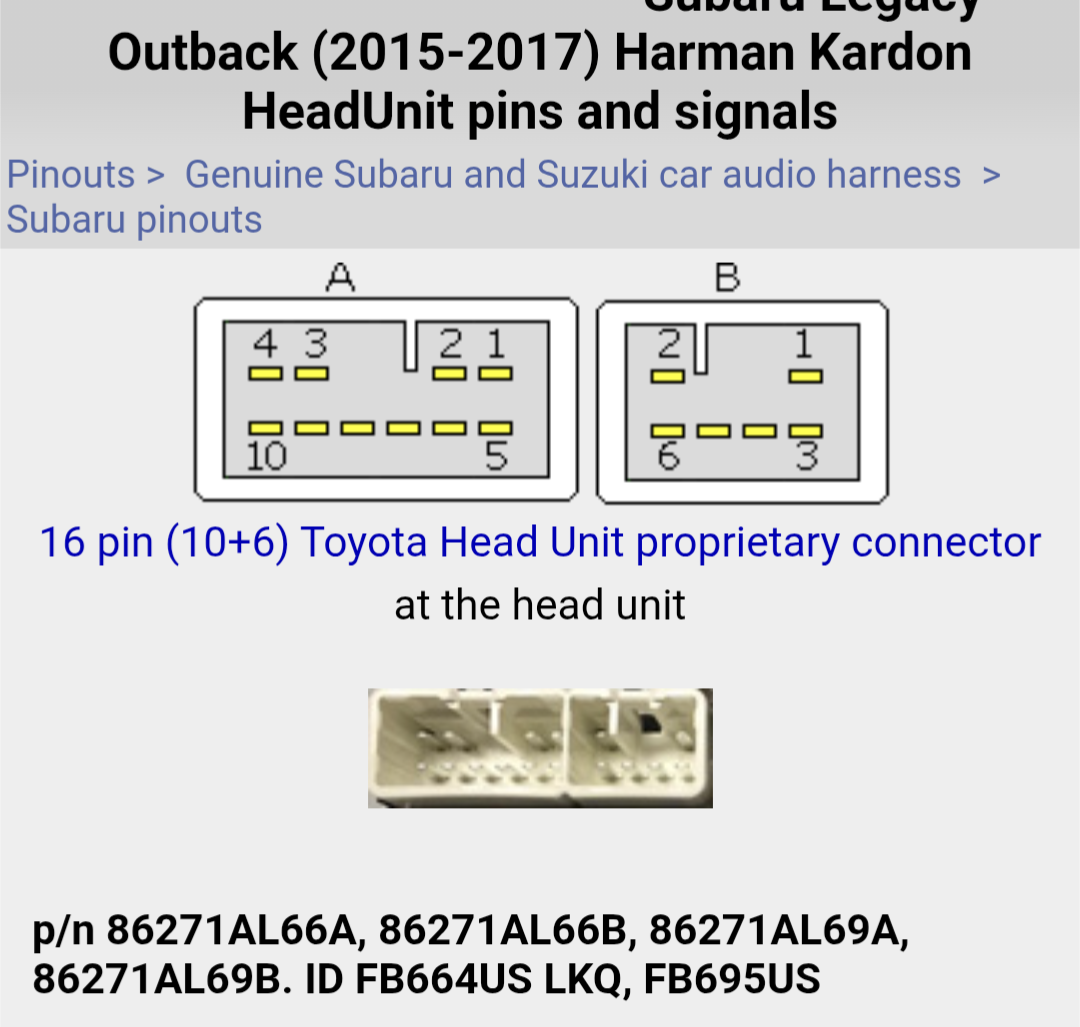
    If I connect the original Subaru radio only to the 10-pin connector, the illumination goes off.

    As soon as I disconnect the original radio again, the illumination comes back on.

    It may possibly be a grounding issue, or there may be a small resistor built into the original radio that affects the illumination circuit.

    I’m slowly running out of ideas.

    With the Dasaita radio, the illumination stays on continuously.

    Could this be a grounding issue?


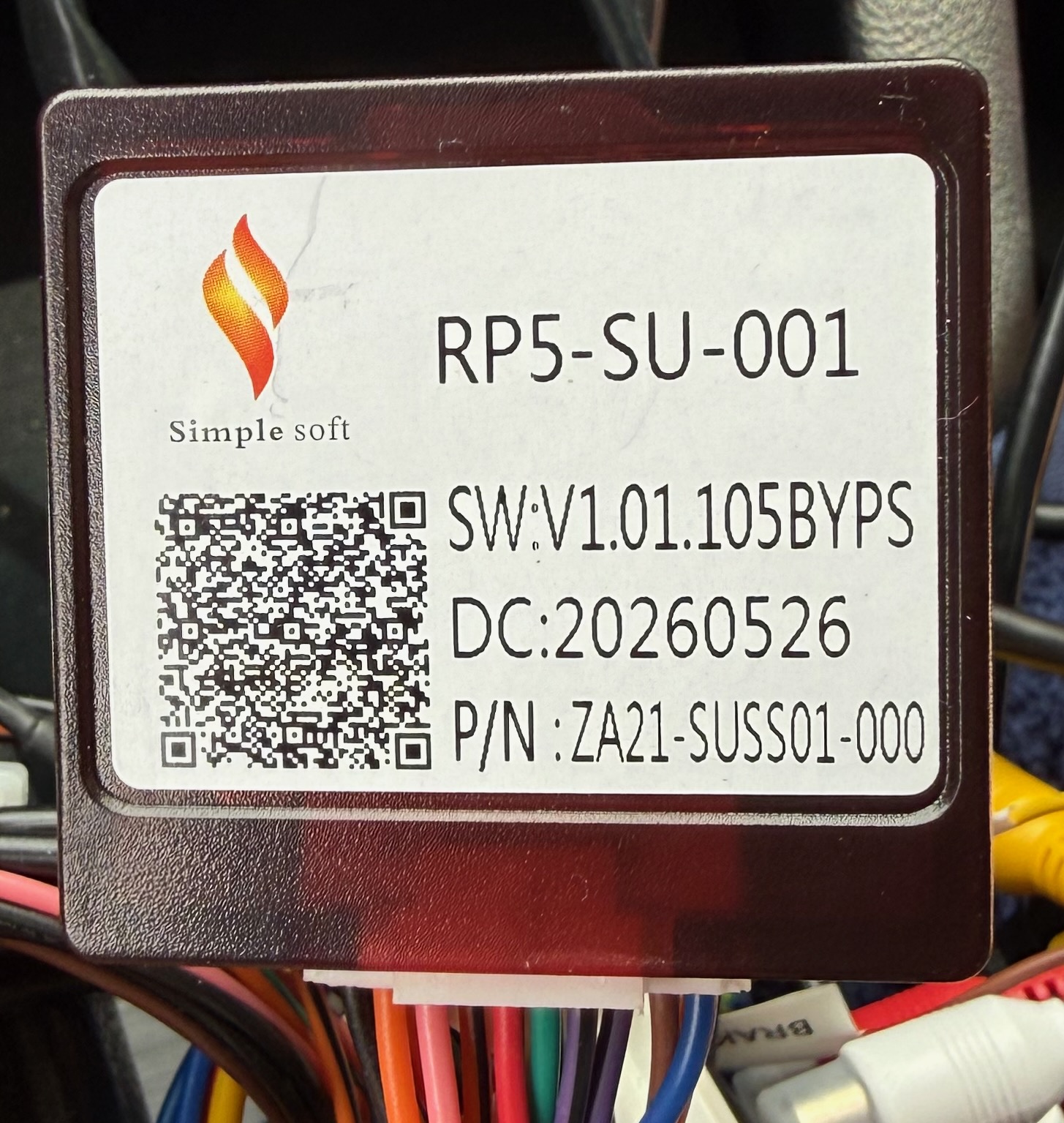
  • @Support Dasaita I have the CB076-1 harness installed based on the model number mentioned in the flyer included with the unit. I'm also including a picture of the CanBus here.

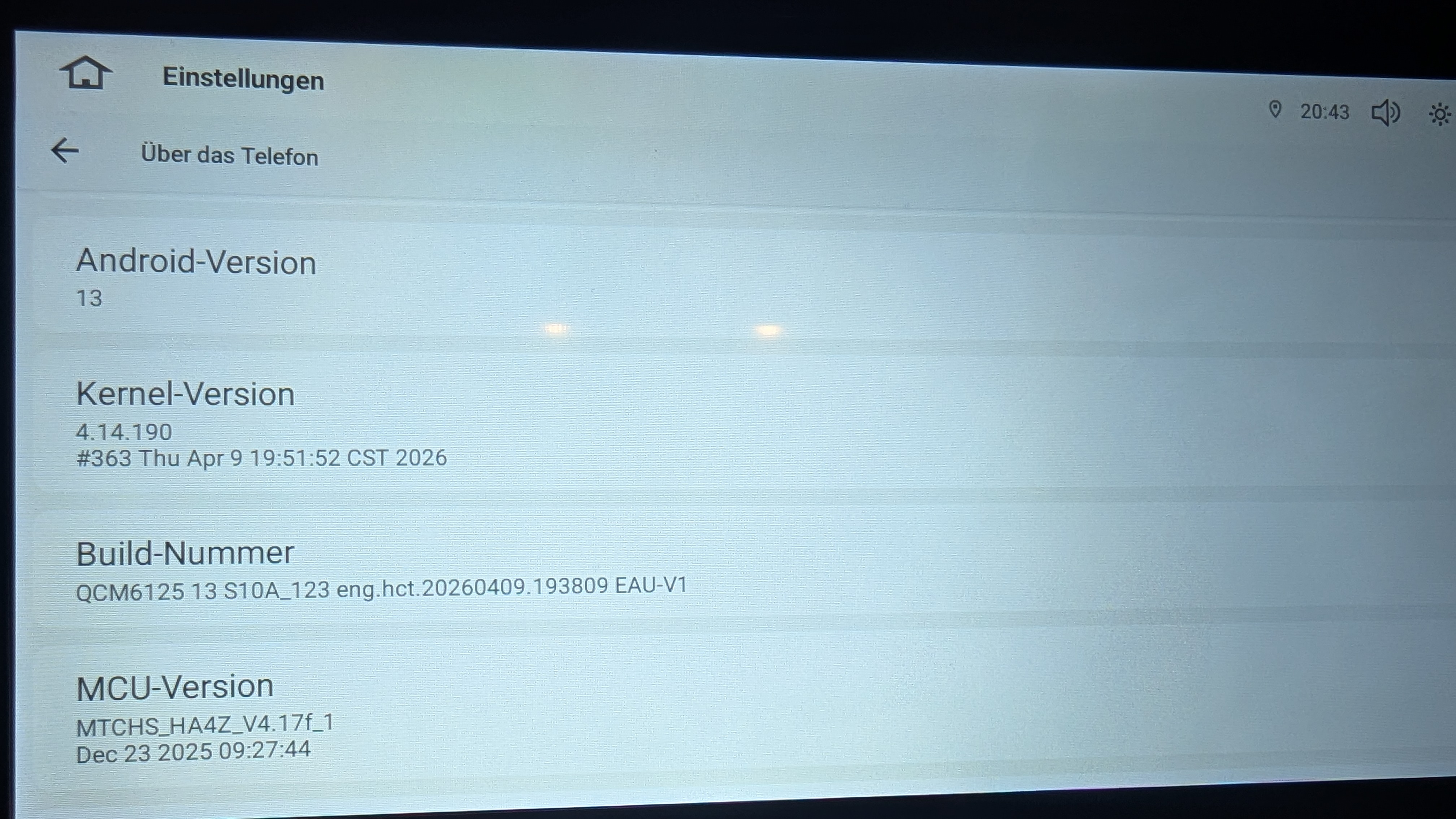
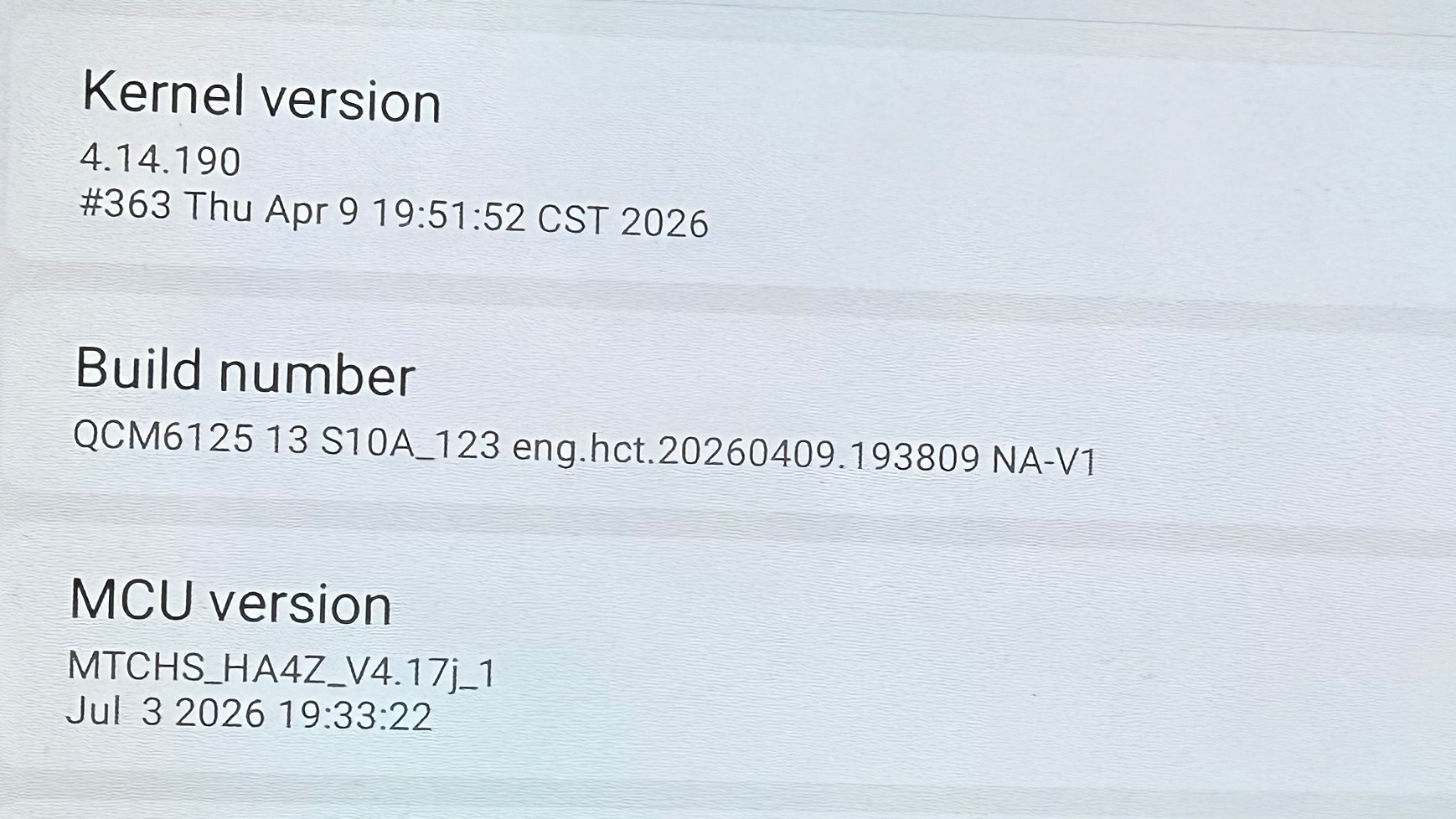
    I ordered from Amazon.com on Aug 26, 2026, order number 113-0921450-9719435. Model number HA2271. I posted a picture of my Android, kernel and MCU versions in a previous message above.


  • @Support Dasaita here is the issue and the steps I tried. I'll prefer the "with amplifier" setting since the sound is better than "without amplifier".

    Hardware, Firmware and Configuration

    • G13 for Subaru Outback
    • Model HA2271, Ver V1, LCD 114, US 8+128
    • Android 13
    • CPU: QCM6125
    • Kernel-version: 4.14.190 (photo shared in above post)
    • Build: QCM6125 13 S10A_123 eng.hct.20260409.193809 NA-V1
    • MCU: MTCHS_HA4Z_V4.17j_1, Jul 3 2026
    • CB076-1 harness, Simple Soft CANBUS box
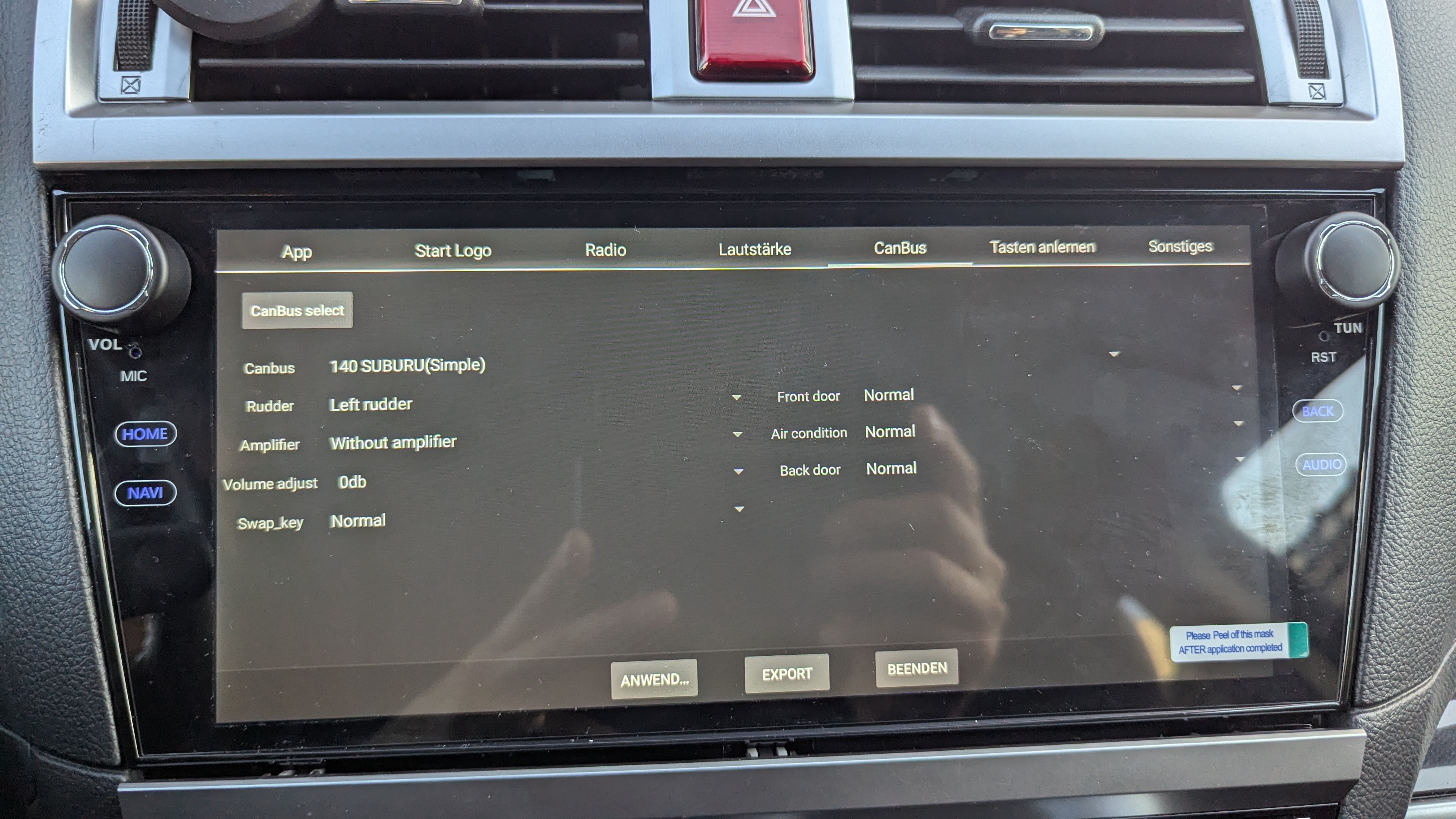
    • CanBus settings: 140 SUBURU(Simple), Rudder Left, Volume adjust 0dB
    • 2015 Subaru Outback with Harman Kardon amplifier

    The fault

    • CanBus setting Amplifier: "Without amplifier" works correctly and survives ignition cycles.
    • "With amplifier" does not play any sound after restart.
    • "Auto detect amplifier" played the audio after the first restart. I could verify it was sending constant level to the HK amplifier because the mute button in the Volume screen in the Amplifier Android app did not mute it, only the physical mute buttons muted it. After another restart, the audio played for 3-5 seconds and then goes silent.
    • Once silenced, the amplifier stays silent across ignition cycles and across head unit reboots, and remains silent even after switching back to "Without amplifier".
    • The only reliable way to recover sound is: Set CanBus amplifier setting to "without amplifier". ignition fully OFF, pull 20A "audio amplifier" fuse from engine bay, wait 1 minute, reinsert.

    Key observations

    1. Pulling fuse B with the ignition ON or the head unit running does NOT resolve it, even after 10 minutes. Only an ignition-off fuse removal works. This suggests the amplifier may have a second power supply that keeps its control section alive when the ignition is on. 
    2. In amplifier mode, EQ, Delay and DTS still affect the sound, but the Volume per-channel mutes, channel levels and Loudness in the amplifier app are bypassed. Only the front left and right channels are live in either mode.
    3. I replicated Rafael's procedure faithfully, including selecting a non-Subaru profile (62 FOCUS_ECOSPORT&ESCAPE&CARNIVAL (Simple), which has no amplifier field), confirming audio was still playing on that profile, then selecting 140 SUBURU(Simple) with "With amplifier", pressing APPLY without Exit, and restarting from the pull-down menu with the engine running. This did not work for me. I repeated it with a Raise Canbus Honda profile as the intermediate with the same result. "With amplifier" has failed on every attempt regardless of route, amplifier state, engine running or ACC.
    4. I tried to save the CanBus log. But the 'Save 3' button in the logcan screen does not give any confirmation that it saved the log to a file. If you want the logcan log files, can you give me step by step instructions on how to save the logs and copy the log file to a USB drive?

    Questions:

    • Does the MCU or CANBUS box send a mute or amplifier-disable command during initialisation in "With amplifier" or "Amplifier Auto detect" on protocol 140 Subaru?
    • Is there updated MCU or CANBUS box firmware for Subaru protocol 140 with the 2015 to 2017 Harman Kardon amplifier? I noticed firmware G13_V1 (20260811) and MCU 4.18a were provided in another forum thread for a different issue on an identical build and MCU version.
    • Is there a known good hmcu configuration that will work with the "with amplifier" CanBus setting with the HK amplifier? If so, could you provide the hmcu.cfg for so I can restore it?

      Thank you!

  • @Support Dasaita 

    Hello Dasaita Team,

    I can confirm that the audio is now working normally. The sound also continues to work after restarting the vehicle, with the “With Amplifier” setting enabled. I no longer need to re-enable the setting after each restart.

    I am using the CB076 harness together with the CANBUS decoder box.

    I purchased the unit directly from the Dasaita website. My order number is:

    SP-DA10788

    Thank you for your support and assistance in resolving this issue.


  • @str 

    Interesting point. When I use the "No Amplifier" setting, I don't get any sound from the speakers. It seems that both options work for you, although only the "No Amplifier" setting works properly. In my case, it's exactly the opposite: I need to use the "With Amplifier" setting, and it continues to work even after restarting the vehicle.

    Do you also have the problem with the HVAC illumination? Could you try connecting your HVAC control panel?

    Does the illumination also remain lit after you switch off the vehicle?
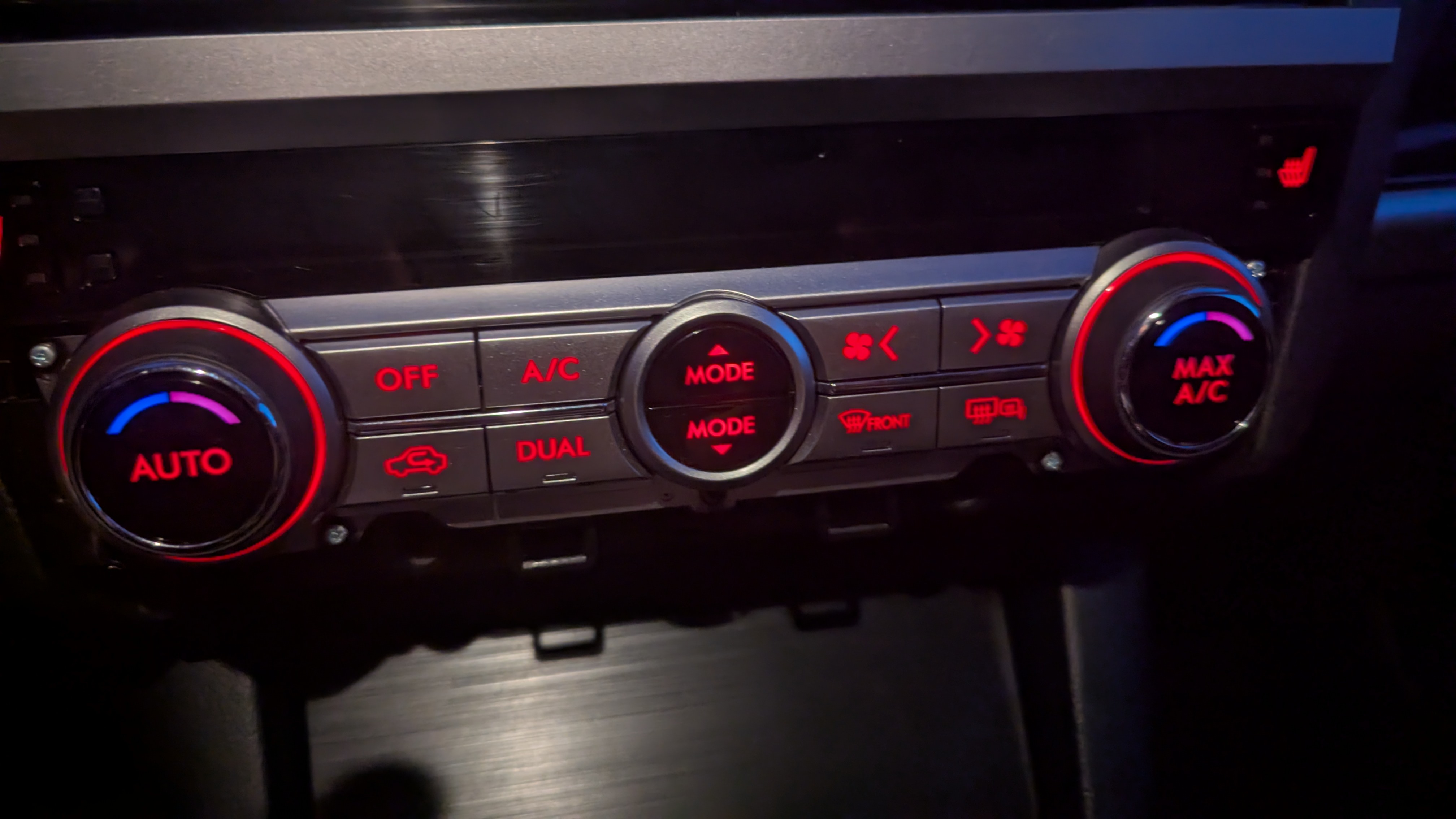

  • @Rafael O I don't have the HVAC lighting issue. Mine is connected. The HVAC light turns on only when my headlight is on.


  • @str 

    Frustrating to hear for me.

    You have the 8+256 GB unit - or another unit?


  • @Rafael O I have the 8+128GB


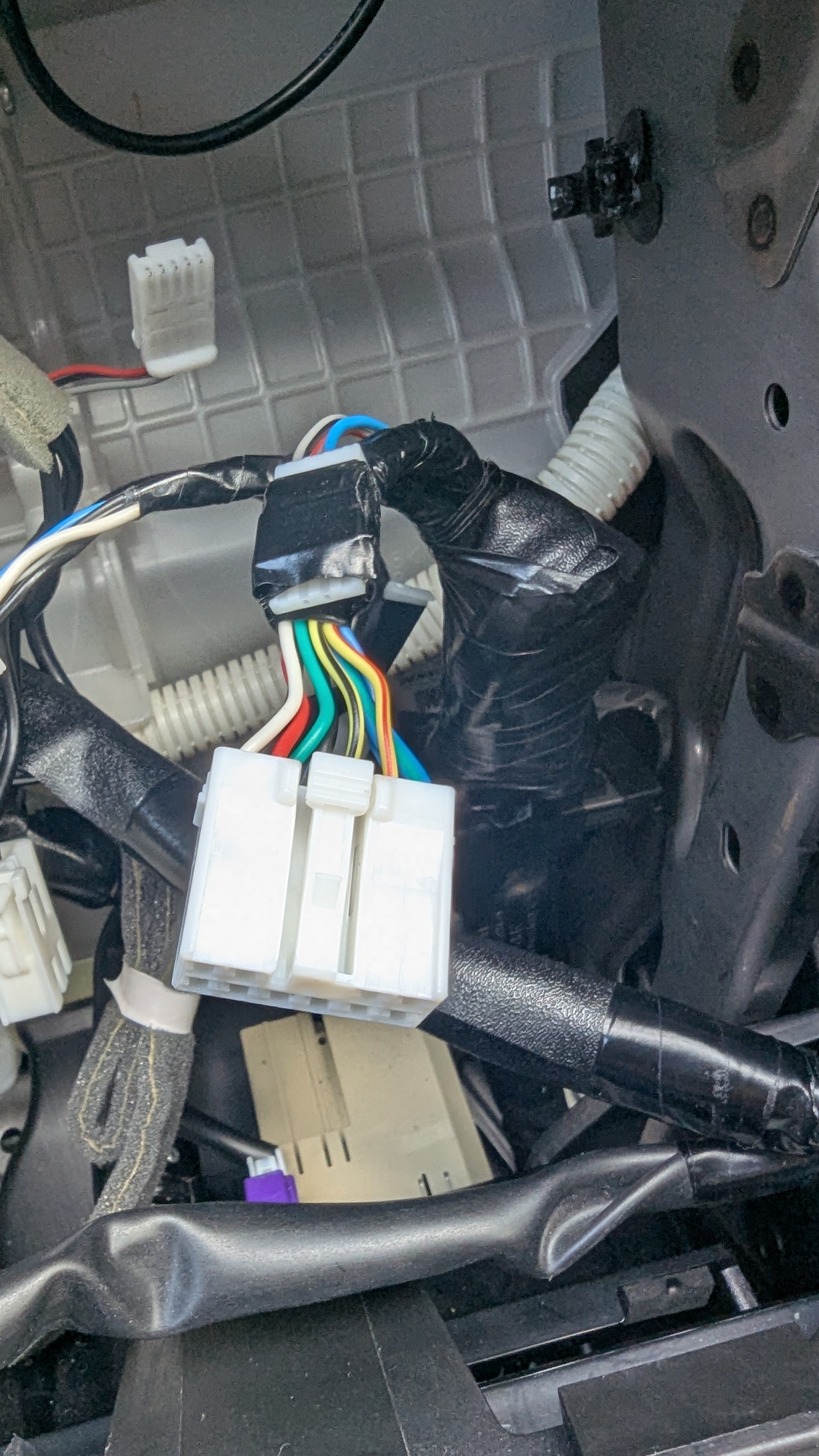
  • I have the European version of the 2015 Subaru Outback BS. Could the different wiring in the European version be causing the problem?

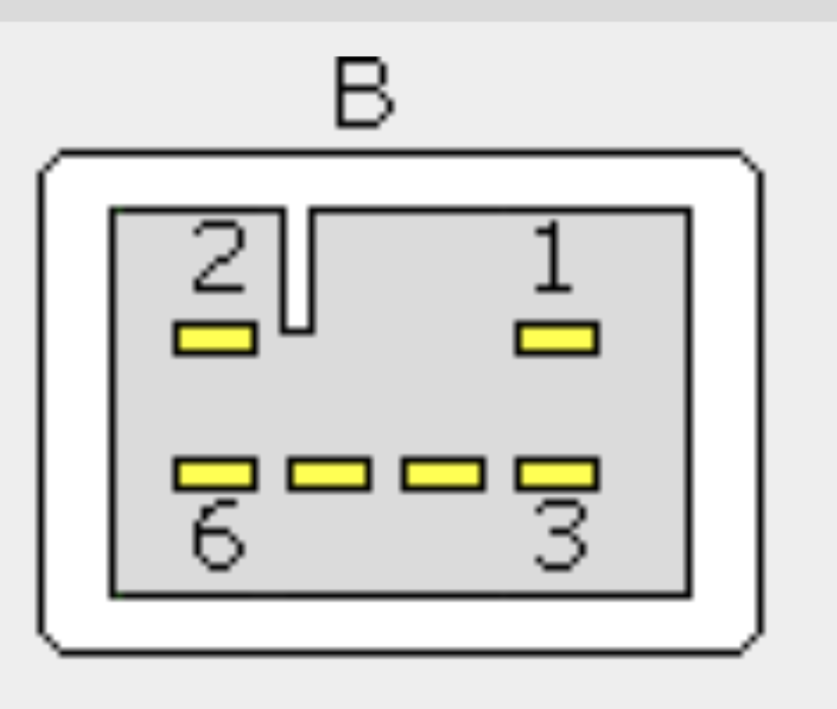
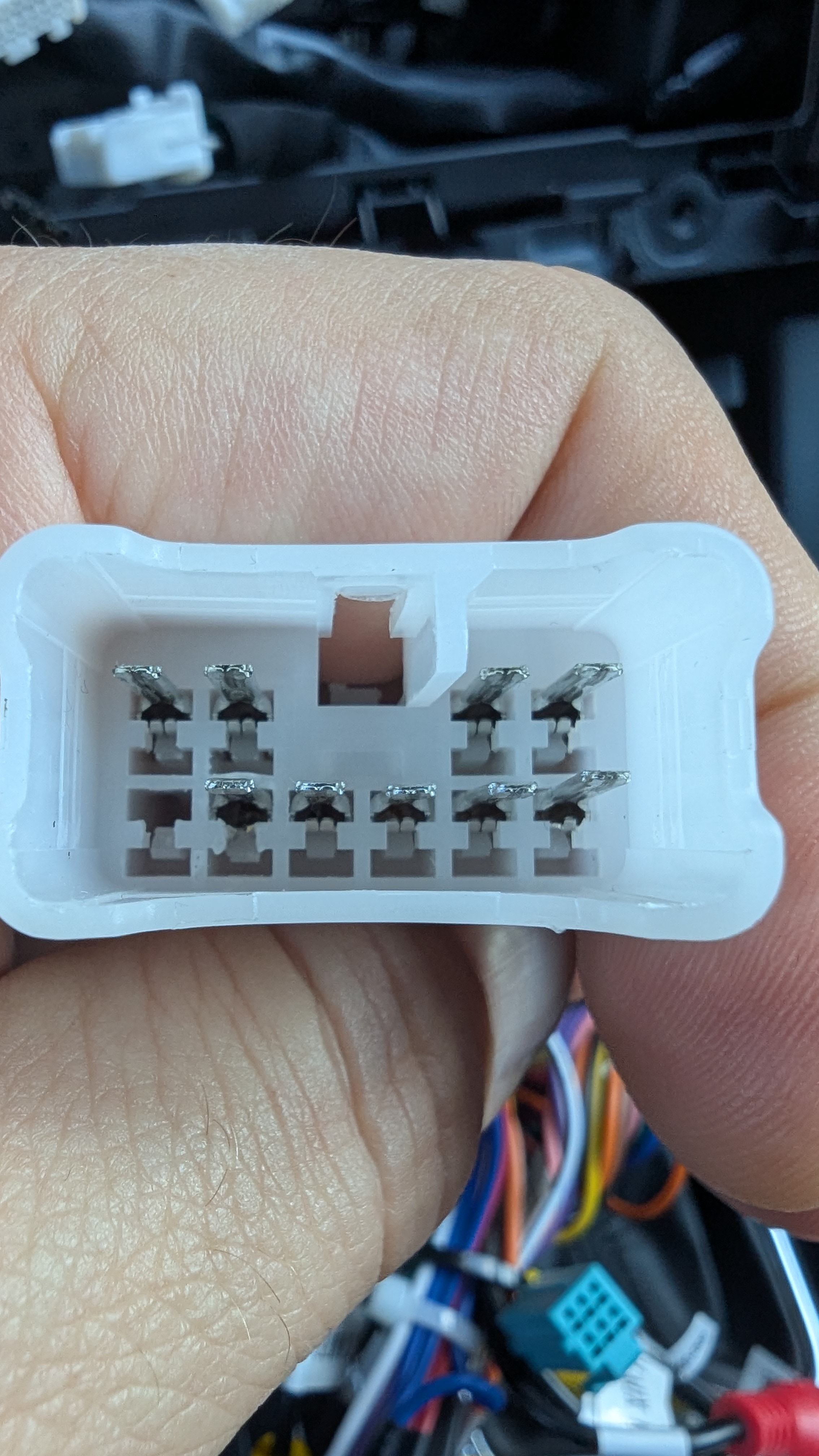
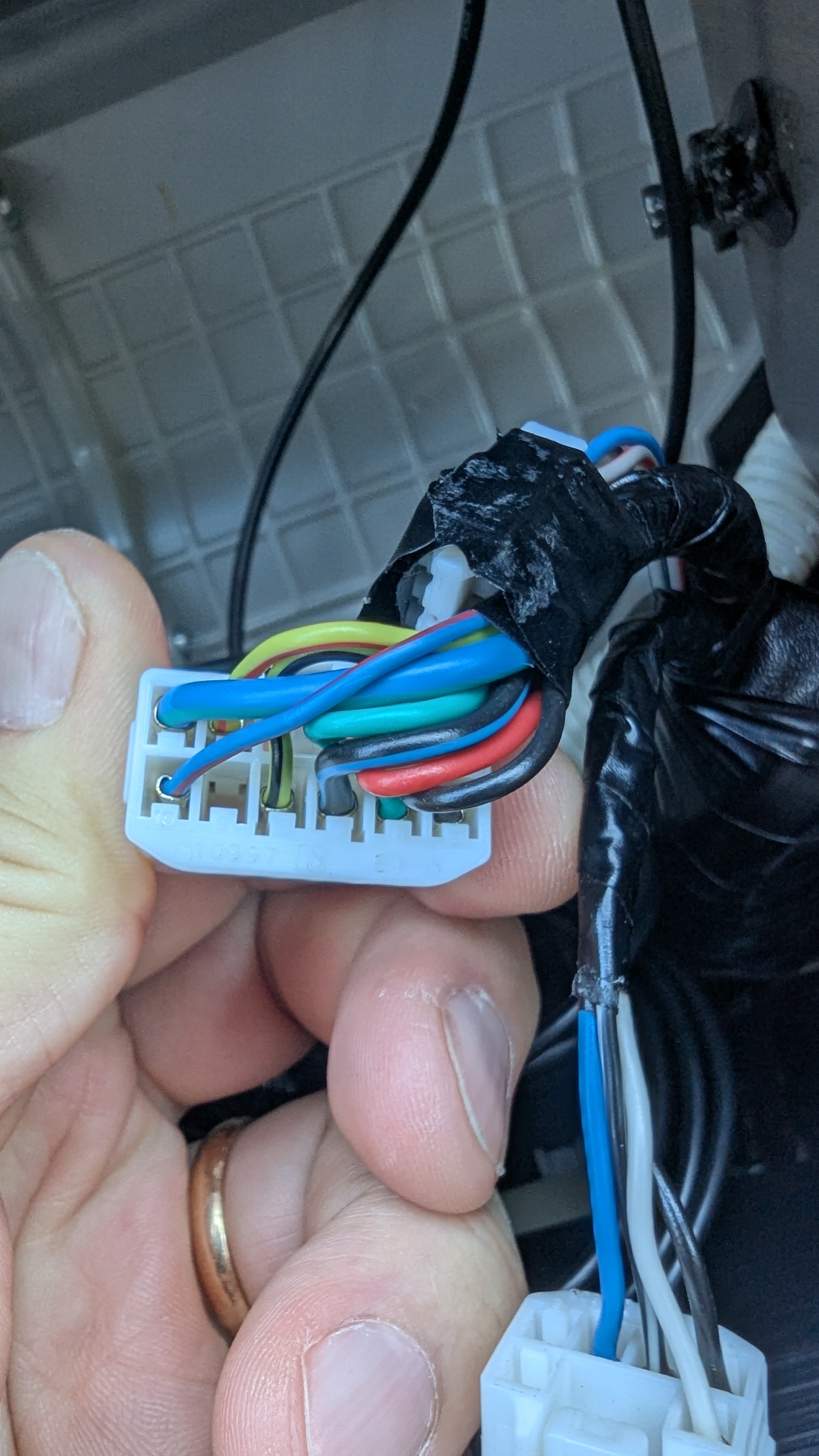
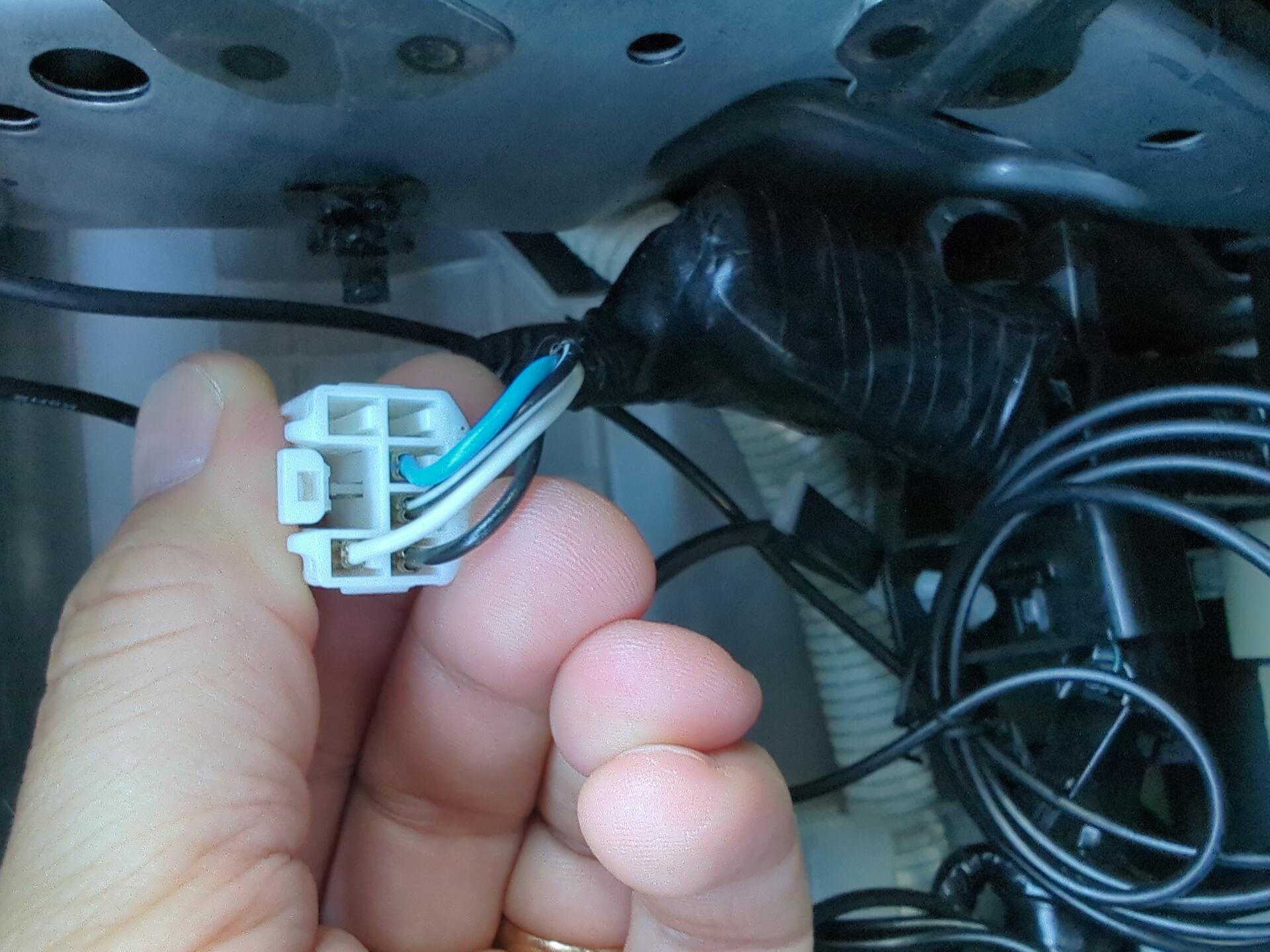
    Pin 9 on the original vehicle wiring is not assigned / is not connected.

    However, pin 9 on the CANBUS adapter is assigned and has a white-blue color. Could this difference be causing the HVAC illumination issue?

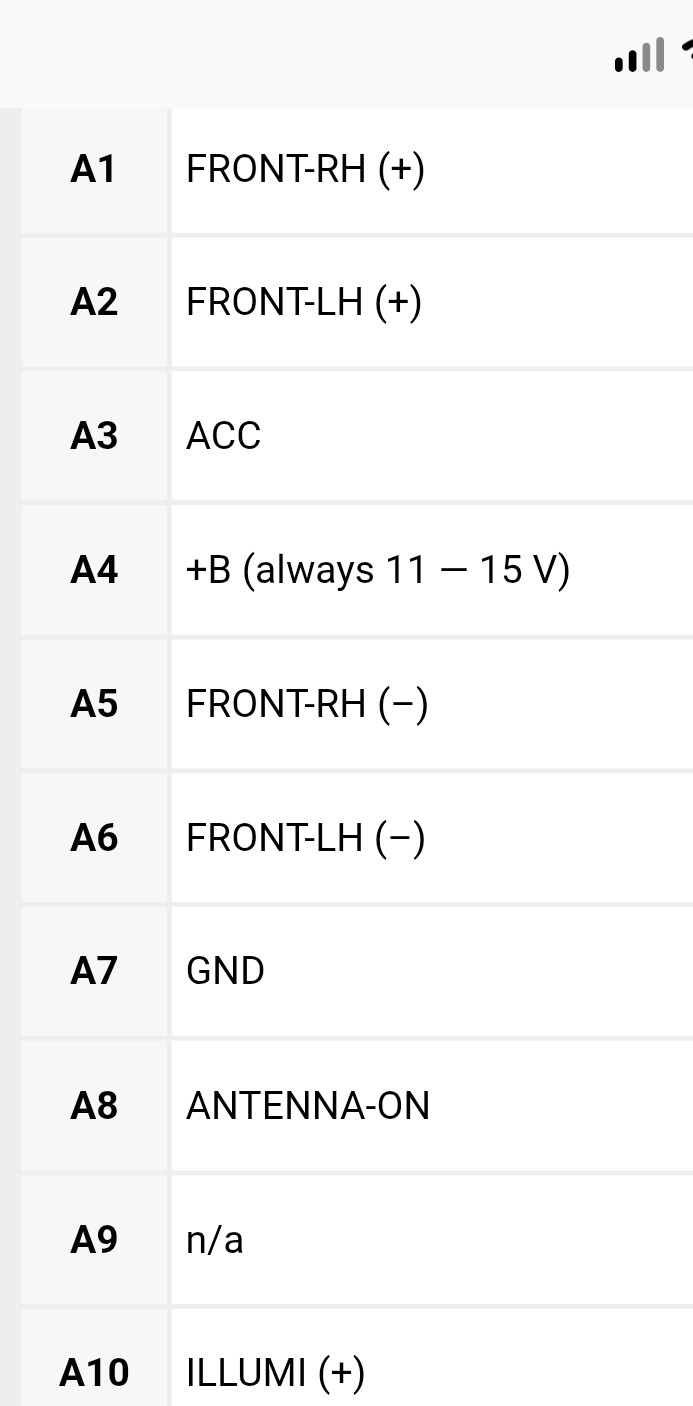
    I connected pin A3 and pin A7 of the Subaru wiring harness to A3 and A7 of the original radio using small jumper wires. However, the HVAC illumination remained on.

    After bridging A10 of the Subaru wiring harness to A10 of the original radio, the HVAC lights switched off.

    This confirms that pin A10 is responsible for the illumination function. Pin A10 is labeled ILLUMI+.
  • @Support Dasaita: any ideas? The Subaru dealer couldn't help me...

    @str

    I have checked the amplifier status again. The system does not save the status. It works with the amplifier only once; after the system restarts, the configuration changes to "without amplifier.



  • @Rafael O @str

    Hi,

    To help us better separate and track each case, could you please send all the details about your issue, along with the relevant photos, screenshots, videos, and product/order information, to our support email:

    support@dasaita.com

    This will allow our support and technical teams to review your case more clearly and follow up with you more efficiently.

    Thank you for your understanding and cooperation.


  • Thanks, I'm already in contact with your support team.


Please login to reply to this topic!