Firmwares
-
-
-
-
-
-
I have a G12 in a Nissan X-Trail.
I have duplicate icons on the screen.
Can you tell me how to fix this?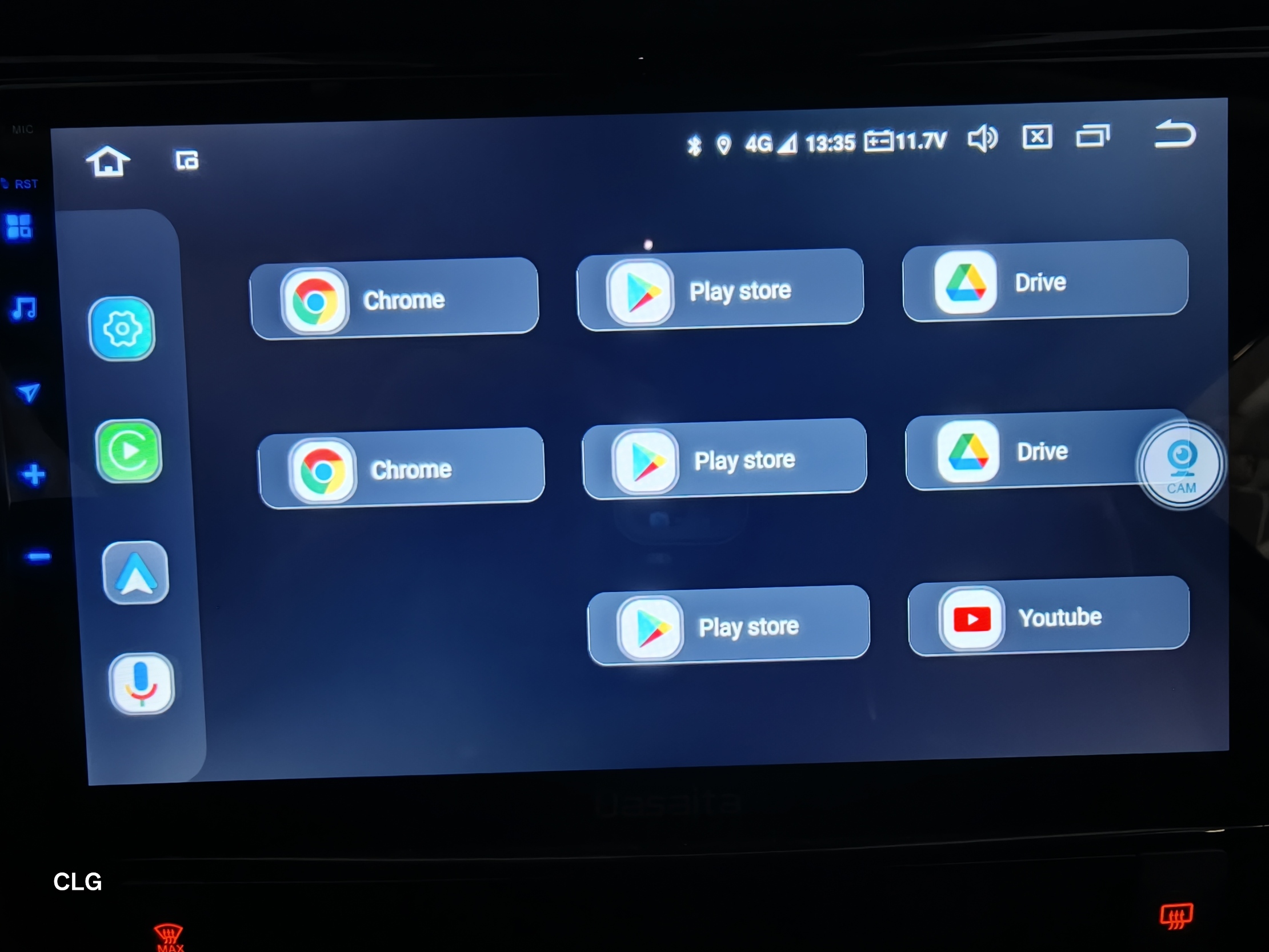
-
-
-
Dzień dobry. Moje radio Dasaita PX6 MAX10 uległo awarii. Na ekranie pojawiła się biała plama która stopniowo znika po pewnym czasie i na ekranie nic sie nia wyświetla. Wymontowałem radio z samochodu i w domu podłączyłem je po HDMI do telewizora , na nim radio wszystko wyświetla prawidłowo. Działa radio , odtwarzanie muzyki i wszystkie inne funkcje. Dotyk na wyświetlaczu również działa prawidłowo i można nawigować radiem na "slepo" w menu radia. Takie same objawytego radia miałem może trzy albo czterylata temu i wóczas udało sie przywrócić radio do pełnego działania. Czy macie jakieś rady co zrobić aby wyświetlacz ponownie się ożywił. Załączam zdjęcia jak to teraz wygląda. Pozdrawiam Marek Mok.
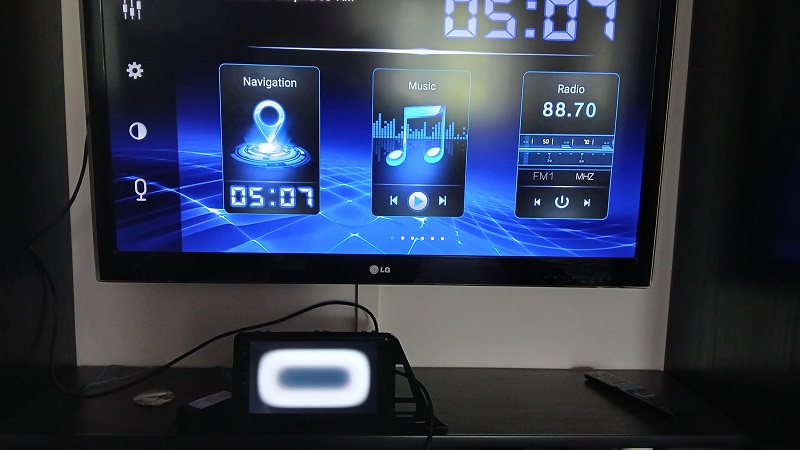
-
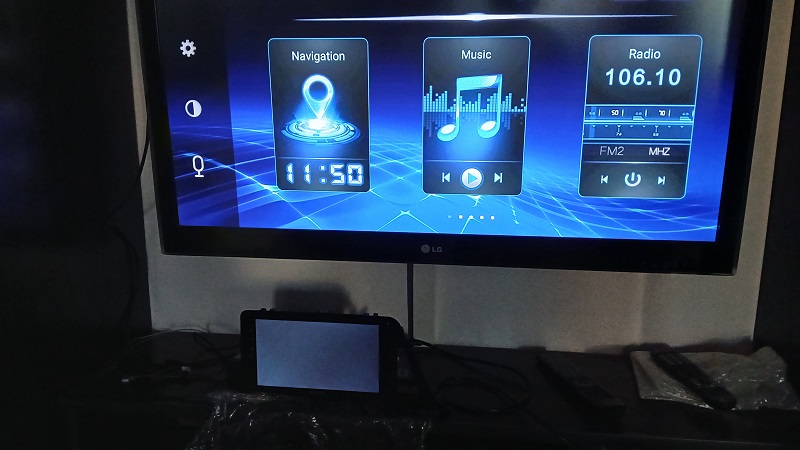
Następne zdjęcie pokazuje jak to wygląda po pewnym czasie. Plama znika , a na ekranie radia nic się nie wyświetla.
-
-
-
@blackoutt_adv
Hello.
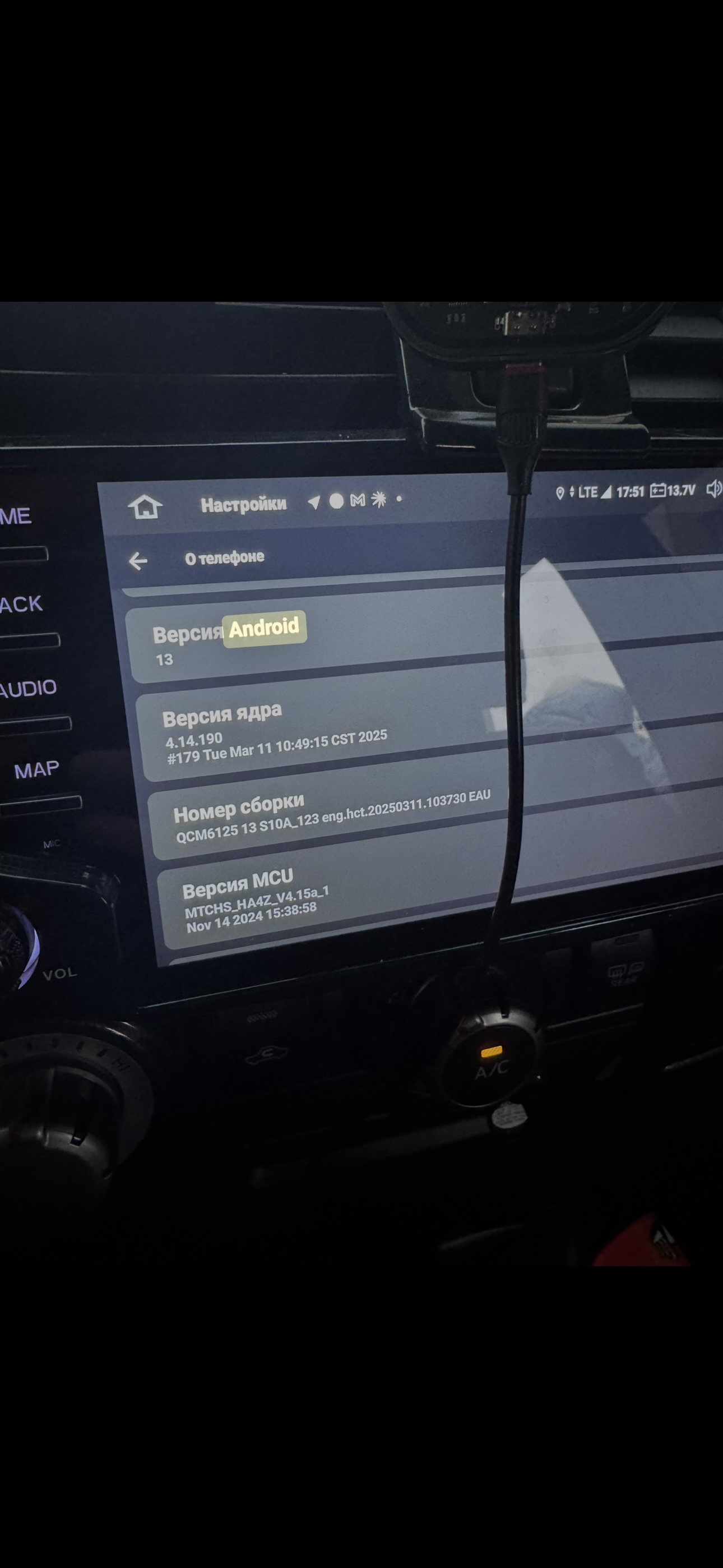
Based on your version information, it already is the existing latest one.
Please try to do the factory reset.
Settings > System > Reset Options > Erase all date(factory reset).
Alternatively, please use a Pin/Paperclip to press and hold the RST Button for 15 seconds to enter the recovery interface to do the factory reset.
Here enclosed the operation video for your reference:
https://www.dropbox.com/scl/fi/i2wdsge29nrzuv9z9m26k/RST-HM.mp4?rlkey=7r773raqwkhr67dbppppl8z0c&dl=0If you connected external mic, then the unit will use external mic by default.
About the wireless connection, please refer to below picture.
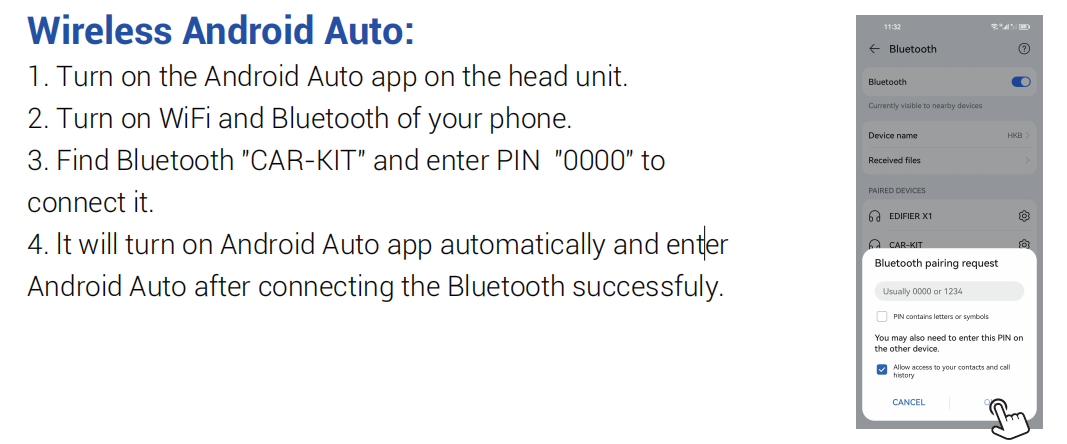
-
-
-
-
-
-
-
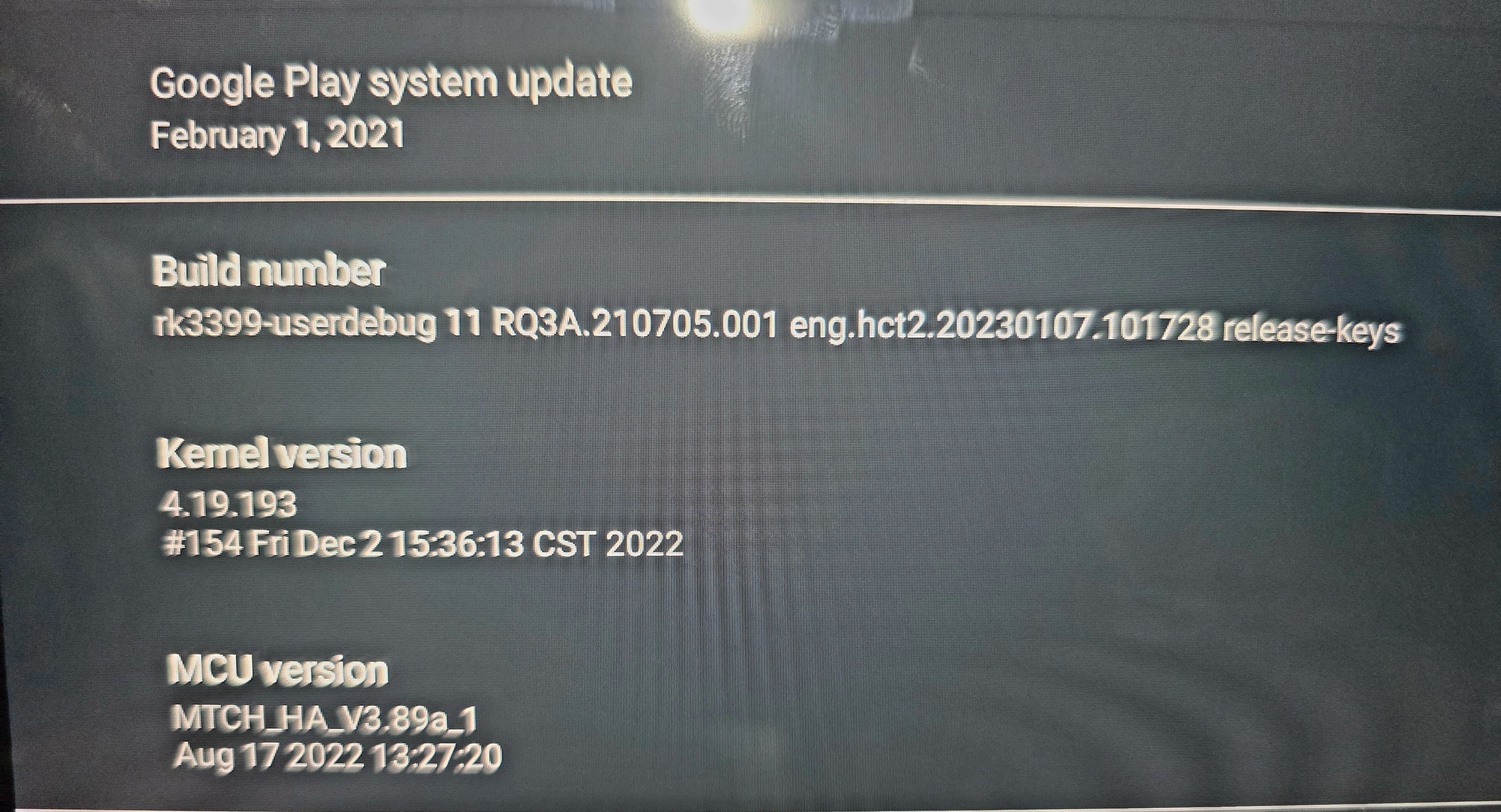
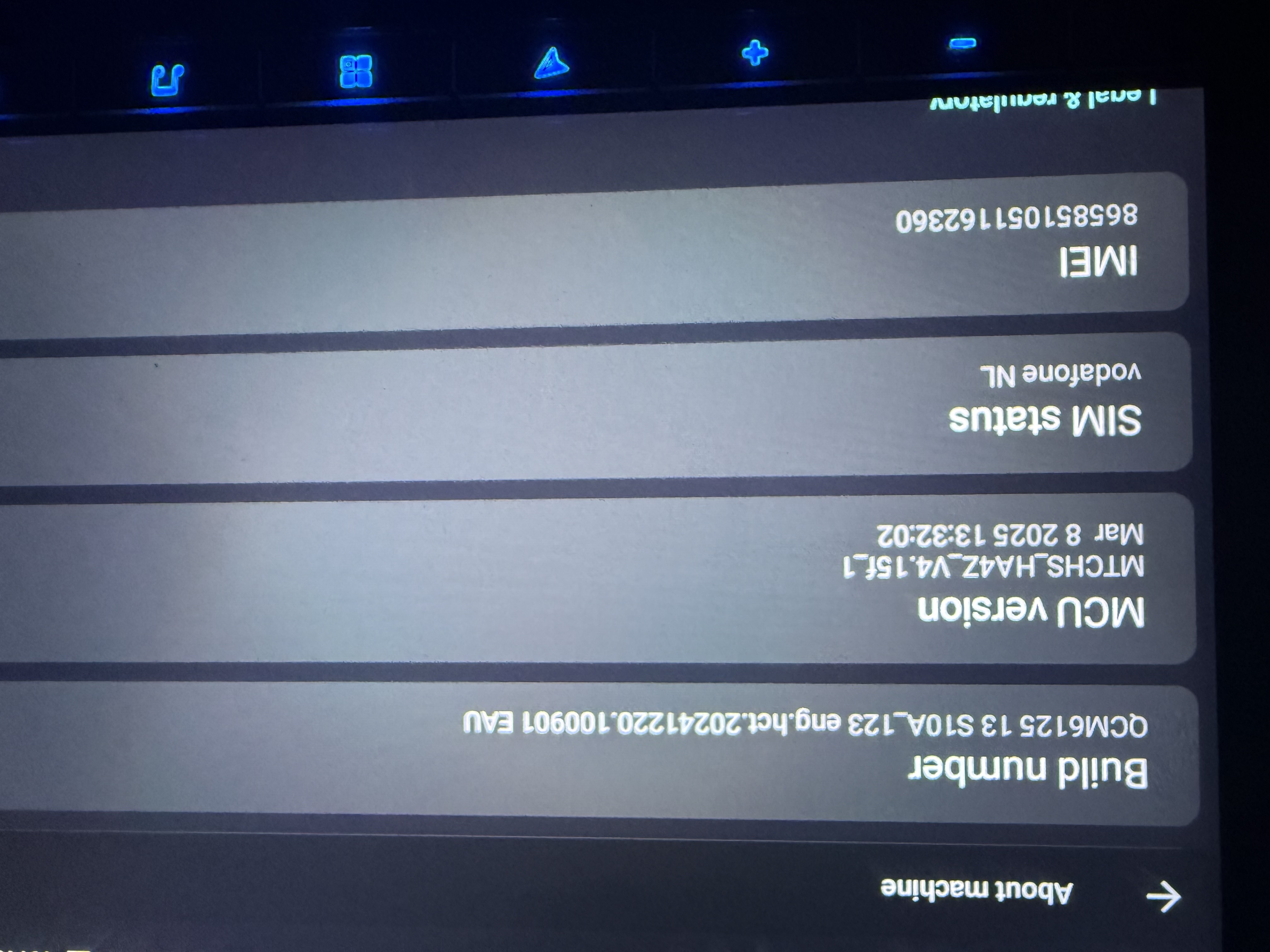
I’d like to update the firmware to Vivid 13 to improve the performance of the external microphone, but my build information doesn’t show a version number. My build number is: QCM612513 S10A_123 eng.hct.20241220.100901 EAU. Which firmware update should I download?
Related topics
Participants
-
E
-
L
-
s
-
JM
-
b
-
LC
-
GM
-
KS
-
CW
-
-
HH
-
KM
-
EB
-
SL
-

-
mo
-
IG
-
A
-
BS
-
Z
-
GC
-
P
-
sd
-
KA
-
PR
-
AF
-
LL
-
DC
-
RP
-
db
-
JV
-
AB
-
MT
-
AA
-
JG
-
NM
-
BT
-
AS
-
J
-
AR
-
KG
-
AF
-
IA
-
CB
-
US
-
CL
-
FA
-
JM
-
ab
-
KB
-
SA
-
JF
-
AS
-
Tt
-
AS
-
NO
-
JC
-
PR
-
RM
-
VX
-
DG
-
J
-
AR
-
CV
-

-
KI
-
RM
-
ZZ
-
SH
-
MB
-
CF
-
sc
-
DB
-
RM
-
ZG
-
S
-
WW
-
MC
-
MP
-
IB
-
PM
-
GS
-
ID
-
WL
-
jo
-
RR
-
KB
-
O
-
TB
-
DM
-
LT
-
dM
-
R
-
CM
-
JN
-
JS
-
L
-
TL
-
ML
-
DT
-
MC
-
RH
-
RB
-
zi
-
MA
-
DA
-
OS
-
HU
-
es
-
RG
-
ZF
-
AH
-
XG
-
CS
-
SB
-
cf
-
cc
-
RP
-
GM
-
DM
-
JF
-
PC
-
LC
-
JC
-
OR
-
MT
-
zH
-
MP
-
XL
-
R1
-
SM
-
JA
-
AS
-
NS
-
SD
-
DM
-

-
PS
-
AK
-
SA
-
fB
-
CN
-
JM
-
KF
-
SG
-
D
-
NK
-
AB
-
KK
-
CP
-
KV
-

-
ES
-
JV
-
PN
-
LH
-
MU
-
JP
-
FR
-
wn
-
ZW
-
OT
-
BT
-
JD
-
AS
-
DK
-
VS
-

-
ar
-
EA
-
RH
-
EW
-
Tm
-
SD
-

-
RK
-
CT
-
pp
-
rm
-
JN
-
AC
-
AN
-
MD
-
SM
-
EE
-
DR
-
TP
-
tT
-
PG
-
MA
-
JR
-
DJ
-
MM
-
HM
-
MD
-
JG
-
ND
-
TY
-
CM
-
gc
-
JM
-
hy
-
BA
-
RD
-
JC
-
GM
-
TL
-
SL
-
sn
-
ad
-
MS
-
MF
-
SH
-
KQ
-
CN
-
FK
-
JS
-
OW
-
ET
-
NG
-
ge
-
JH
-
Mq
-
MM
-
AJ
-
sc
-
EG
-
PM
-
B
-
BC
-
P
-
GH
-
mm
-
DF
-
HO
-
M
-
IG
-
MH
-
CP
-
RB
-
VB
-
MT
-
KK
-
NM
-
RM
-
SP
-
rd
-
AR
-
DE
-
sJ
-
sv
-
xx
-
Pr
-

-

-

-
AS
