**Subject:** Firmware Request - Dasaita HA2225B (Serial: 20001) - Stability Issues
**Message:**
Dear Dasaita Support,
I own Dasaita HA2225B (8+256GB) with the following details:
**Device Information:**
- Model: HA2225B
- Serial Number: 20001 / D03D5EE6A2489D24
- Platform: G13 (Qualcomm Snapdragon 665)
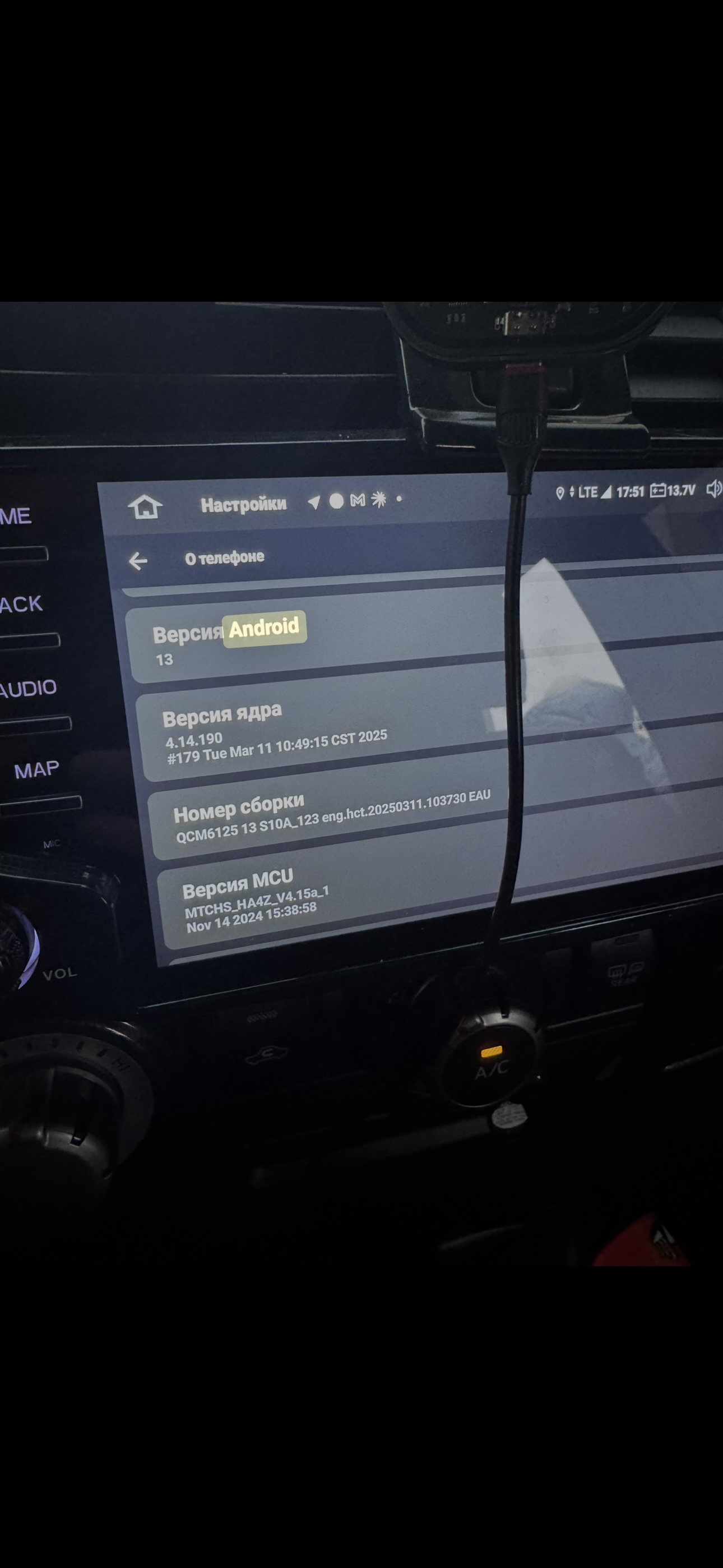
- Current MCU: MTCHS_HA4Z_V4.15a_1 (Nov 14 2024)
- Android Version: 13
- Build Number: QCM6125 13 S10A_123 eng.hct.20250311.103730 EAU
**Problems:**
1. Black screen every 2 days - only hard reset helps
2. System freezes and random reboots
3. UI lag and slow app startup
4. Audio delay
5. 3D car widget constantly reloads and crashes
Please provide the latest stable firmware and MCU for my device serial number to fix these stability issues.
Thank you.
Best regards,
My vivid 11 for my 2015 Tundra is stuck in a boot loop. I have tried to factory reset, and it's still not getting to the OS, it's just a black screen. Where do I get the image file to update it?
@King Mitch To recover back the 1280x720 resolution, you will need the mcu file for your unit (the same version or newer) dmcu.img and create a text file names dmcu.ext with the following content in the first line: screen:12
Copy both files into USB and go to settings to look for an MCU update. Once detected the files perform the update and after rebooting you will find again 1280x720 resolution back.
to restore back Zlink app go to Vehicle settings/Fctory Setting and with password 126 go to the first tab and check if the Zlink option is disabled. If so, enable it. It will recover back teh Zlink app to the drawer.
I have a G12 in a Nissan X-Trail.
I have duplicate icons on the screen.
Can you tell me how to fix this?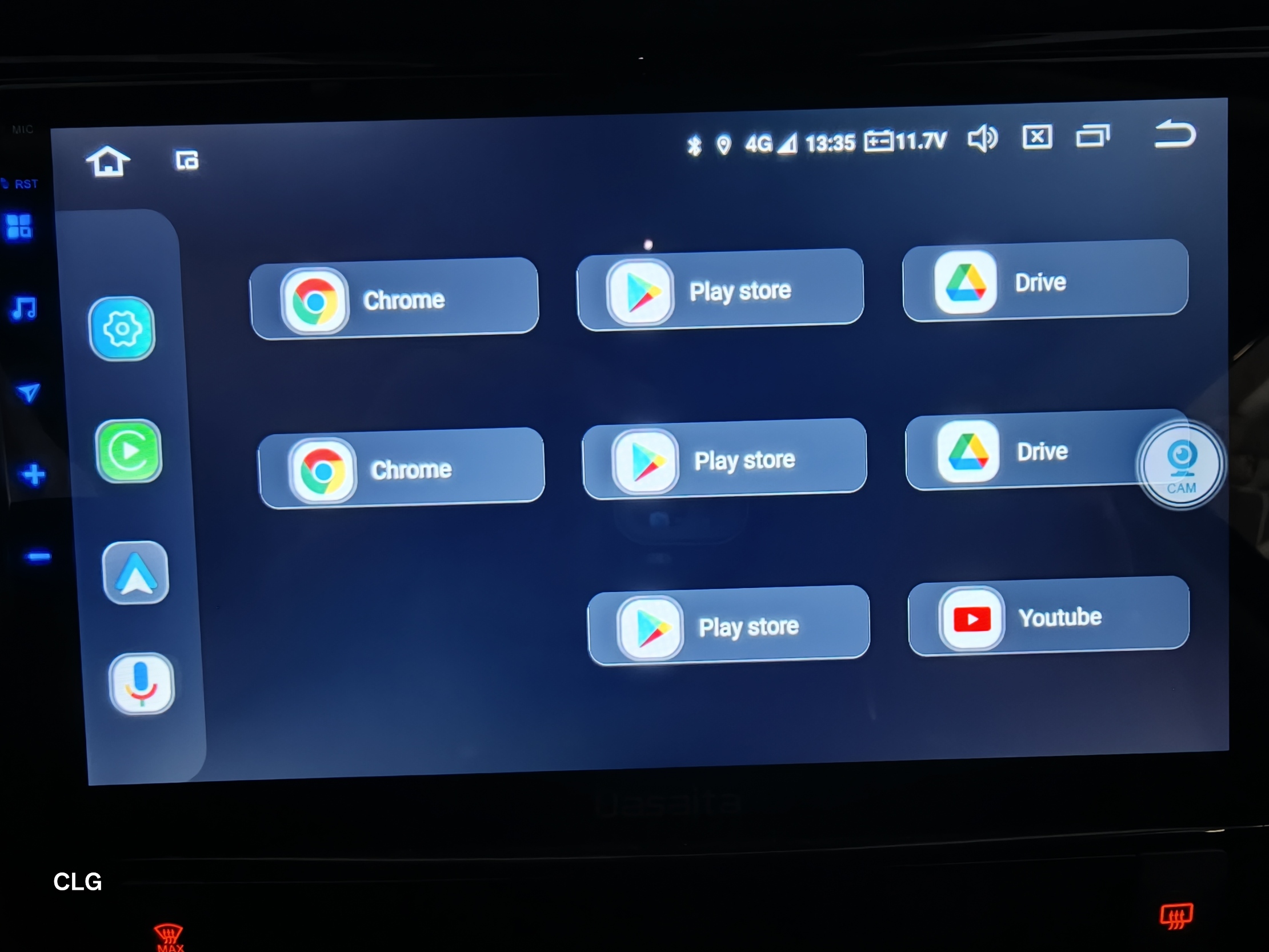
I have a Dasaita PX6 with Android 10 and a Mitsubishi Outlander PHEV. Is there a working Scout/Vivid application available where Bluetooth and navigation would work on the main screen?
rk3399-userdebud 10 QQ2A-200305.004.A1 eng hct2. 20250401
MCU: V3.78
Bluetooth not working
Hi. My order number is SP-DA10405, my unit is a G13, and I drive a 2016 Prius.
I just applied the 10/31/25 v2 firmware update. My recordings on Sound Recorder sound better. I will see if phone calls are of acceptable quality tomorrow, but I have one more mic problem: I have plugged in the external microphone that was in the box, and it seems like both the internal mic on the head unit and the external are being picked up while recording. There is no option in settings (I looked everywhere, especially under factory settings in the other tab) to select one mic or the other. Please advise.
Second question: just want to confirm that there is no support for wired CarPlay with this unit, and no possibility that this support will be added at a later date. Sometimes the wireless is quite laggy, especially when fast-forwarding through music and podcasts. Any advice on removing this lag?
Thanks.
Dzień dobry. Moje radio Dasaita PX6 MAX10 uległo awarii. Na ekranie pojawiła się biała plama która stopniowo znika po pewnym czasie i na ekranie nic sie nia wyświetla. Wymontowałem radio z samochodu i w domu podłączyłem je po HDMI do telewizora , na nim radio wszystko wyświetla prawidłowo. Działa radio , odtwarzanie muzyki i wszystkie inne funkcje. Dotyk na wyświetlaczu również działa prawidłowo i można nawigować radiem na "slepo" w menu radia. Takie same objawytego radia miałem może trzy albo czterylata temu i wóczas udało sie przywrócić radio do pełnego działania. Czy macie jakieś rady co zrobić aby wyświetlacz ponownie się ożywił. Załączam zdjęcia jak to teraz wygląda. Pozdrawiam Marek Mok.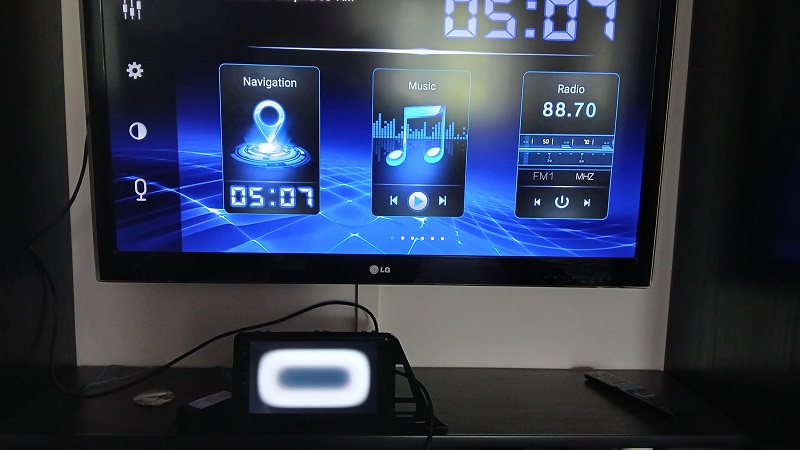
Następne zdjęcie pokazuje jak to wygląda po pewnym czasie. Plama znika , a na ekranie radia nic się nie wyświetla.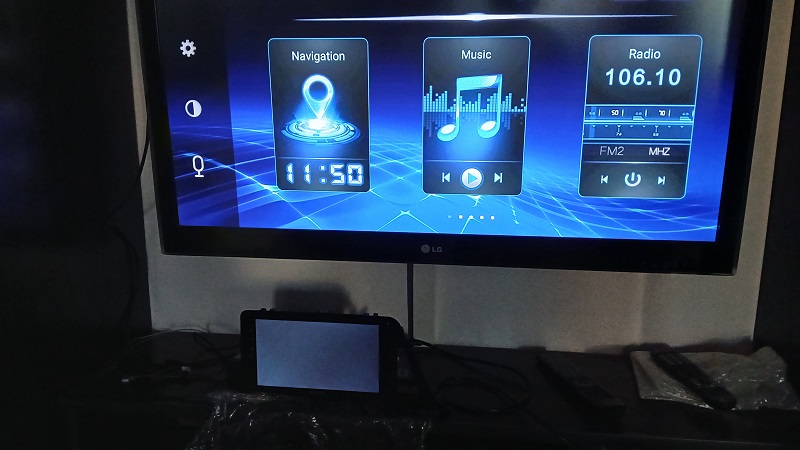
Hi, I have issue with wireless CarPlay audio stuttering/choppy with Android 11/PX6, wired is fine
What's the solution? Firmware update will fix it? And which firmware to use if it does?
hereis the details:
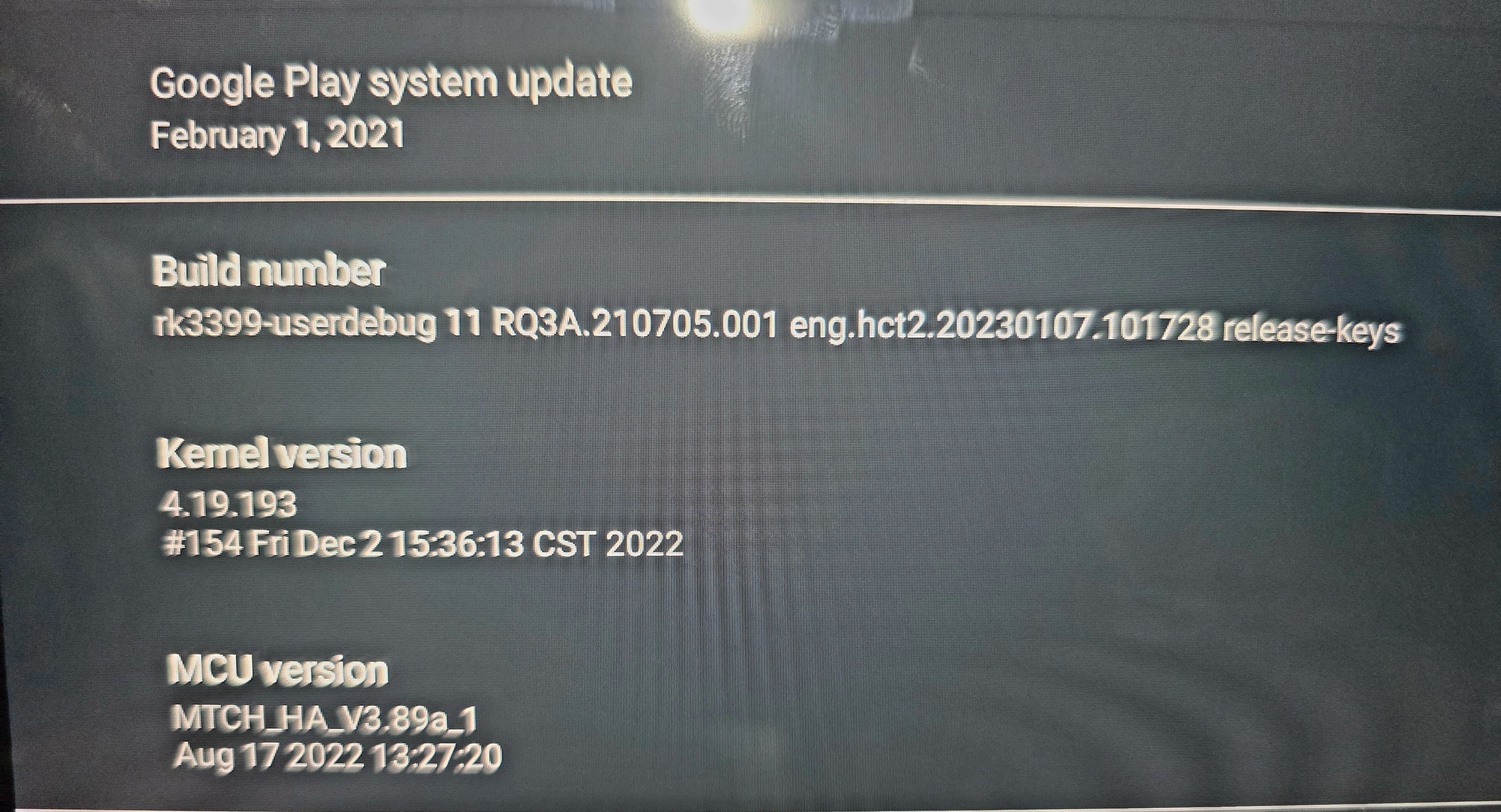
Build:
rk3399-userdebug 11RQ3A.210705.001 eng.hct2.20220602.134815 release-keys
Kernel version
4.19.193
#325 Tue May 31 17:09:30 CST 2022
MCU version
MTCE_HA_V3.78_1
May 31 2021 20:01:07
CPU
Dual-core Cortex-A72 @ 1.8G
Quad-core Cortex-A53 @ 1.5G
Memory
3936MB
I have a PX6 Android 10 unit installed in a 2007 Toyota Tundra. I am having issues with Android Auto freezing after about half a song playing. If I unplug and replug adroid auto device - android auto zlink starts again, then freezes again halfway through song. No android auto apps work until unplug replug. I have mcu version MCTE_HA_V3.78_1 May 31 2021 and current build is rk3399-userdebug 10 QQ2A.200305.004.A1.eng.gct.20230803.111115 test keys. Please send appropriate MCU for update. Also would be nice to turn on external microphone and have AA wireless! Thanks.
@blackoutt_adv
Hello.
Based on your version information, it already is the existing latest one.
Please try to do the factory reset.
Settings > System > Reset Options > Erase all date(factory reset).
Alternatively, please use a Pin/Paperclip to press and hold the RST Button for 15 seconds to enter the recovery interface to do the factory reset.
Here enclosed the operation video for your reference:
https://www.dropbox.com/scl/fi/i2wdsge29nrzuv9z9m26k/RST-HM.mp4?rlkey=7r773raqwkhr67dbppppl8z0c&dl=0
If you connected external mic, then the unit will use external mic by default.
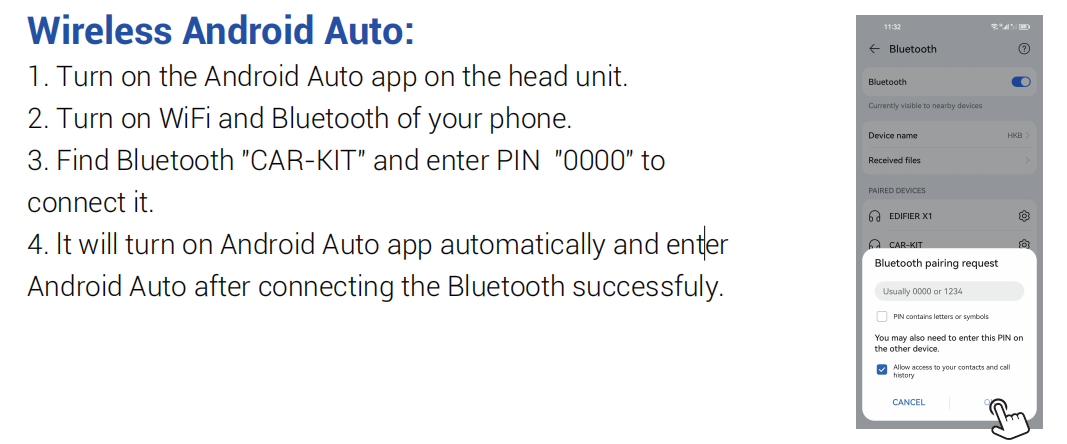
About the wireless connection, please refer to below picture.
Just received unit. Internal and external mic quality is awful. I see there is newer firmware. Does it fix the microphone? Which version of firmware should I download. May I get some help?
Kernel version
4.14.190
#363 Thu Apr 9 19:51:52 CST 2026
Build number
QCM6125 13 S10A_123 eng.hct.20260409.193809 NẠ-V1
MCU version
MTCHS_HA4Z_V4.17f_1
Dec 23 2025 09:27:44
@John Meigooni
Hello.
Based on your version details, your unit is already running the latest firmware, no further update is available now.
If possible, please write a mail regarding to your issue and indicate your Order ID# in email subject.
So that we can forward it to senior engineers for further advice.
Thanks in advance.
Email: support@dasaita.com
Hello,
I have a Dasaita PX6 head unit (Rockchip RK3399, Android 10) installed in a Nissan X-Trail/Rogue T32 (2020) with a CANBUS module. My current build is:
rk3399-userdebug 10 QQ2A.200305.004.A1 eng.hct2.20220518.155842 test-keys
Kernel: 4.19.111+ #2978 Tue May 17 09:51:42 CST 2022
MCU: MTCE_HA_V3.78_4, May 31 2021
I tried flashing update.zip (telenav_vivid_rk3399_10.0_ota(20250401), target build eng.hct2.20250401.152740) via Android Recovery, but installation failed with:
assert failed: update_dynamic_partitions(package_extract_file("dynamic_partitions_op_list"))
E:Error in /mnt/usb_storage/update.zip (status 7)
Installation aborted.
This looks like the package is an incremental OTA that doesn't match my current build's partition layout. Could you please provide:
1. A full (non-incremental) firmware package compatible with my current build, or
2. Any intermediate OTA packages needed to bridge from 20220518 to a newer version
My main goal is to get an updated ZLink module for better CarPlay/Android Auto support. Happy to provide any additional device info if needed.
Thank you!
@shapunowd
Please update the Firmware to the latest version via the link below,here are some tips to help you get it done:
Max10(20230414)
1.Please download the file though the link via your computer/laptop.
(Do not rename and Unzip the file)
2.Format the USB drive before copying the Update.zip file to it, then insert it to the USB cable,and it will pop out the firmware updating tips on the screen.
(Tick the option"Wipe data and format flash")
@Lisa Before we check the correct firmware package for your unit, could you please confirm whether your head unit is running MAX OS or Vivid OS?
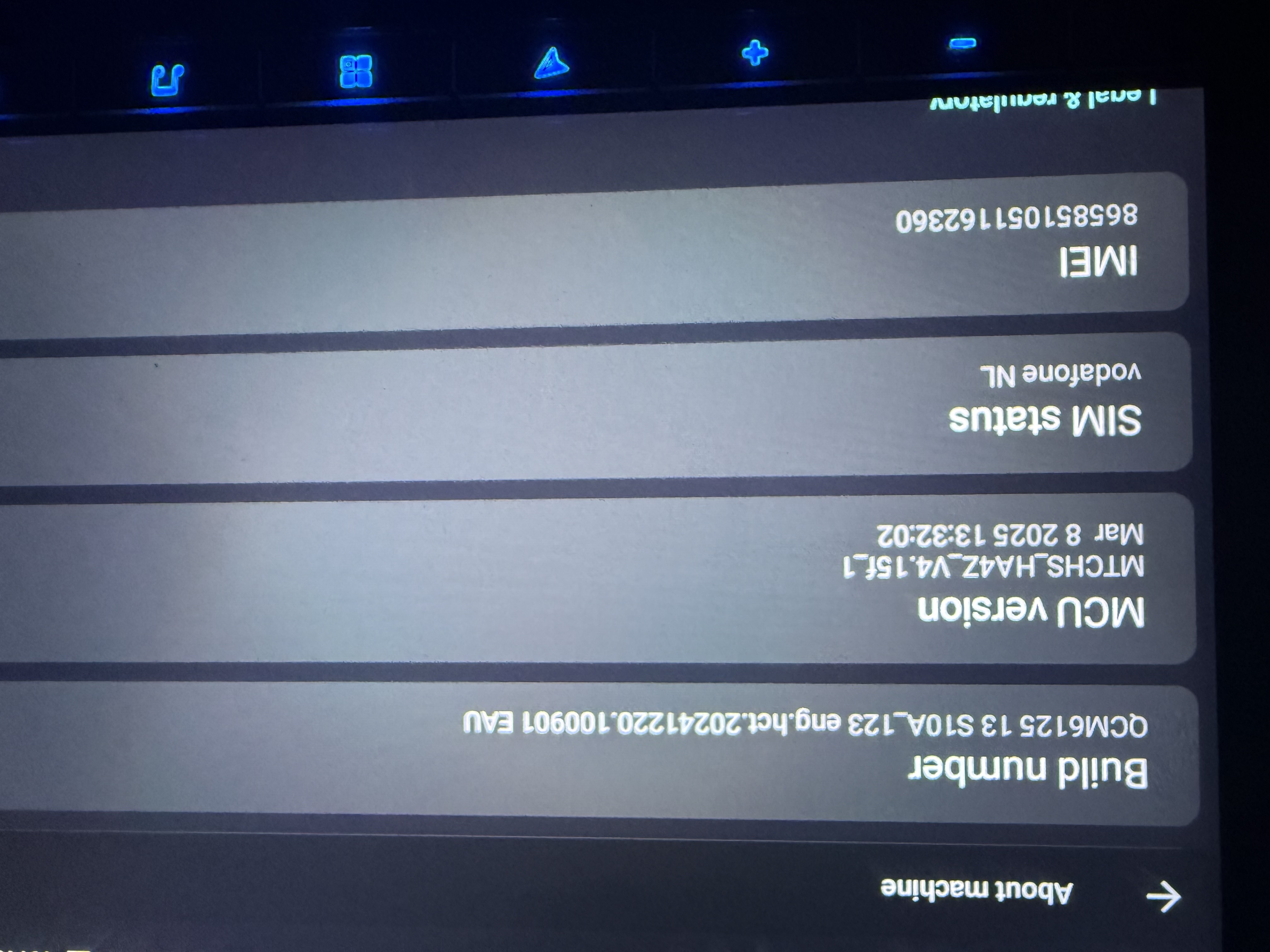
I’d like to update the firmware to Vivid 13 to improve the performance of the external microphone, but my build information doesn’t show a version number. My build number is: QCM612513 S10A_123 eng.hct.20241220.100901 EAU. Which firmware update should I download?