SP-DA10127 10.2 Toyota RAV4 G13 headunit. The Bluetooth keeps disconnecting and reconnecting. When I connect the USB to the phone, I have to go into settings on the head unit to turn off Bluetooth, or it continues to cycle the headunit. Once Bluetooth is off, the USB connection works fine. Attached is my settings screenshot. Please help resolve this issue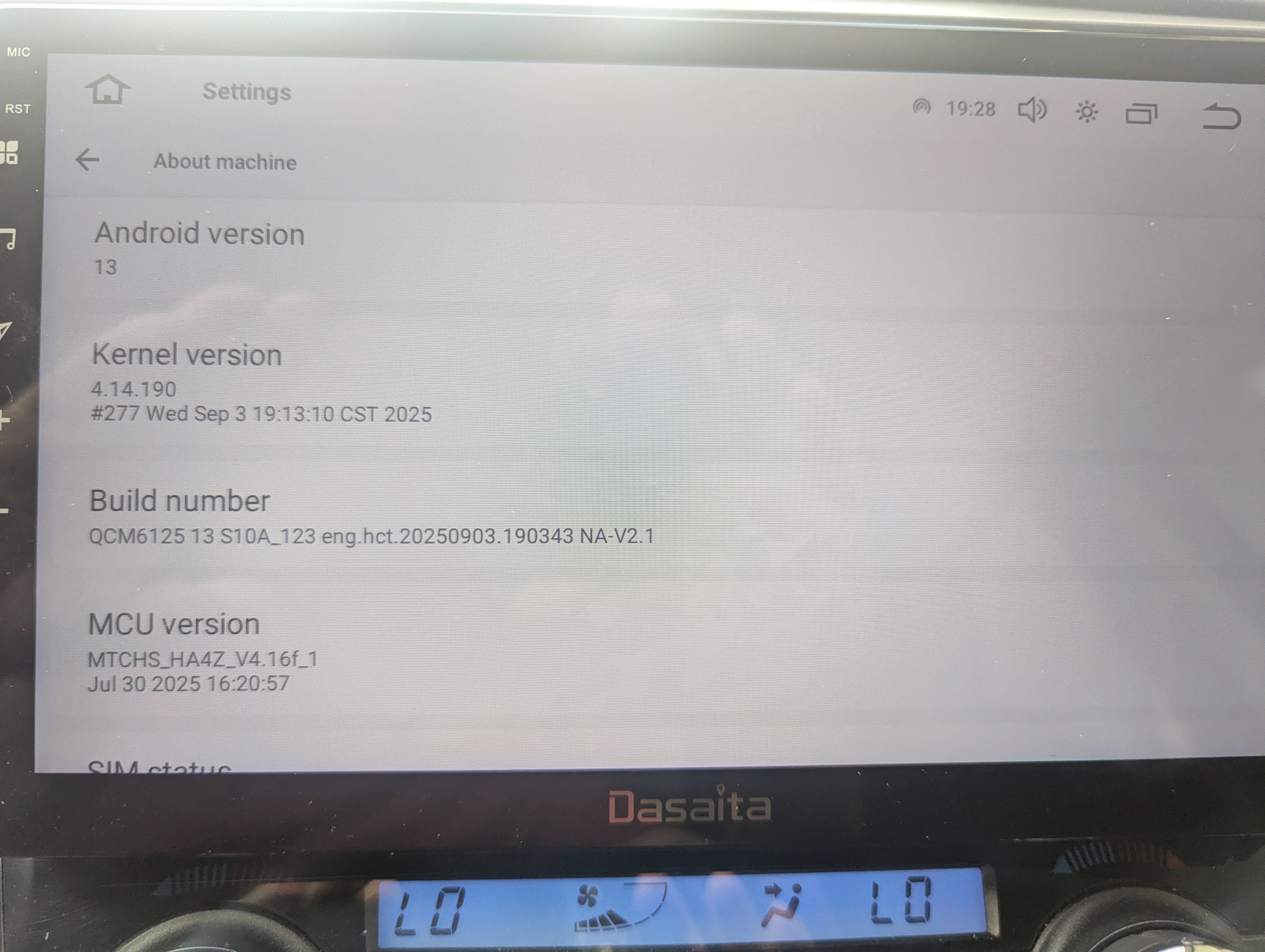
@Michael Martin
Hello.
Please check the update tutorial below then give it a shot.
Update File:
System Firmware-G13-V2-20260410:
https://www.dropbox.com/scl/fi/jwoqmanj15r8ktlroloy6/update.zip?rlkey=my6wh60a4z2r555fw6zd6zx57&st=kdihaggb&dl=0
MCU-4.17f:
https://www.dropbox.com/scl/fi/9t1gp2mkk3ertqyybpf5j/hmcu.img?rlkey=rs1abdmvfbk53331a024bps8j&st=dzwvztlg&dl=0
Tips:
1.
Download above update file via your computer/laptop.
2.
Format USB drive to FAT32 Format.
3.
Copy the file “update.zip”&“hmcu.img” to the root directory of USB drive.
4.
Insert USB drive into the unit via USB cable;
then it will pop up automatically a window of update.
Alternatively, please manually go "Settings > System > System updates/MCU updates" to start the update.
***NOTE:
Please make sure that you have ticked option "Wipe data and format flash!".
Reference Operation Video:
https://www.dropbox.com/scl/fi/7tgvc28sn77ux6g6fmosm/MCU.mp4?rlkey=7p5940e12kb88a42zue6qntft&e=1&dl=0
@Jose Domingues
Hello.
Please check the update tutorial below then give it a shot.
Update File:
System Firmware-Vivid13-V1-20260625:
https://www.dropbox.com/scl/fi/8elq128qwmgwfvuc8xg7r/update.zip?rlkey=vsnniqc224vxk0wmk3w2y66yu&st=8e0d09pt&dl=0
MCU-4.17f:
https://www.dropbox.com/scl/fi/9t1gp2mkk3ertqyybpf5j/hmcu.img?rlkey=rs1abdmvfbk53331a024bps8j&st=dzwvztlg&dl=0
Tips:
1.
Download above update file via your computer/laptop.
2.
Format USB drive to FAT32 Format.
3.
Copy the file “update.zip”&“hmcu.img” to the root directory of USB drive.
4.
Insert USB drive into the unit via USB cable;
then it will pop up automatically a window of update.
Alternatively, please manually go "Settings > System > System updates/MCU updates" to start the update.
***NOTE:
Please make sure that you have ticked option "Wipe data and format flash!".
Reference Operation Video:
https://www.dropbox.com/scl/fi/7tgvc28sn77ux6g6fmosm/MCU.mp4?rlkey=7p5940e12kb88a42zue6qntft&e=1&dl=0
For your information, it doesn't support to reassign the physical buttons on the left side of the unit to the third-party applications.