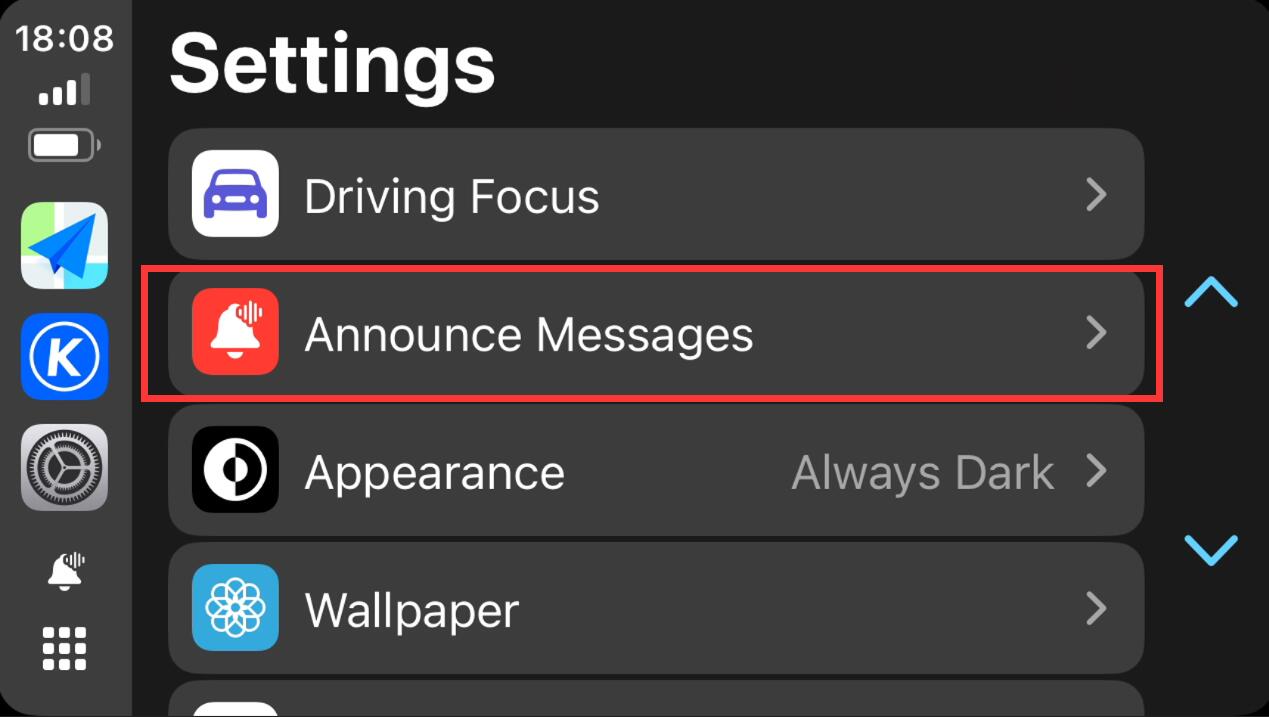
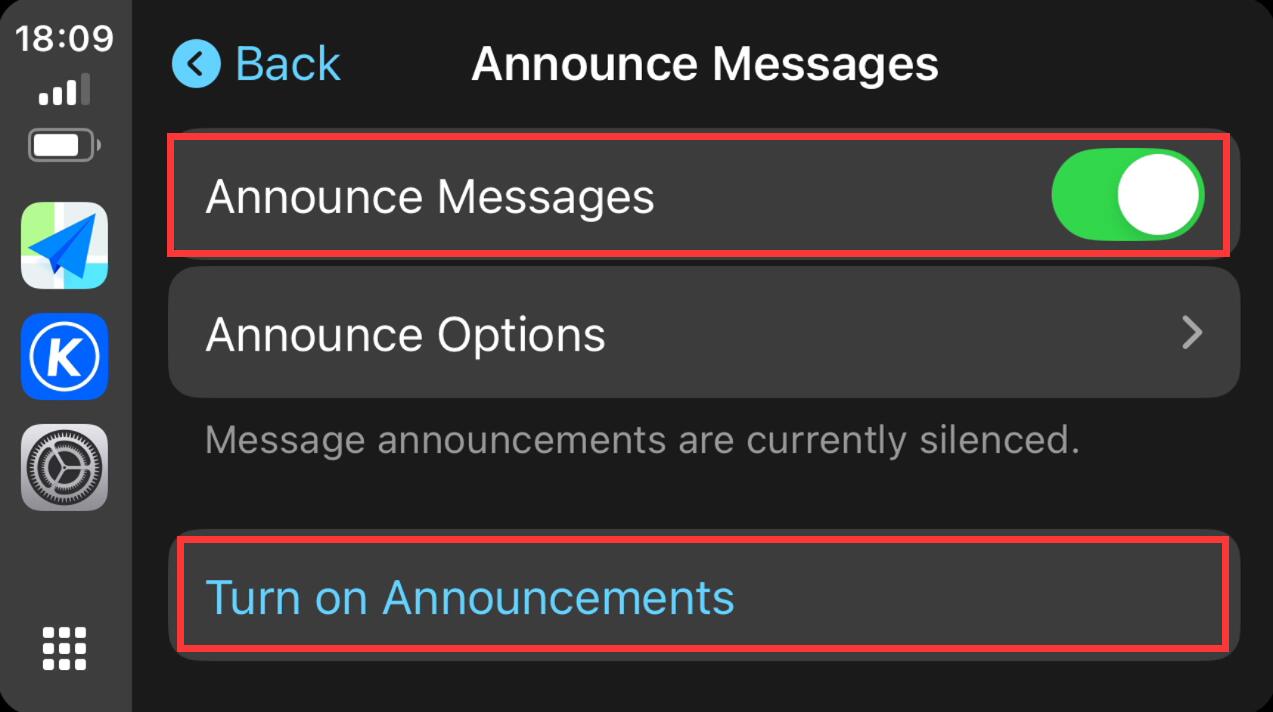
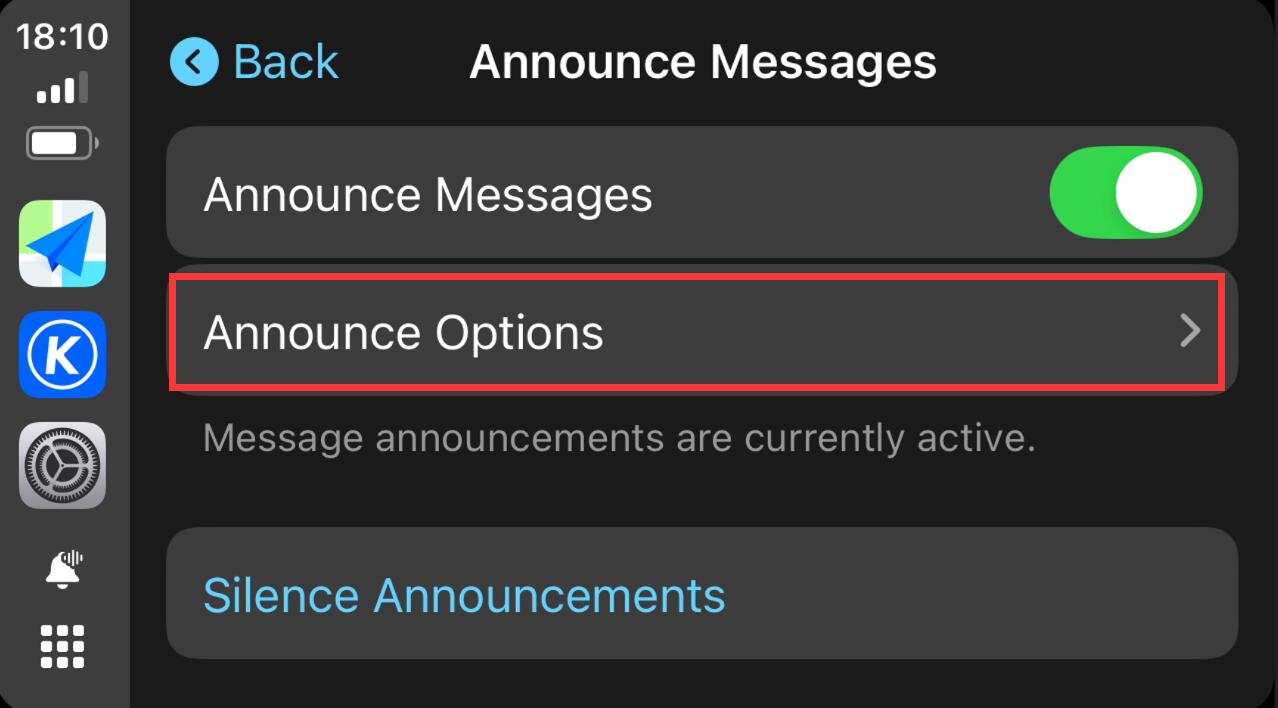
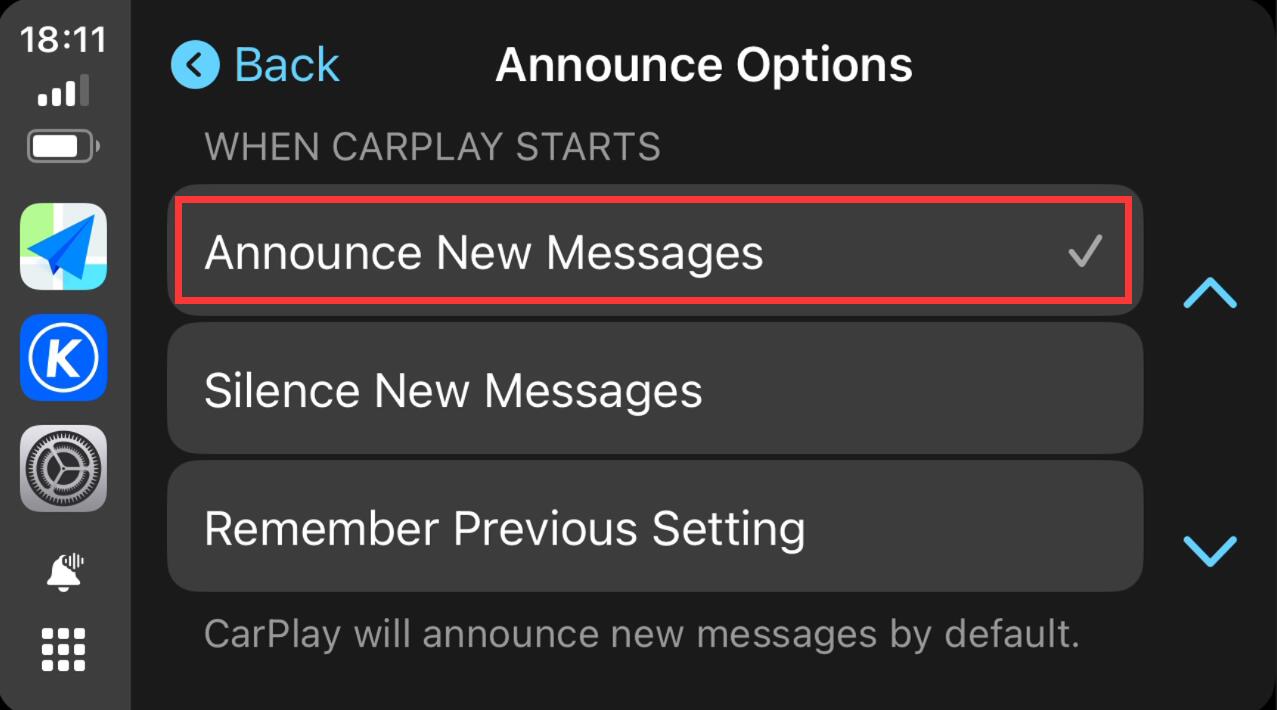
I have a PX6 (1024x600) Android 9 build number rk3399-userdebug 9 pi 20211022.21025 test-keys in my 2010 Toyota Tundra. Since I started using my new iPhone 16, I am having issues with volume. Any time the iphone gets a notification the volume is cut way down and does not come back. I can sometimes unplug the phone and plug it back into the cable and volume will come back but sometimes not. If I mute the phone this helps, but sometimes just using the phone will make a noise (keyboard noise even) and do it again.
Is there an upgrade to this older unit that might help? iPhone setting? Thanks for help.
Based on your version information, it already is the existing latest one.
Regarding to your issue, we suggest that you can firstly try to use a Pin/Paperclip to press and hold the RST Button for 15 seconds to enter the recovery interface to do the factory reset. (Tap "Wipe data/factory reset" > "Factory data reset" > "Reboot the system now".) Here enclosed the operation video for your reference: https://www.dropbox.com/scl/fi/i2wdsge29nrzuv9z9m26k/RST-HM.mp4?rlkey=7r773raqwkhr67dbppppl8z0c&dl=0
Besides, please use other different iPhone to test if it will happen the same situation.
I just bought and installed the Dasaita Android 13 for Toyota tacoma 2016-22. When using Apple carplay, I do not hear a sound for notifications when receiving a text message. How i can change this to receive a sound?
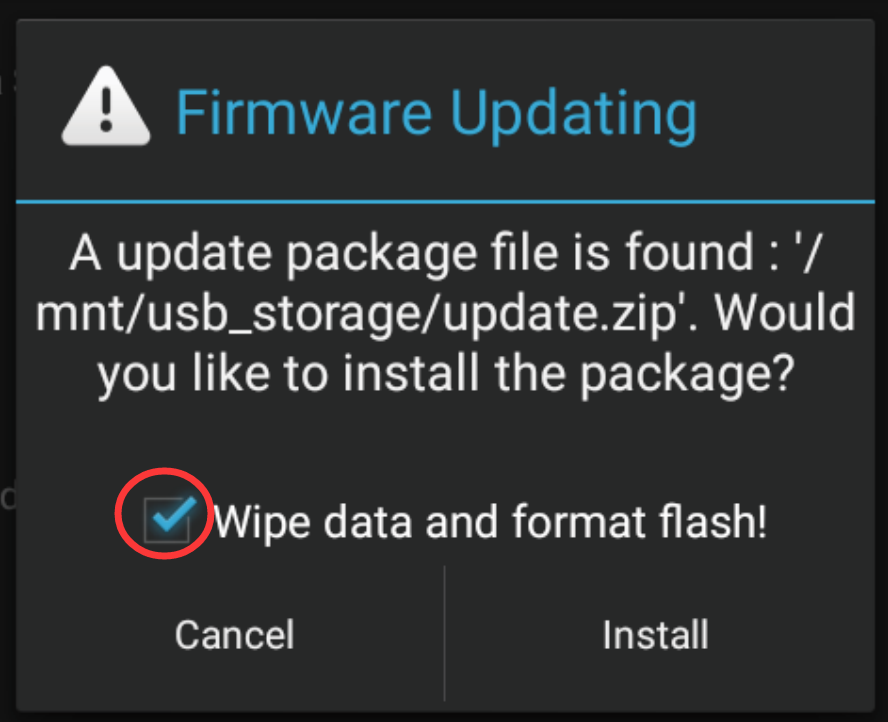
Tips: 1. Download above update file via your computer/laptop. 2. Format USB drive to FAT32 Format. 3. Copy the file “update.zip” to the root directory of USB drive. 4. Insert USB drive into the unit via USB cable; then it will pop up automatically a window of update. Alternatively, please manually go "Settings > System > System updates" to start the update. ***NOTE: Please make sure that you have ticked option "Wipe data and format flash!".
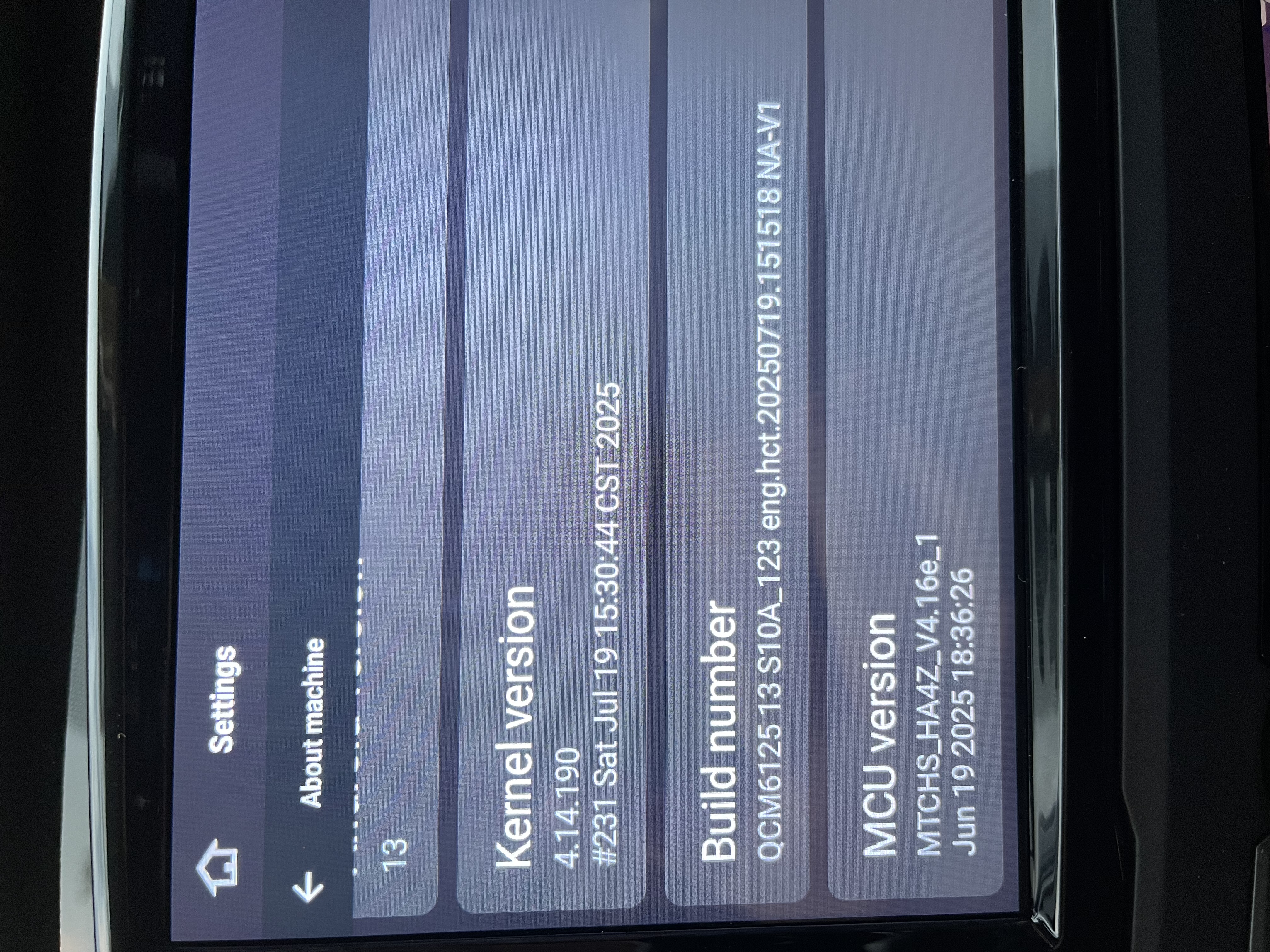
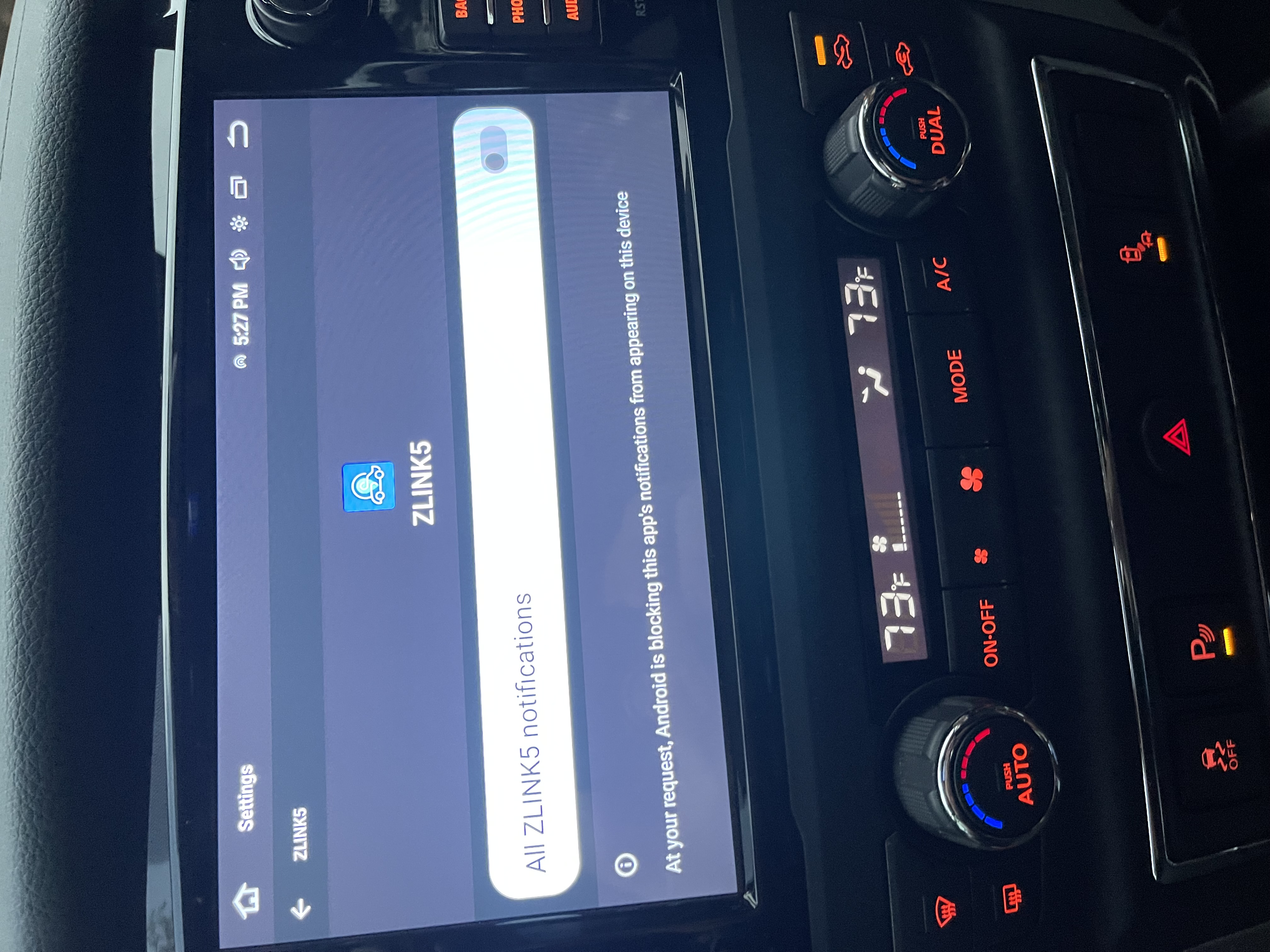
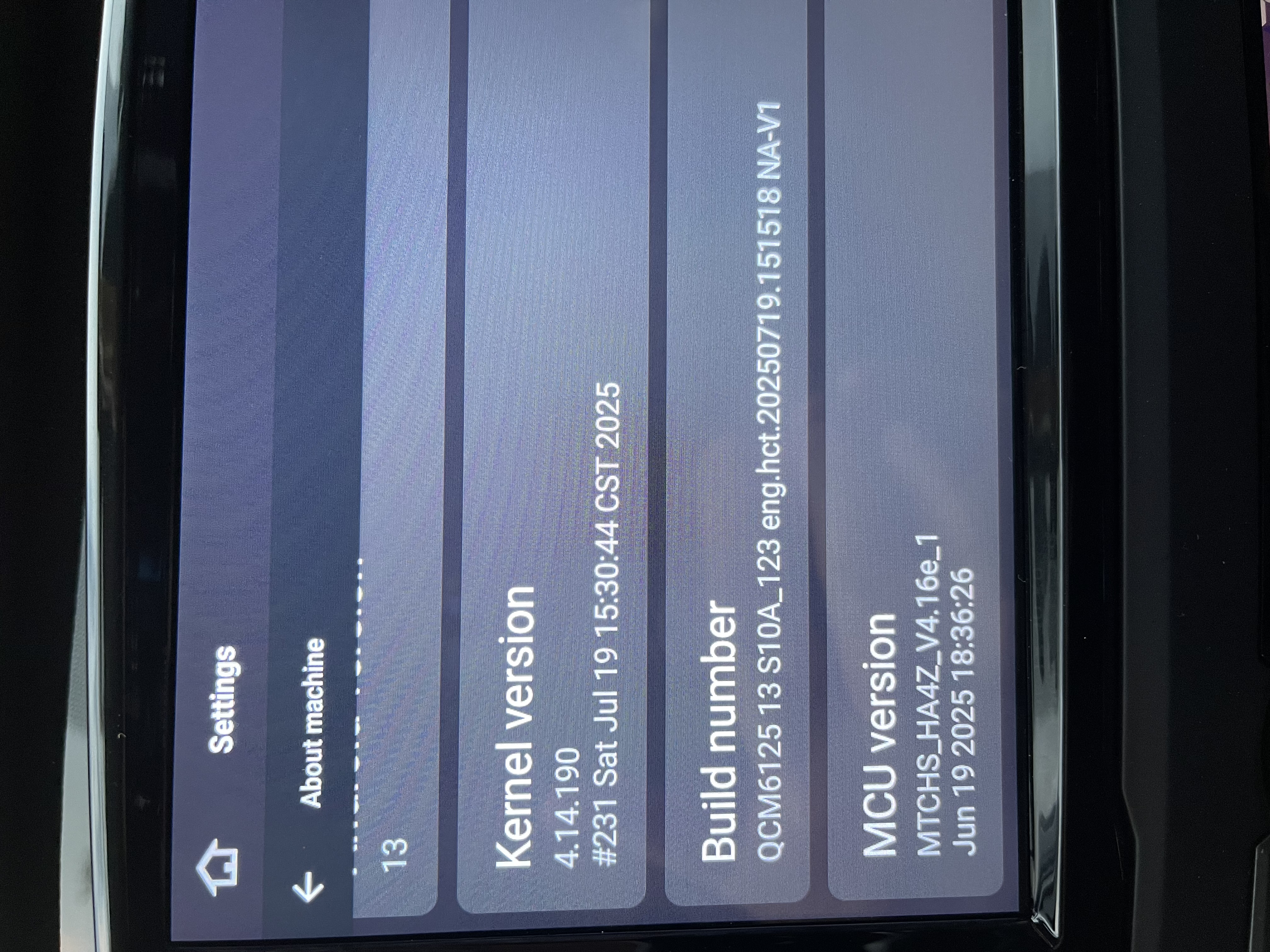
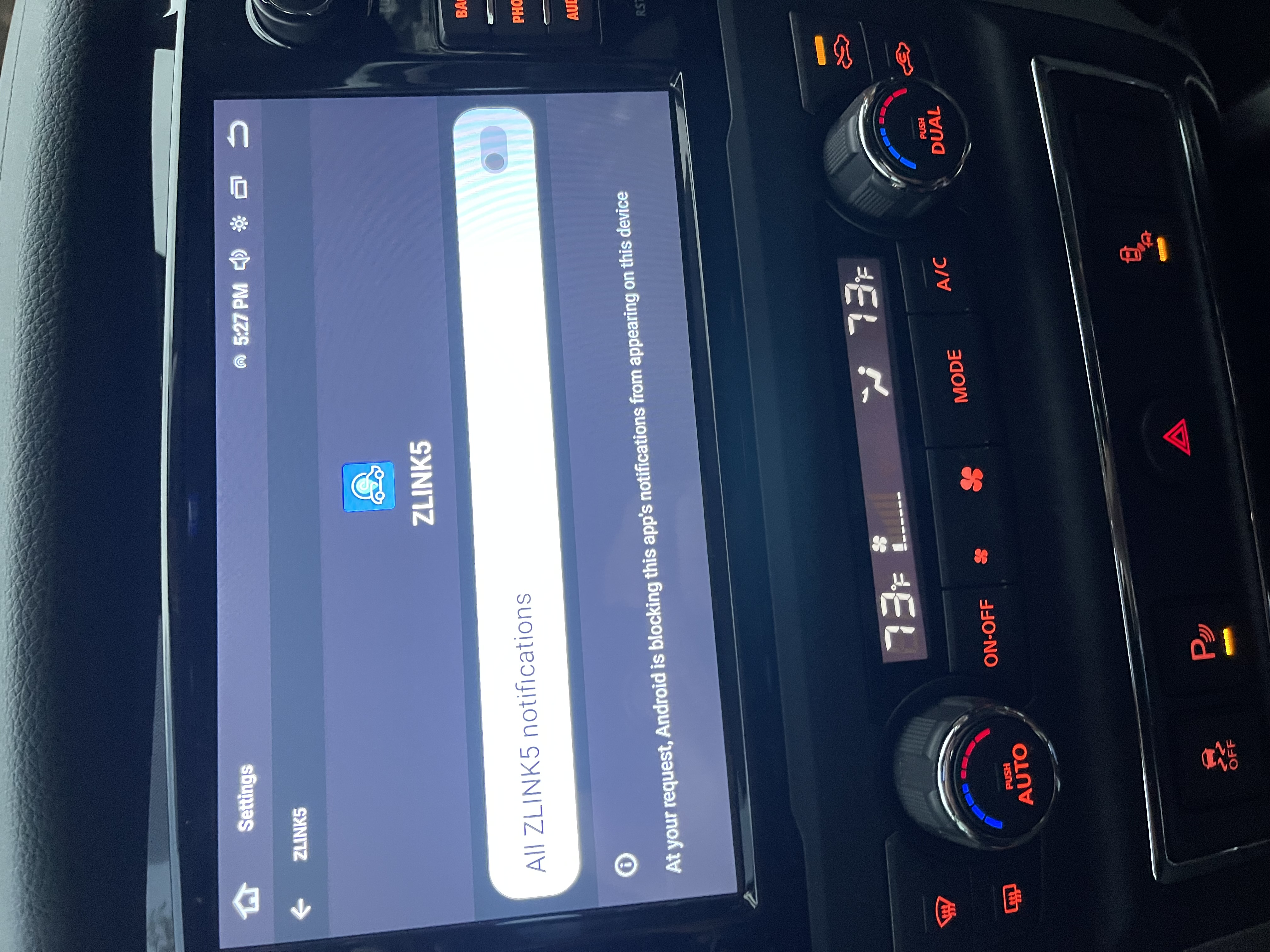
I am also having the same issue with not hearing Siri notifications. I just purchased Android 13unit for Nissan Titan (model QCM6125). Photo attached. Also tried going to Zlink5 notification to enable but it does not allow to turn on. Please advise.
I am having the same problem. I just bought the Android 13 Unit for Nissan Titan 2016-2020 (build and mcu attached). I cannot hear Siri notifications. Zlink settings have notifications turned off, but I cannot enable (see attached). Please advise.
Thank you for the quick response. I ensured that the setting you provided are correct on both my iPhone and on the CarPlay settings on the unit, but I still do not hear the notifications. Any other suggestions?
I tried steps above but Siri voice still has no volume (is silent). I also tried with a separate iPhone and have the same problem. Looks like a problem with the G13 unit. What should I do?
Tips: 1. Download above update file via your computer/laptop. 2. Format USB drive to FAT32 Format. 3. Copy the file “update.zip”&“hmcu.img” to the root directory of USB drive. 4. Insert USB drive into the unit via USB cable; then it will pop up automatically a window of update. Alternatively, please manually go "Settings > System > System updates/MCU updates" to start the update. ***NOTE: Please make sure that you have ticked option "Wipe data and format flash!".
It is important for us to know whether our support is meeting your expectation. As such, we’d like to invite you to leave your feelings about our service via below link if this will not disturb you. We genuinely appreciate your attention to this matter. Hope you have a nice day :)



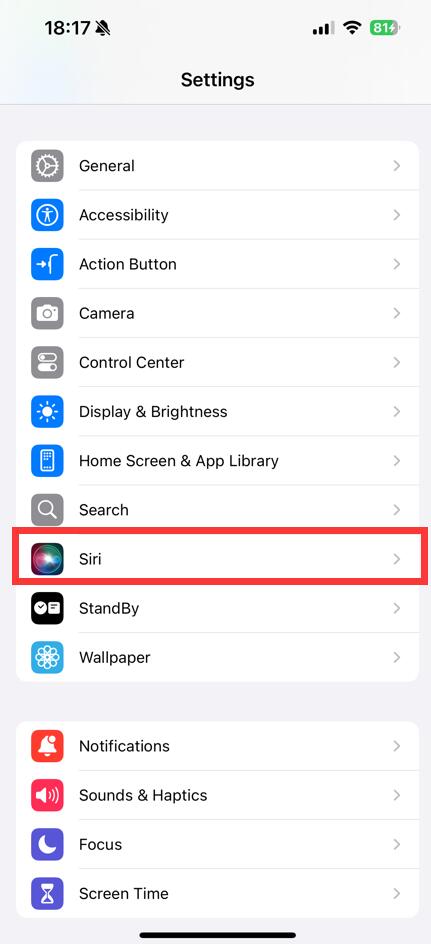
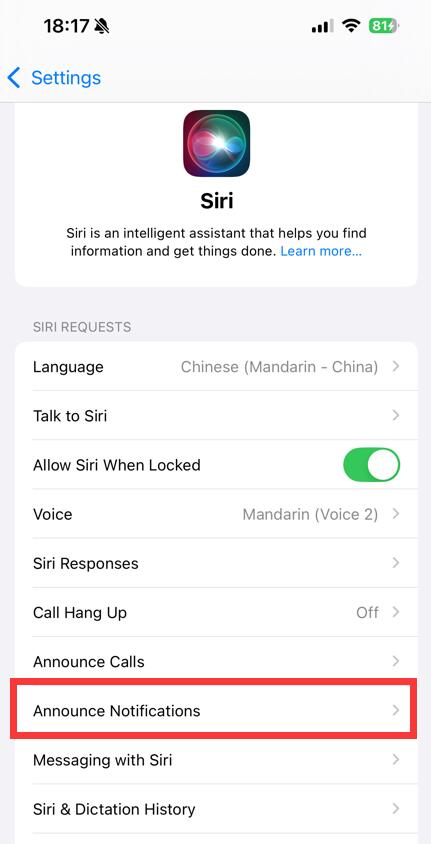
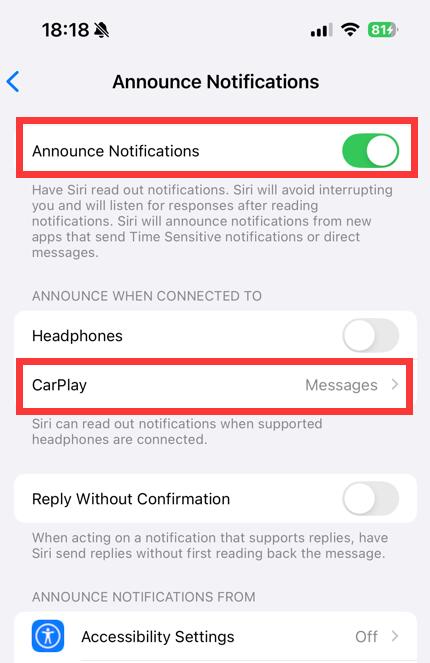
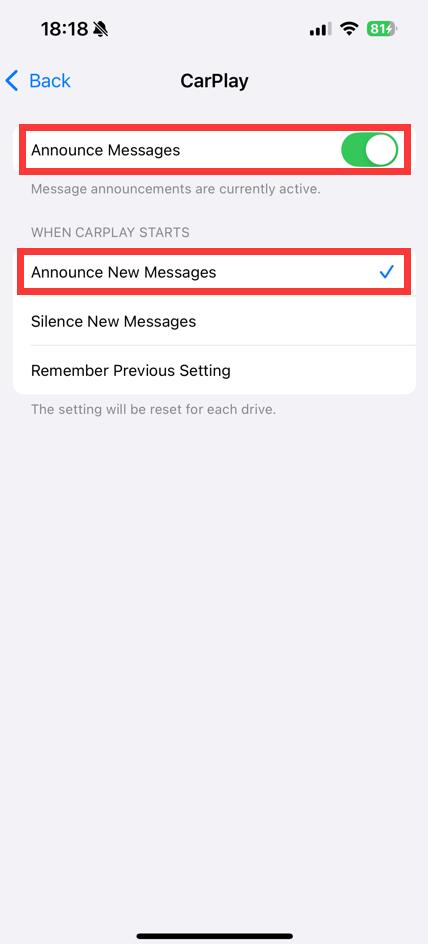
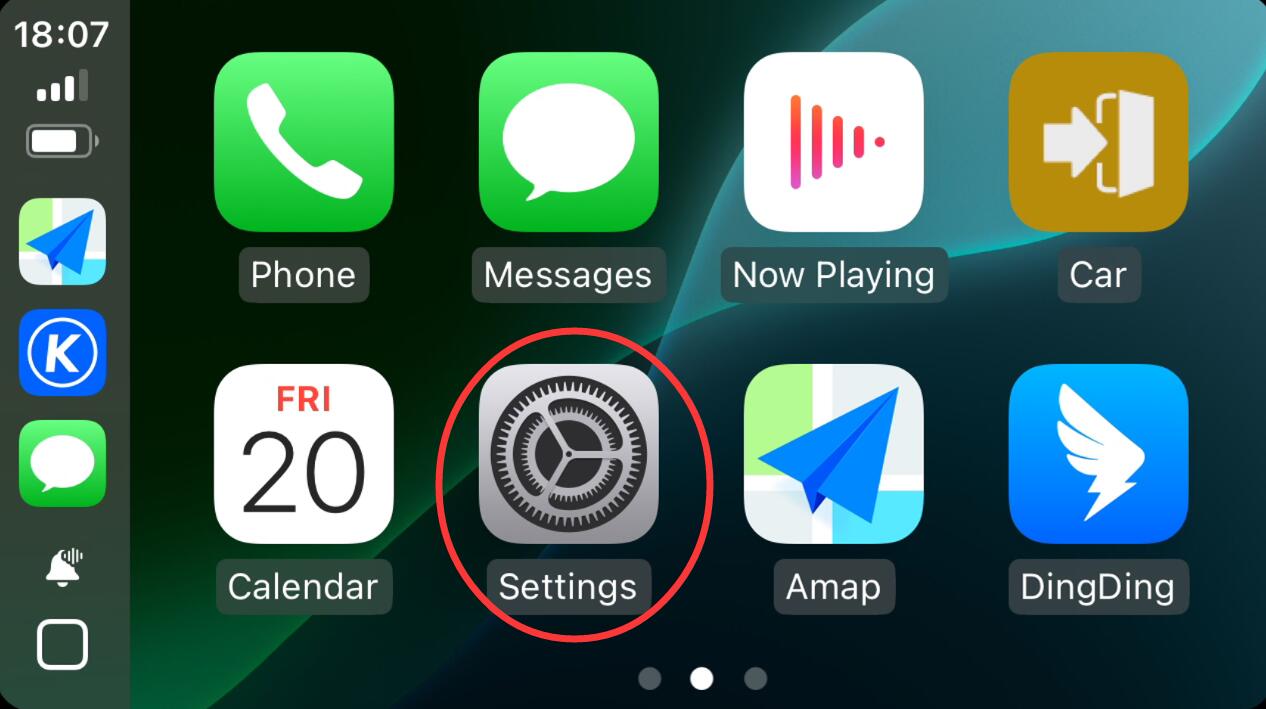 、
、